Ever wondered how to turn your Roblox creations into a source of Robux or enhance your game for others? Learning how to create a Roblox pass is a game-changer for many, offering a straightforward path to monetize your efforts and provide unique experiences within your games. This comprehensive guide is tailored for the average gamer, often juggling responsibilities like jobs and family, who wants to dive into game development without getting bogged down by complexity. We understand you value clear, actionable steps, and efficient solutions. Discover how to effortlessly set up your first game pass, understand pricing strategies, and promote it effectively. From providing exclusive in-game items to unlocking special abilities, Game Passes are a cornerstone of the Roblox economy, allowing creators to earn while offering exciting content. By following our easy instructions, you will learn to navigate the Roblox Studio, upload your assets, and configure your Game Pass settings, ensuring a smooth experience. This process not only offers a way to earn virtual currency but also fosters a deeper connection with your player base, giving them more reasons to engage with your creations. Whether you are a casual builder or an aspiring developer, mastering the art of the Roblox pass creation will elevate your game and your Robux balance. Get ready to transform your ideas into tangible in-game value.
How do I create a Game Pass on Roblox mobile in 2026?
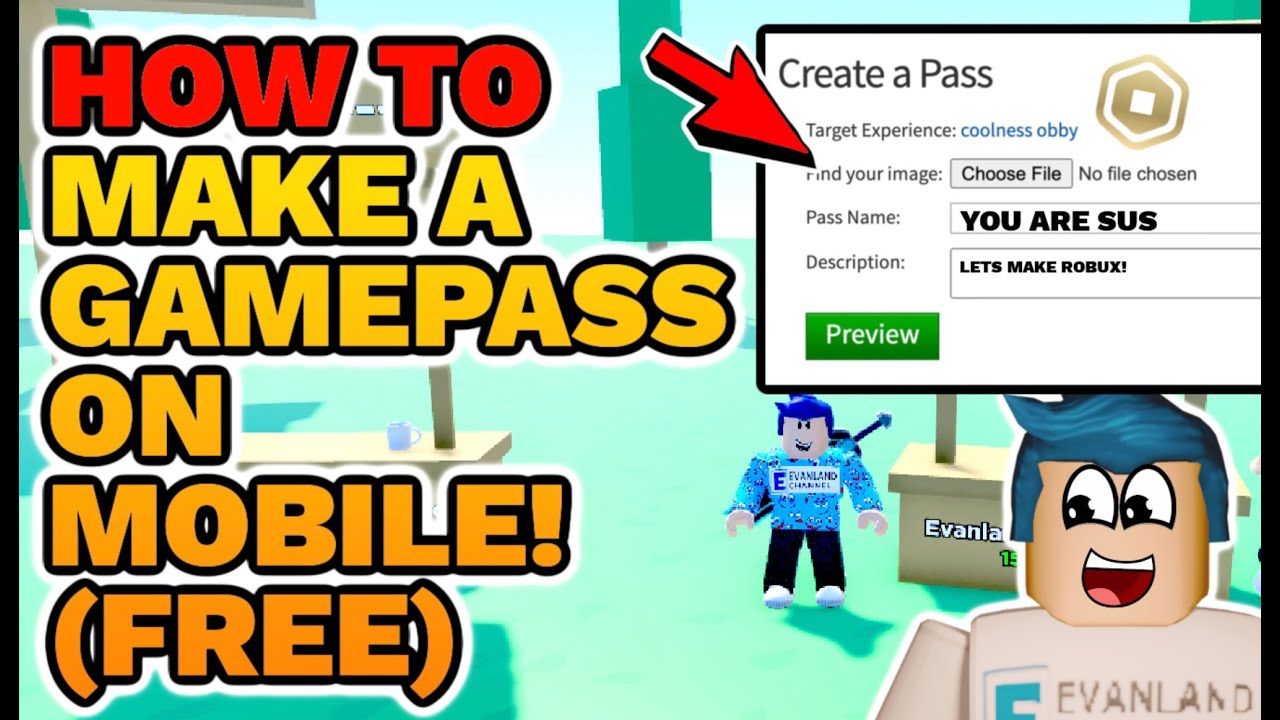
While the most robust creation features are typically found on a desktop or laptop via the Creator Dashboard, you can manage and even initiate some Game Pass creation steps using your mobile device's web browser in desktop mode. Open your browser, navigate to create.roblox.com, and ensure you request the 'desktop site' option. From there, the steps for uploading an image, setting a name, and description generally mirror the desktop process. For actual in-game scripting, a desktop is still recommended, but basic pass setup is increasingly mobile-friendly.
What are the best images to use for a Roblox Game Pass icon?
The best Game Pass icons are clear, high-resolution, and immediately convey what the pass offers. Use bright, contrasting colors to stand out, and ensure any text is large and legible. Simple, iconic representations work better than busy designs. For example, if it is a 'Speed Boost' pass, an image of a lightning bolt or a running character would be effective. Always adhere to Roblox's content guidelines and test how the image looks at small sizes, as it will often appear as a thumbnail.
Can I sell different types of in-game items using a Roblox Game Pass?
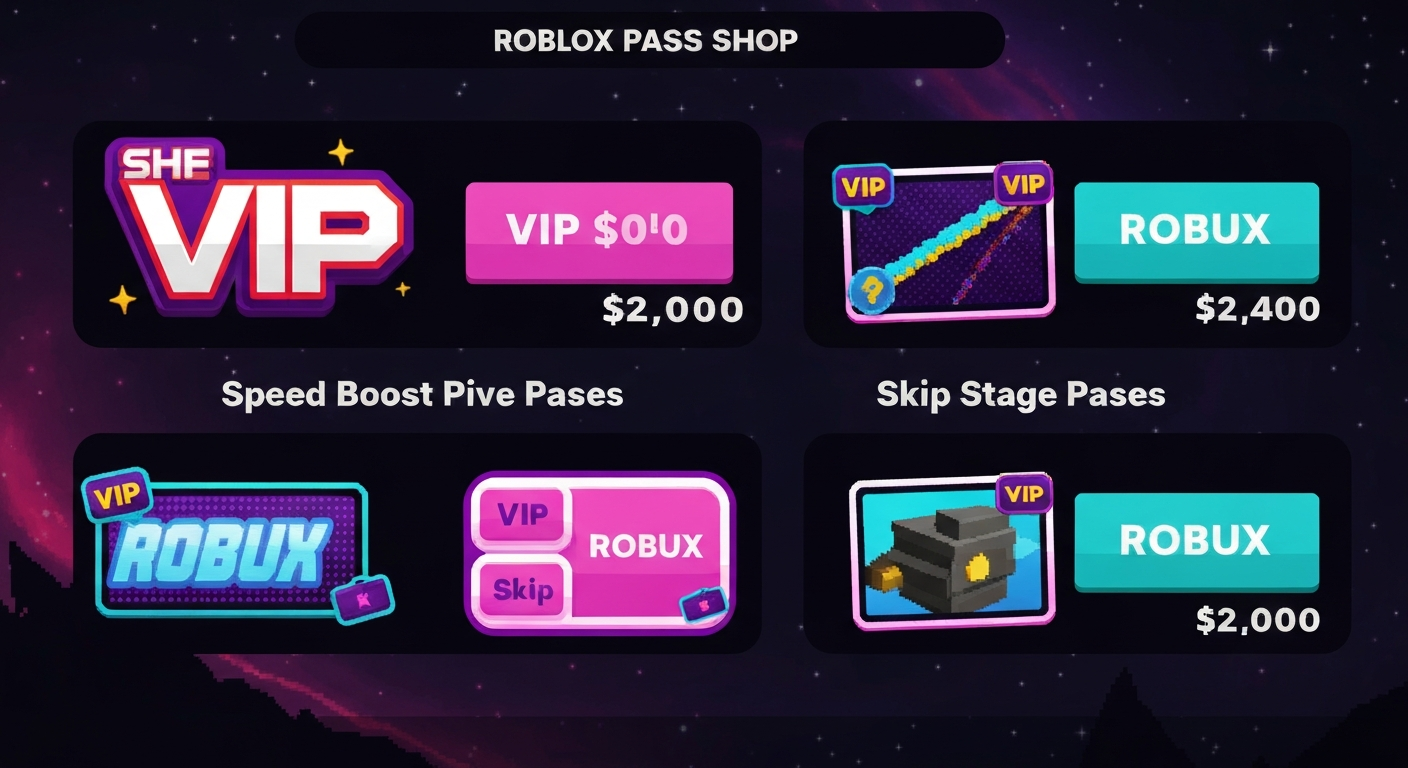
Yes, Game Passes are highly versatile and can be used to sell a wide variety of in-game items and perks. This includes virtual weapons, exclusive cosmetic accessories, special tools, access to VIP areas or private servers, unique emotes, permanent ability boosts like increased speed or health, and even custom titles or player tags. The key is to clearly define what the pass grants and then script that functionality into your game using Roblox Studio.
What's the Robux percentage cut for creators when selling Game Passes?
When you sell a Game Pass on Roblox, the platform retains a 30% commission from the sale. This means that as a creator, you will receive 70% of the Robux price you set for the pass. For example, if you sell a Game Pass for 100 Robux, you will earn 70 Robux. It's important to factor this commission into your pricing strategy to ensure you are earning your desired amount per sale.
Why isn't my Roblox Game Pass showing up in my game?
If your Roblox Game Pass isn't appearing in your game, there are a few common reasons. Firstly, ensure you have enabled 'Item for Sale' in the pass's settings on the Creator Dashboard. Secondly, and most crucially, you need to script the Game Pass into your game using Roblox Studio. The game itself must have code that checks if a player owns the specific Game Pass and then grants the associated perk. Without this scripting, the pass exists but has no functional impact in your experience.
Is it worth creating a Game Pass if I'm a small Roblox developer?
Absolutely, creating a Game Pass is definitely worth it for small Roblox developers or even casual creators. It is a low-effort, high-reward monetization tool that allows you to test out ideas and see what resonates with players without needing complex systems. It provides an immediate avenue to earn Robux from your creations, which can then be reinvested into further developing your game, purchasing assets, or simply enjoying the platform. It is an excellent way to start your monetization journey.
How do I manage multiple Game Passes efficiently as a busy gamer?
Managing multiple Game Passes efficiently as a busy gamer involves organization and automation where possible. Keep a clear spreadsheet or document detailing each pass, its price, what it offers, and its sales performance. Group similar passes for easier tracking. Within Roblox Studio, consider creating modular scripts for Game Pass functionality that you can easily adapt for new passes. Regularly check your Creator Dashboard analytics to quickly identify top performers and underperforming assets, allowing you to prioritize adjustments without extensive time commitments.
Balancing the thrill of gaming with the demands of a job, family, and daily life can sometimes feel like a high-level boss fight. Many of us, the average 36-year-old gamer for instance, who spend roughly 10+ hours a week in virtual worlds, seek relaxation, social connection, and even a bit of skill-building. But what if your passion for gaming could also unlock a new dimension of creativity and even a little extra Robux without adding another full-time commitment? If you have ever considered enhancing your Roblox game or monetizing your in-game assets, learning to roblox create pass is your secret weapon. It is not just for the hardcore developers; it is for every creator looking to add value and perhaps earn a little back for their time and effort. With 87% of US gamers regularly engaging with their favorite titles, and mobile gaming continuing its dominance, the ecosystem for creators on platforms like Roblox is thriving more than ever.
You might be thinking, is it worth my limited time to dive into something like creating a Game Pass? Absolutely. Think of it as investing a small amount of effort for a potentially rewarding return, both in Robux and in player engagement. Game Passes are a fantastic way to offer exclusive content, perks, or access within your Roblox experiences, giving players a reason to keep coming back and supporting your creativity. This guide is designed to cut through the jargon and provide you with clear, actionable steps, making the process of how to roblox create pass as smooth and efficient as possible. We will cover everything from initial setup to smart pricing strategies, ensuring that you can confidently leverage this powerful feature to your advantage. Let us turn your creative ideas into valuable in-game assets without disrupting your carefully balanced life.
What Exactly is a Roblox Game Pass and Why Should I Create One?
A Roblox Game Pass is essentially a digital ticket that players can purchase with Robux to unlock specific features, items, or abilities within a particular Roblox experience. It is a fundamental tool for game monetization, allowing creators to sell unique content without needing to create an entire in-game shop from scratch. For instance, a Game Pass might grant a player special access to a VIP lounge, an exclusive powerful weapon, a unique cosmetic item, or a permanent boost to their in-game currency earnings. This system empowers developers, from seasoned pros to hobbyists, to generate Robux from their games, directly supporting their creative endeavors.
As a gamer who balances life, creating a Game Pass is a smart move because it offers passive income once set up, rewarding your initial creative investment. It adds depth to your game, provides exclusive value to your players, and fosters a sense of community around special perks. It is a way to acknowledge and reward players who want to support your work, while also enhancing their gameplay experience. In the current gaming landscape, where players appreciate personalized content and supporting their favorite creators, Game Passes fit perfectly into the trend of in-game purchases and creator influence.
How Do I Prepare to Create a Roblox Game Pass?
Before you dive into the technical steps of creating a Roblox Game Pass, a little preparation goes a long way. First, you need to have a game published on Roblox. Game Passes are tied to specific experiences, so ensure your game is ready and accessible. Next, identify what unique content or perk your Game Pass will offer. This could be anything from a special sword to an exclusive area. It is crucial to have this idea clear, as it will dictate the value and appeal of your pass.
You will also need a compelling image for your Game Pass icon. This image should be clear, visually appealing, and accurately represent what the pass offers. Think of it as marketing your product; a good icon can significantly boost sales. Ensure your image is appropriate for Roblox's content guidelines and is a square aspect ratio. Lastly, consider the pricing. Research what similar passes sell for in other games to get a benchmark, but we will delve deeper into pricing strategies shortly.
What Are the Step-by-Step Instructions to Create a Roblox Game Pass?
Creating a Roblox Game Pass is a straightforward process, even if you are new to the creator dashboard. Here is a numbered breakdown to guide you:
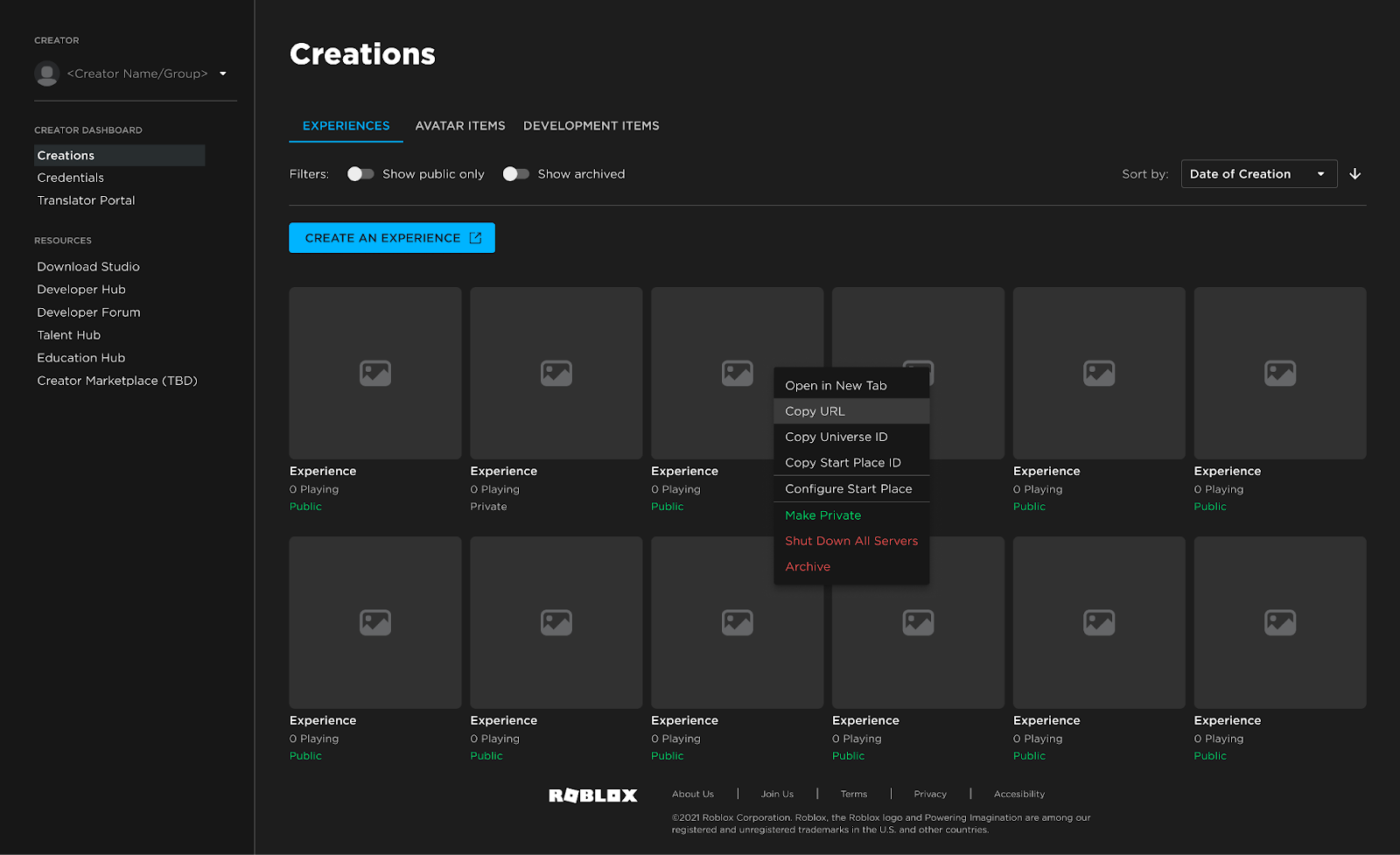
Access the Creator Dashboard: Log in to your Roblox account and navigate to the Creator Dashboard. This is your hub for all development activities.
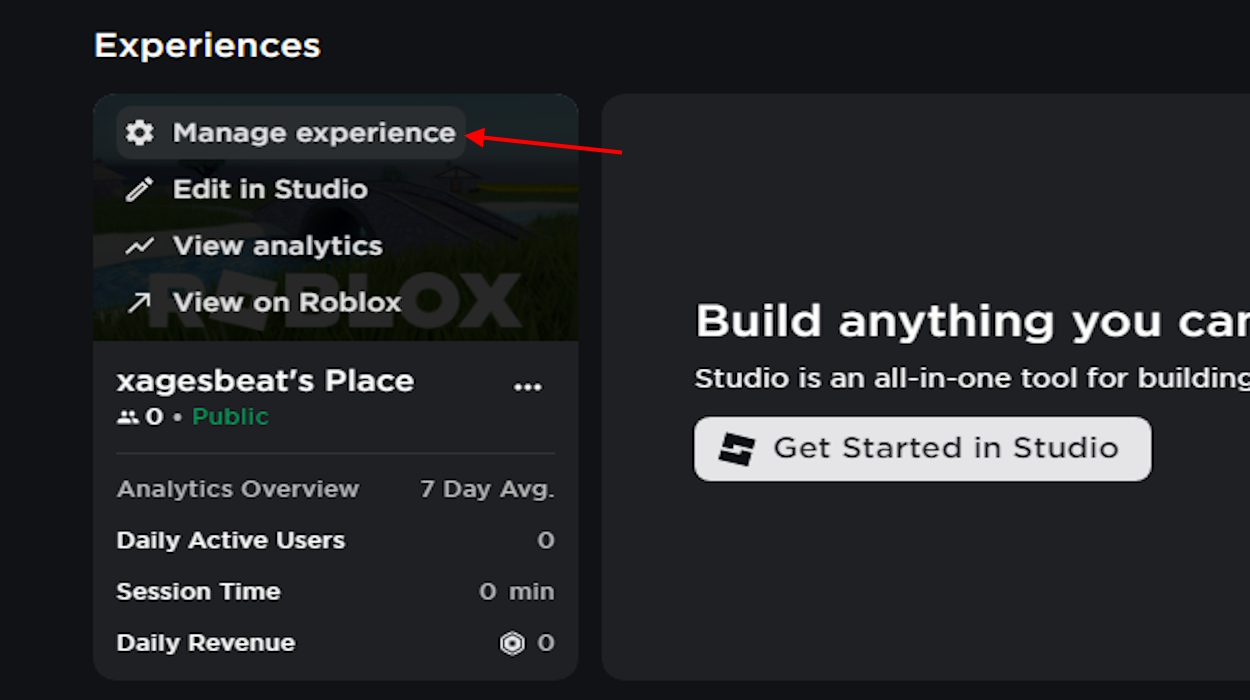
Select Your Experience: On the dashboard, find the experience (game) for which you want to create the Game Pass. Click on it to enter its specific settings.
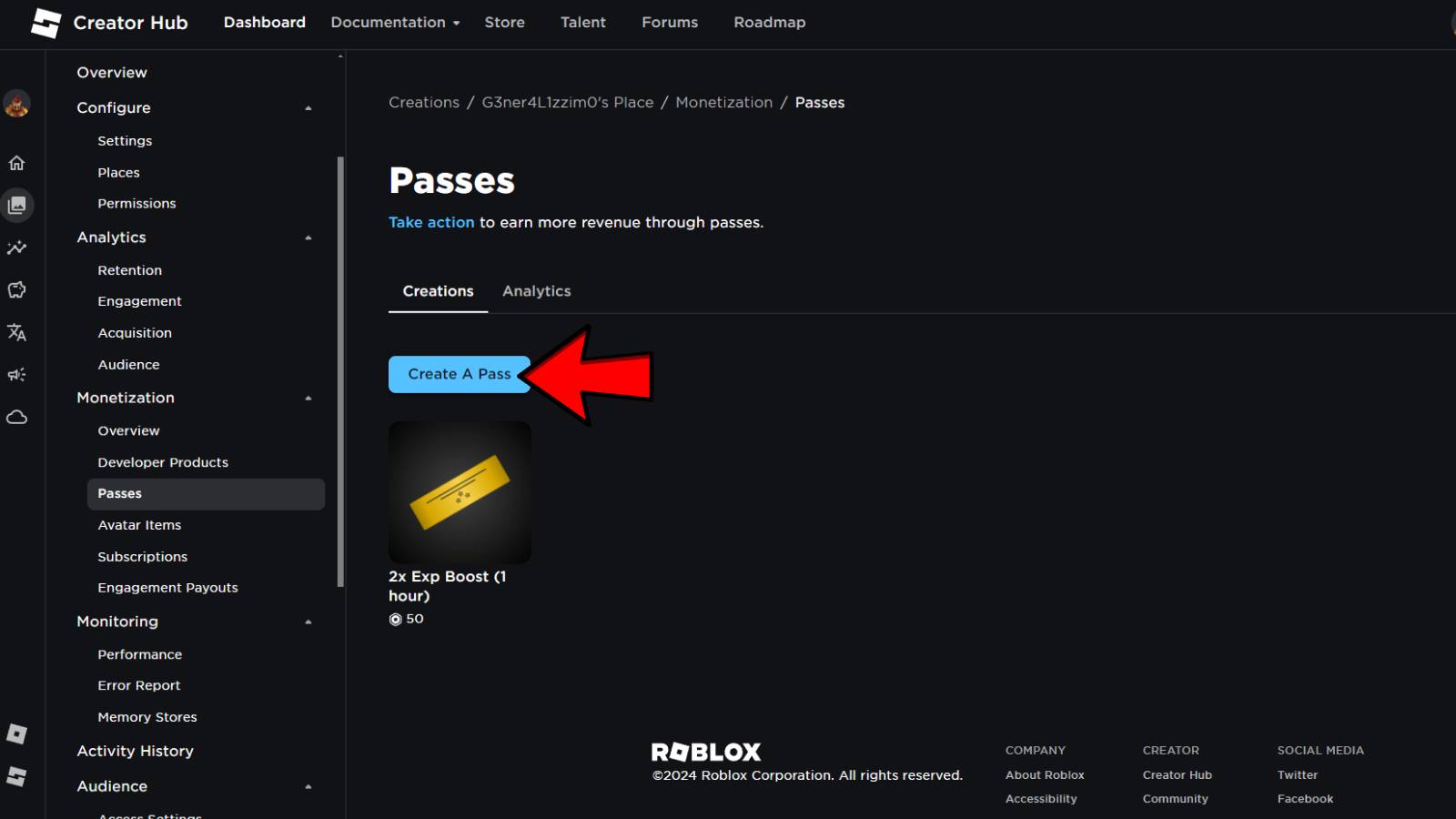
Navigate to Associated Items: In the left-hand menu, under 'Monetization' or 'Monetize Experience', look for 'Associated Items'. Click on it to expand the options.
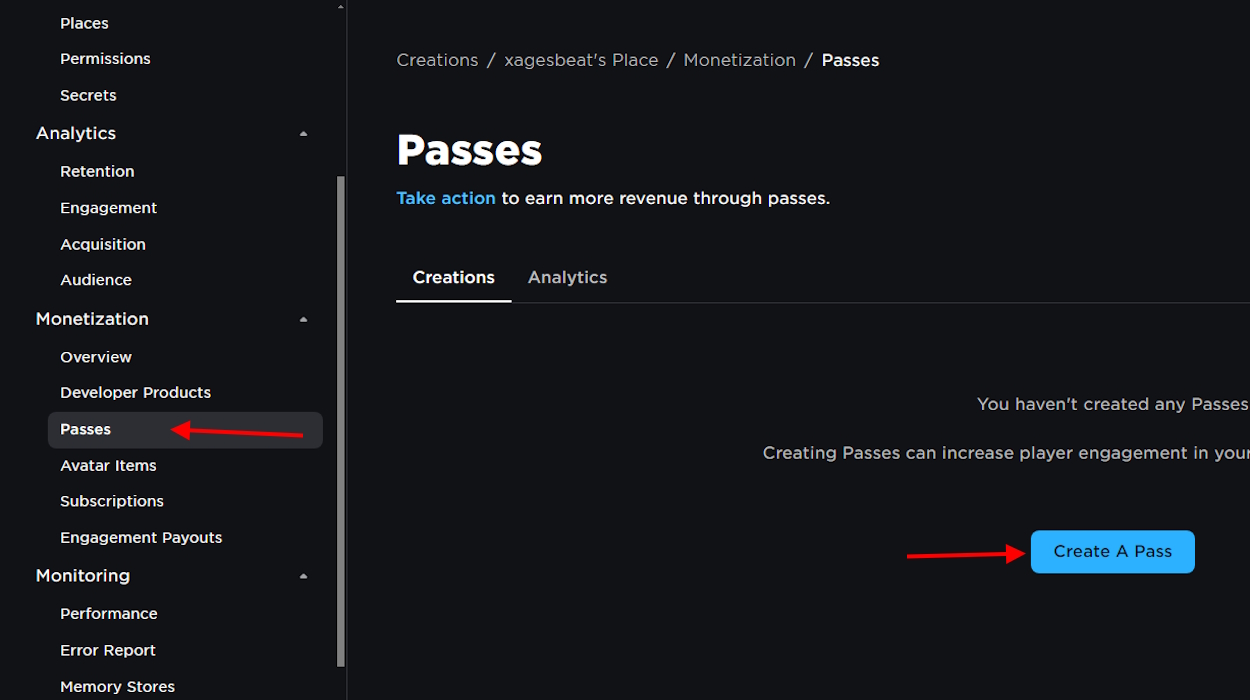
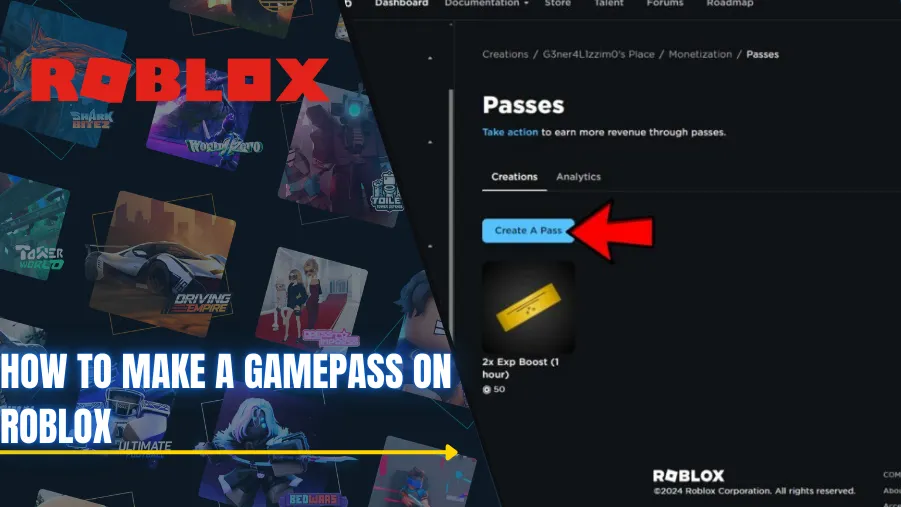
Choose Passes: Within 'Associated Items', select the 'Passes' tab. This will show you any existing passes and give you the option to create a new one.
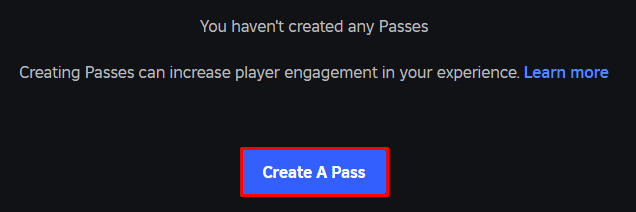
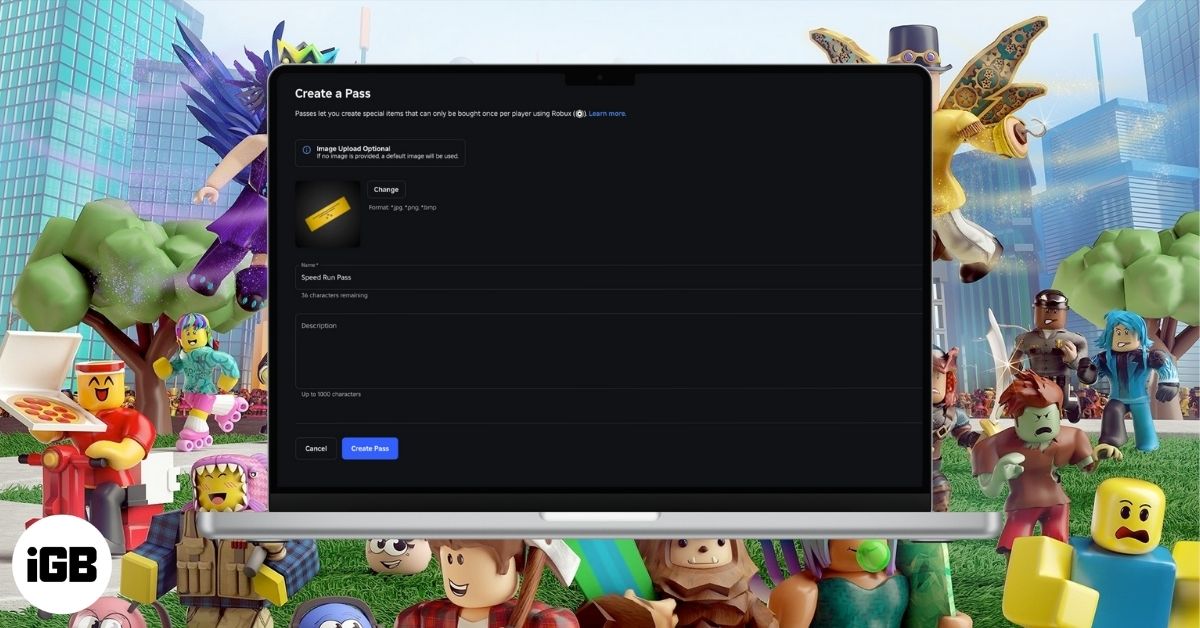
Click 'Create a Pass': You will see a button labeled 'Create a Pass'. Click this to start the creation wizard.
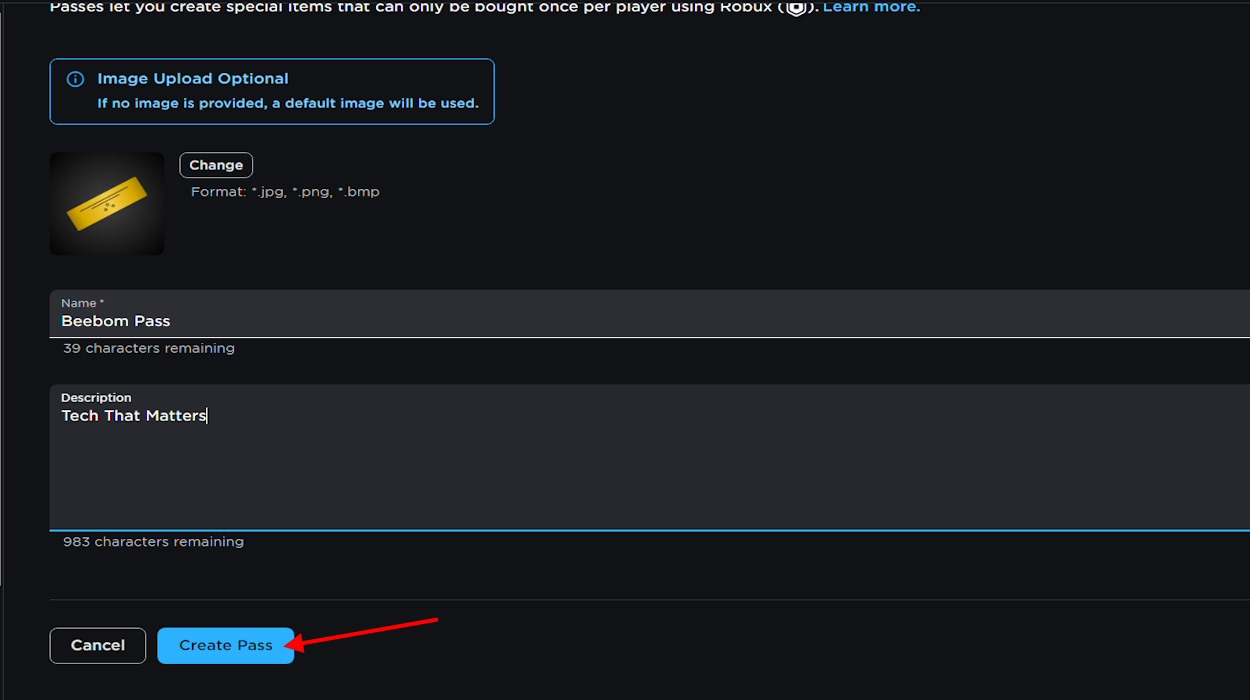
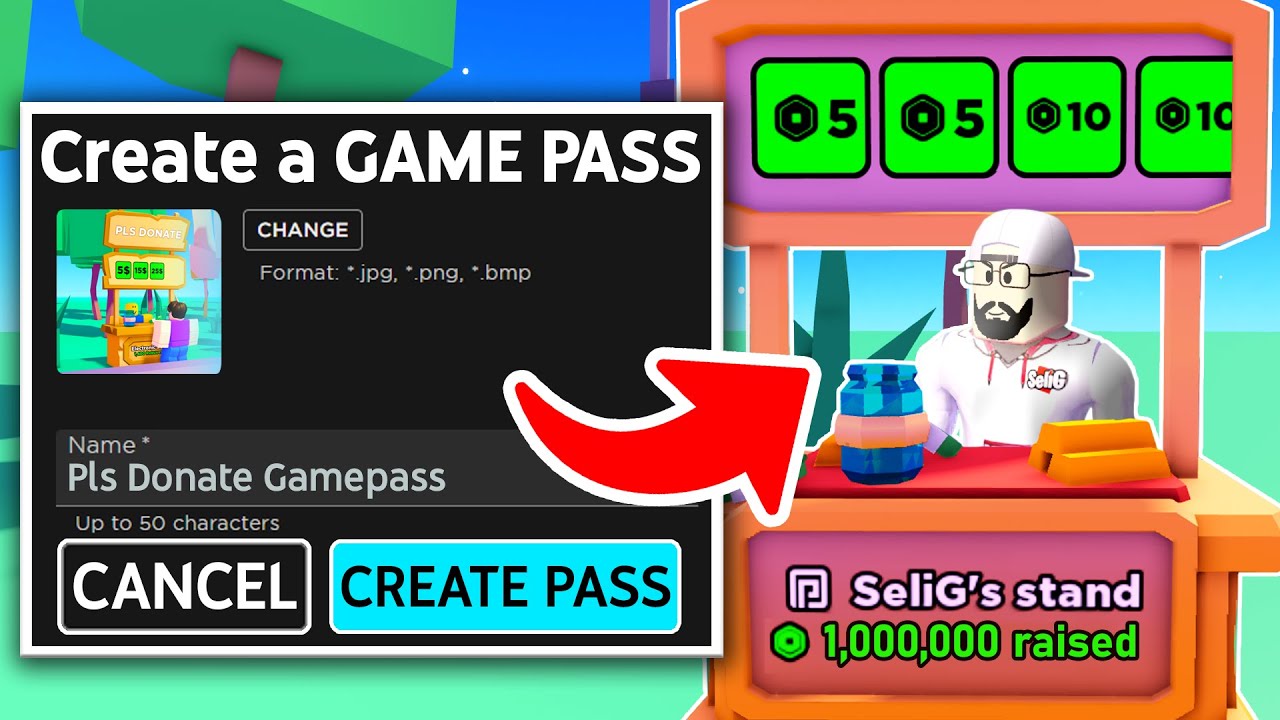
Upload Image and Details: Upload the icon image you prepared earlier. Give your Game Pass a clear, descriptive name (e.g., 'VIP Access Pass', 'Golden Sword Pass') and a detailed description that explains its benefits to players. This is where you sell the value.
Confirm Creation: After filling out the details, click 'Create Pass'. Your pass is now created, but it is not yet for sale.
Remember, this process only creates the pass item itself. You will still need to configure it for sale and integrate its functionality into your game using Roblox Studio. Take your time with each step to ensure accuracy.
How Do I Set the Price for My Roblox Game Pass and What's a Good Strategy?
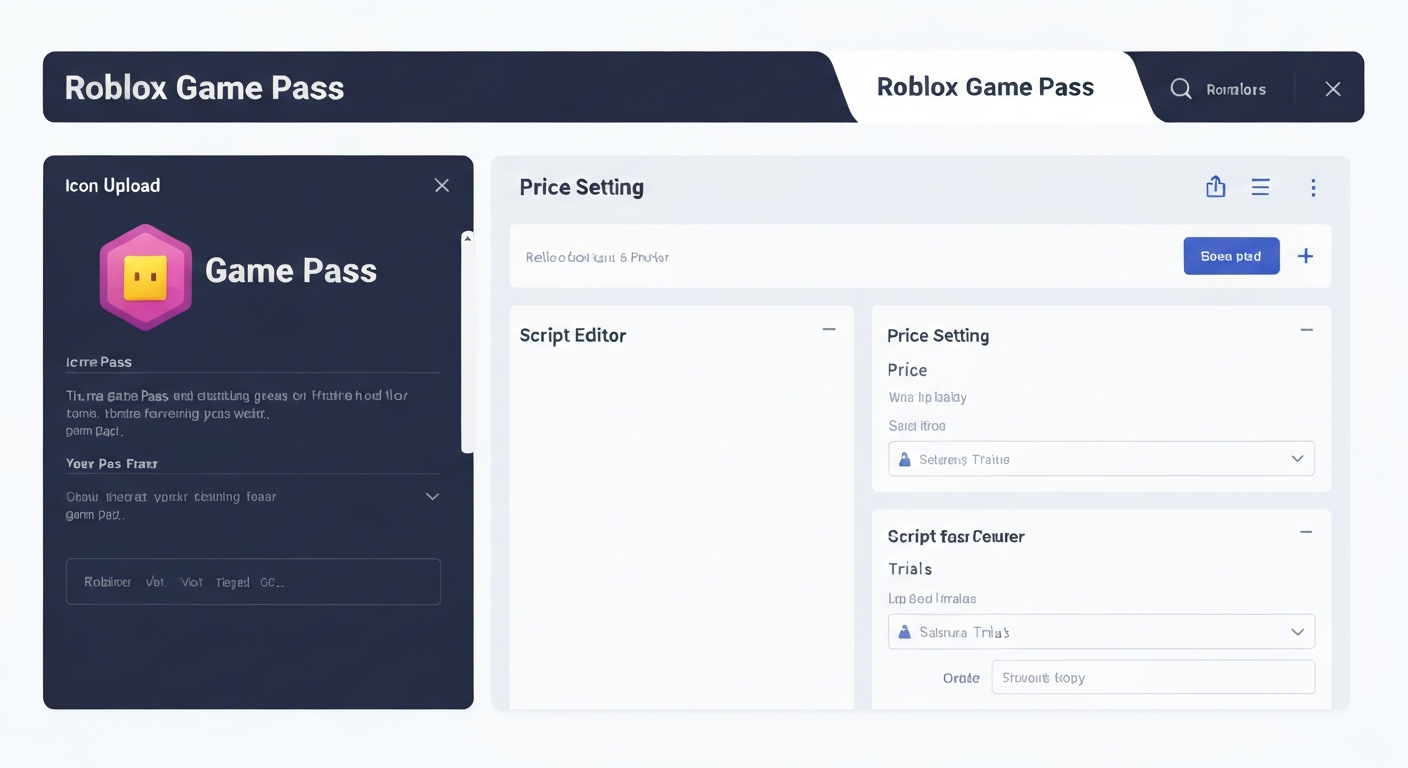
After creating your Game Pass, the next crucial step is to put it up for sale and determine its price. From the 'Passes' section on your Creator Dashboard, click on your newly created pass. On its dedicated page, navigate to the 'Sales' tab. Here, you will find a toggle to put the 'Item for Sale'. Flip this switch to 'On'. Then, input your desired Robux price. Remember, Roblox takes a 30% commission on all sales, so factor this into your pricing strategy.
For pricing, consider these strategies: Value-based pricing means setting the price based on the perceived value of the perk. A VIP pass with significant benefits might be 500-1000 Robux, while a small cosmetic could be 25-50 Robux. Tiered pricing can also work, offering different passes at varying price points for different levels of benefits. Look at other successful Roblox games this month; observe their Game Pass pricing. Avoid setting prices too high to deter casual players, but also not too low to devalue your content. A sweet spot often exists where the price feels fair for the benefit offered, attracting both dedicated players and those on a budget. The minimum price for a Game Pass is 1 Robux.
What Happens After I Create a Game Pass and How Do I Promote It?
Once your Game Pass is created and priced for sale, it is technically available for purchase. However, for it to actually *do* something in your game, you need to implement its functionality within Roblox Studio. This involves scripting. For instance, if your pass grants a special sword, your game's script needs to detect if a player owns that specific Game Pass and, if so, grant them the sword. Roblox provides developer documentation and a vibrant community forum where you can find scripts and tutorials for integrating Game Pass functionality, making it manageable even for those with limited coding experience.
Promoting your Game Pass is key to its success. Leverage your game's description and title to mention the availability of Game Passes. In-game advertisements, such as UI elements or signs within your world, can also draw attention. If you use social media platforms like Discord or X (formerly Twitter) to connect with your player base, announce new passes there. Consider collaborating with other creators or even using Roblox's advertising system to reach a wider audience. Regular updates to your game that highlight the benefits of your passes can also drive sales.
Can I Track the Sales and Performance of My Roblox Game Passes?
Absolutely, tracking the performance of your Roblox Game Passes is crucial for understanding what resonates with your players and for refining your monetization strategy. Roblox provides creators with detailed analytics through the Creator Dashboard. Simply navigate back to your game's page, and then look for the 'Analytics' section or specific 'Developer Stats'. Here, you can view metrics like total sales, Robux earned, and even player engagement with your passes over time. This data is invaluable for busy creators, as it allows you to quickly assess the success of different passes and make informed decisions without spending hours poring over spreadsheets.
Understanding these analytics can help you identify trends, such as which types of passes sell best or when peak sales occur. For example, if you notice a particular pass performs exceptionally well, you might consider creating similar passes or expanding on that concept. Conversely, if a pass is underperforming, the data might prompt you to adjust its price, improve its description, or rethink its offered benefits. This data-driven approach is essential for optimizing your earnings and ensuring your creative efforts are yielding the best possible results.
What Common Mistakes Should I Avoid When Making a Roblox Game Pass?
Even seasoned creators can fall into common traps when creating Game Passes. Avoiding these pitfalls can save you time and ensure a smoother experience. First, do not forget to implement the Game Pass functionality in your game. A pass that does nothing is useless and will only lead to player frustration and refunds. Second, avoid overpricing or underpricing. Overpriced passes will not sell, and underpriced ones leave Robux on the table. Research comparable items and strike a balance. Third, use a clear and appealing image and description. A vague or low-quality icon and description can deter potential buyers.
Another mistake is not promoting your passes. Just because it exists does not mean players will find it. Actively showcase your passes within your game and on your social channels. Lastly, do not offer pay-to-win advantages that alienate free players. While monetization is important, creating an unbalanced game where free players feel disadvantaged can lead to a negative reputation and player churn. Strive for passes that enhance the experience without making the game unplayable for those who do not purchase them.
How Do Roblox Game Passes Benefit the Wider Gaming Community and Creators?
Roblox Game Passes are more than just a way for individual creators to earn Robux; they foster a dynamic and creative ecosystem that benefits the entire gaming community. For players, Game Passes provide opportunities for unique, personalized experiences, allowing them to customize their gameplay, gain advantages, or access exclusive content that enhances their enjoyment. This leads to a richer, more diverse gaming landscape where creativity is rewarded and new forms of play are constantly emerging.
For creators, Game Passes offer an accessible entry point into game monetization, enabling them to fund further development, invest in better assets, or simply be compensated for their time and effort. This financial incentive encourages more individuals to create high-quality content, leading to a virtuous cycle of innovation and new game releases. In 2026, with social gaming and cross-play dominating trends, Game Passes facilitate deeper player-creator connections, where players directly support the visions of the people who craft their favorite virtual worlds. This direct support mechanism is vital for independent developers who thrive on community engagement and financial backing.
Are There Any Advanced Tips for Maximizing Game Pass Earnings?
For those looking to go beyond the basics, there are several advanced strategies to maximize your Game Pass earnings. Bundle Passes: Offer a package deal for multiple related passes at a slightly discounted price. This encourages larger purchases. Limited-Time Offers: Create scarcity by making certain passes available only for a short period, generating urgency among buyers. Seasonal Passes: Align passes with real-world holidays or in-game events. A Halloween-themed pass or a winter-themed item can be highly sought after.
Consider visual marketing within your game. Create a dedicated 'Game Pass Shop' area with appealing displays for each pass, perhaps even a short demonstration of what each pass offers. Implement A/B testing for your pass icons and descriptions to see which versions perform better. Engage with your community to get feedback on what kinds of passes they would like to see. Sometimes the best ideas come directly from your players, helping you create passes that genuinely resonate with their desires. Staying current with popular Roblox trends and integrating them into your pass offerings can also provide a significant boost.
How Can I Balance Creating Game Passes with My Busy Life?
For the average gamer who balances work, family, and hobbies, finding time for content creation can be challenging. The key is efficiency and smart planning. Start small; do not try to create ten Game Passes at once. Focus on one or two high-impact passes that offer significant value to your players. Utilize templates or pre-made assets when possible to save time on design. Instead of aiming for perfection, aim for completion.
Schedule dedicated 'creator time' slots, just like you would schedule gaming sessions or family time. Even 30-60 minutes a few times a week can make a difference. Break down the process into manageable steps: one session for brainstorming, one for image creation, another for setup in the dashboard, and a final one for scripting integration. Remember, the goal is to enhance your gaming experience and potentially earn a little extra, not to add more stress. Leverage Roblox's developer community for support and shared resources to streamline your workflow. Many busy adults find that this creative outlet, even in small doses, is a fulfilling way to unwind and build new skills.
FAQ Section
What is the minimum price for a Game Pass? The minimum price you can set for a Roblox Game Pass is 1 Robux. However, keep in mind Roblox's 30% commission, so a 1 Robux pass means you receive a fraction of that.
Do I need Robux to create a Game Pass? No, you do not need Robux to create a Game Pass. Creating the pass itself is free. You only need an active Roblox account and a published experience.
Can I delete a Game Pass once created? While you cannot permanently delete a Game Pass in the traditional sense, you can make it unavailable for sale by navigating to its settings and turning off the 'Item for Sale' toggle. This effectively removes it from the marketplace.
How long does it take for Robux from Game Pass sales to appear? Robux earned from Game Pass sales typically enter a pending state for a period of up to seven days. This waiting period is for moderation and security checks before the Robux are fully deposited into your account.
In conclusion, learning to roblox create pass is an accessible and rewarding venture for any gamer looking to deepen their engagement with the platform, monetize their creativity, and connect with their community. It is a powerful tool that, when used effectively, can transform your game development journey from a hobby into a source of both fun and potential income. Remember the core principles: clear value, smart pricing, and consistent promotion, all while respecting your valuable time. What is your biggest gaming challenge when it comes to creating content? Comment below and share your tips!
Effortlessly create and manage Roblox Game Passes; Monetize your Roblox creations to earn Robux; Provide unique in-game content and experiences for players; Simple step-by-step guide for busy gamers; Optimize Game Pass pricing for maximum earnings; Promote your passes effectively to reach more players; Understand the benefits for creators and the community.
35


How To Make A Game Pass In Roblox 2026 Step By Step Guide Game Pass Roblox.webp. Want To Make A Game Pass Roblox How Does It Work . PLS DONATE How To Make A Gamepass 2026 Roblox Den Image Aa6fa15a6c . Want To Make A Game Pass Roblox How Does It Work . Roblox Game Pass Maker How To Create Sell Game Passes 2026 Obby Blog


How To Make A Game Pass In Roblox Easy Game Pass Creation 2026 YouTube . How To Create A GAMEPASS On Roblox FULL GUIDE 2026 YouTube . Roblox Game Pass Maker How To Create Sell Game Passes 2026 Obby Roblox Game Pass Maker Hero.webp. Roblox Game Pass Maker How To Create Sell Game Passes 2026 Obby Roblox Game Pass Maker Mid.webp. How To MAKE A Game Pass To Earn Money In PLS Donate EASY ROBLOX GUIDE



How To Create A Game Pass In Roblox 2024 Full EASY Guide YouTube . How To Make A Game Pass In Roblox 2026 Everything You Need To Know How To Make A Game Pass In Roblox 1024x576 . How To Make A Game Pass In Roblox Guide Beebom Passes Option To Create A Pass . How To Create Game Pass In Roblox 2024 Make Game Passes To Earn Robux . How To Make Gamepass In Pls Donate Roblox 2025 Working YouTube
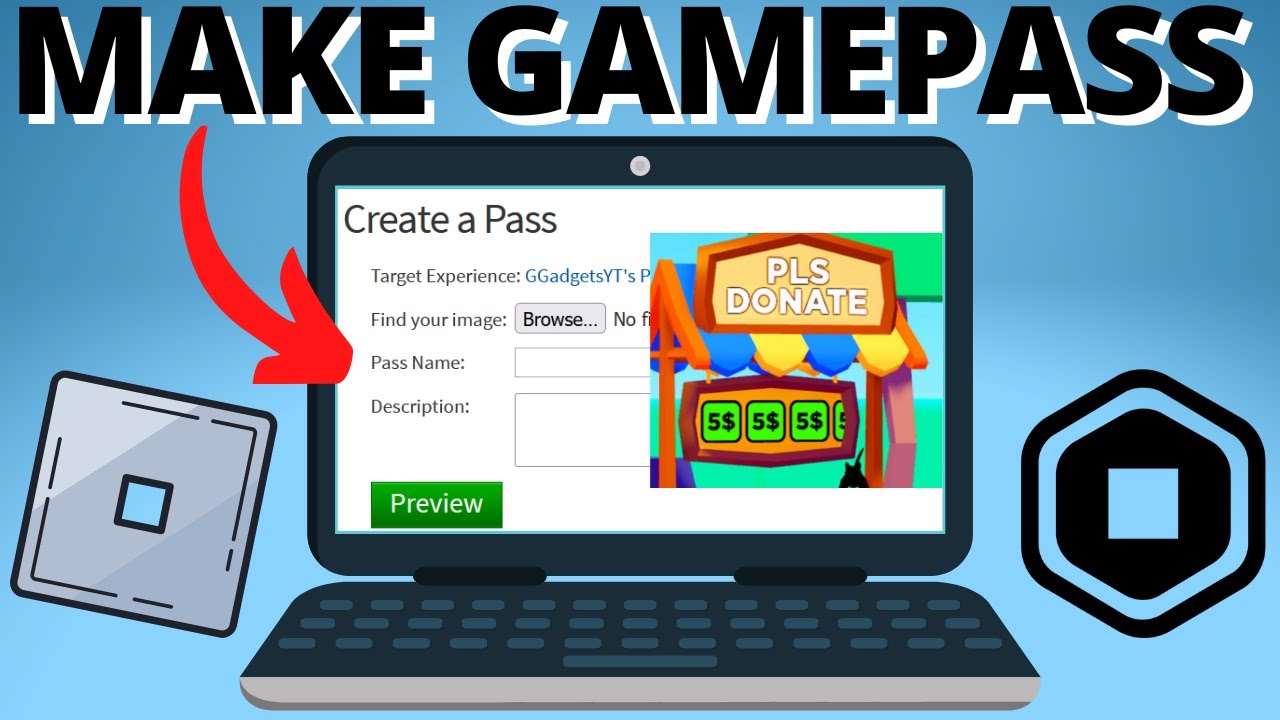


Roblox Game Pass Creator H Ng D N Chi Ti T T O B N V T I U Game Pass . Creating Roblox Game Passes A Simple Guide . Creating Roblox Game Passes A Simple Guide . How To Make A Game Pass In Roblox Guide Beebom Create Pass In Roblox . How To Make A Game Pass On Roblox Step By Step Guide IGeeksBlog How To Make A Game Pass On Roblox
How To Make A Gamepass In Roblox . Ubisoft Forward 2026 Upcoming Games Predictions All Expected Reveals Roblox Game Pass. How To Make A Game Pass On Roblox Step By Step Guide ONE Esports Roblox Step5 CreateAPass . How To Create A Pass On Roblox Https Create Roblox Com Dashboard How To Create A Pass On Roblox.webp. How To Make A Game Pass In Roblox Guide Beebom Manage Experience In Roblox




Roblox Game Pass New Game Pass In TSB Traje De Despertar The . How To Create A Roblox Account In 2026 What You Need Roblox Studio Home . How To Make A Gamepass On Roblox 2021 . Roblox 7fa517f7 638c 4bf2 B2ba. Roblox In 2026 Play On Roblox NoFilter



How To Create Game Pass Roblox . Create My Money Apple IPhone 8 . Pls Donate Roblox Game Pass H Ng D N Chi Ti T T Ng Doanh Thu . Roblox Creator Dashboard Passes H Ng D N T A N Z . How To Create A Game Pass In Roblox Create Gamepass Roblox