Are you puzzled why your Do Not Disturb mode activates without your input, often disrupting your crucial gaming sessions or important notifications? Many users, especially in the USA, face the frustrating issue of DND turning itself on unexpectedly. This comprehensive guide reveals the primary causes behind this perplexing behavior. You will discover how scheduled settings, Focus Modes, and even certain applications can silently enable Do Not Disturb. We'll explore device-specific features, common bugs, and user errors that contribute to DND automatically switching on. Learn effective troubleshooting methods to regain full control over your notification preferences and ensure your phone remains quiet only when you intend it to. We provide actionable steps to prevent unwanted DND interruptions during your most intense gaming moments, ensuring you never miss a critical call or message again. Uncover the solutions to keep your device operating exactly how you need it, avoiding frustrating silence at the wrong times. This article is your ultimate resource for understanding and resolving spontaneous Do Not Disturb activation.
Why does Do Not Disturb automatically turn on my phone?
Do Not Disturb often activates automatically due to scheduled settings, forgotten Focus Modes, or app-specific triggers. Many phones also have gaming modes that silence notifications when a game launches, leading to unexpected DND activation. Review your device's DND and Focus settings to identify and adjust these automated rules.
Can a specific app turn on Do Not Disturb?
Yes, certain applications can be granted permission to modify system settings, including Do Not Disturb. Productivity apps, game launchers, or even some smart assistant apps might have internal settings that automatically enable DND under specific conditions. Check individual app permissions and their internal settings.
How do I stop Do Not Disturb from turning on during gaming?
To prevent DND during gaming, check your device's Game Booster or Game Launcher settings for automatic DND activation and disable it. Also, review any Gaming Focus Modes or scheduled DND periods that might overlap with your play time. Adjust these settings to maintain control over your notifications.
What if Do Not Disturb keeps turning on at the same time daily?
If DND activates at the same time daily, it's almost certainly due to a forgotten schedule. Go to your phone's Do Not Disturb or Focus settings and look for any active schedules. Deactivate or modify these time-based rules to stop the consistent, unwanted activation.
Is Do Not Disturb turning on a sign of a bug or malware?
While less common, an unexpected DND activation could rarely be linked to a software bug or a malicious app with system modification permissions. First, exhaust all troubleshooting for schedules and app settings. If the issue persists, consider updating your OS or scanning for malware.
How can I ensure DND only activates when I want it to?
To ensure DND activates only when desired, manually control it or create highly customized Focus Modes. Review all existing schedules and app triggers. Disable any automated settings you do not understand or use. This gives you precise command over when your device goes silent.
Does Do Not Disturb affect game performance?
Do Not Disturb itself does not directly affect game performance. Its primary function is to silence notifications. However, if DND is part of a broader "gaming mode" that also optimizes CPU/GPU usage or manages background apps, then the overall gaming mode might indirectly influence performance.
Why Do Not Disturb Turns Itself On Unexpectedly
Many smartphone users, particularly those deeply engrossed in online gaming or critical tasks, often experience a peculiar problem: their Do Not Disturb mode mysteriously activates without direct input. This unexpected behavior can lead to missed calls, ignored messages, and overall frustration, especially when a crucial notification could impact a game or important communication. Understanding why Do Not Disturb, or DND, might turn on by itself is the first step toward regaining full control over your device's notification settings and ensuring your peace is only quiet when you truly want it to be.
This guide will explore the common culprits behind DND's spontaneous activation. We will break down how various device features, application behaviors, and even operating system quirks can contribute to this issue. The goal is to equip you with the knowledge and practical steps to identify the cause on your specific device and effectively prevent unwanted interruptions, letting you enjoy uninterrupted gaming or focused work.
You might wonder, "Can Do Not Disturb turn on by itself?" The simple answer is yes, under various circumstances that are often controllable once understood. This unexpected activation is rarely a random event; it usually stems from specific settings or interactions that can be identified and adjusted.
Understanding Do Not Disturb Settings and Focus Modes
Modern smartphones offer sophisticated Do Not Disturb features designed to help users manage distractions. These are not always simple on/off switches. Many devices come with advanced scheduling options, allowing users to pre-set times when DND should automatically activate. For instance, you might have set a schedule for DND to turn on every night at 10 PM, then forgotten about it. This is a very common reason for DND to appear to activate "by itself" – it's simply following a forgotten rule.
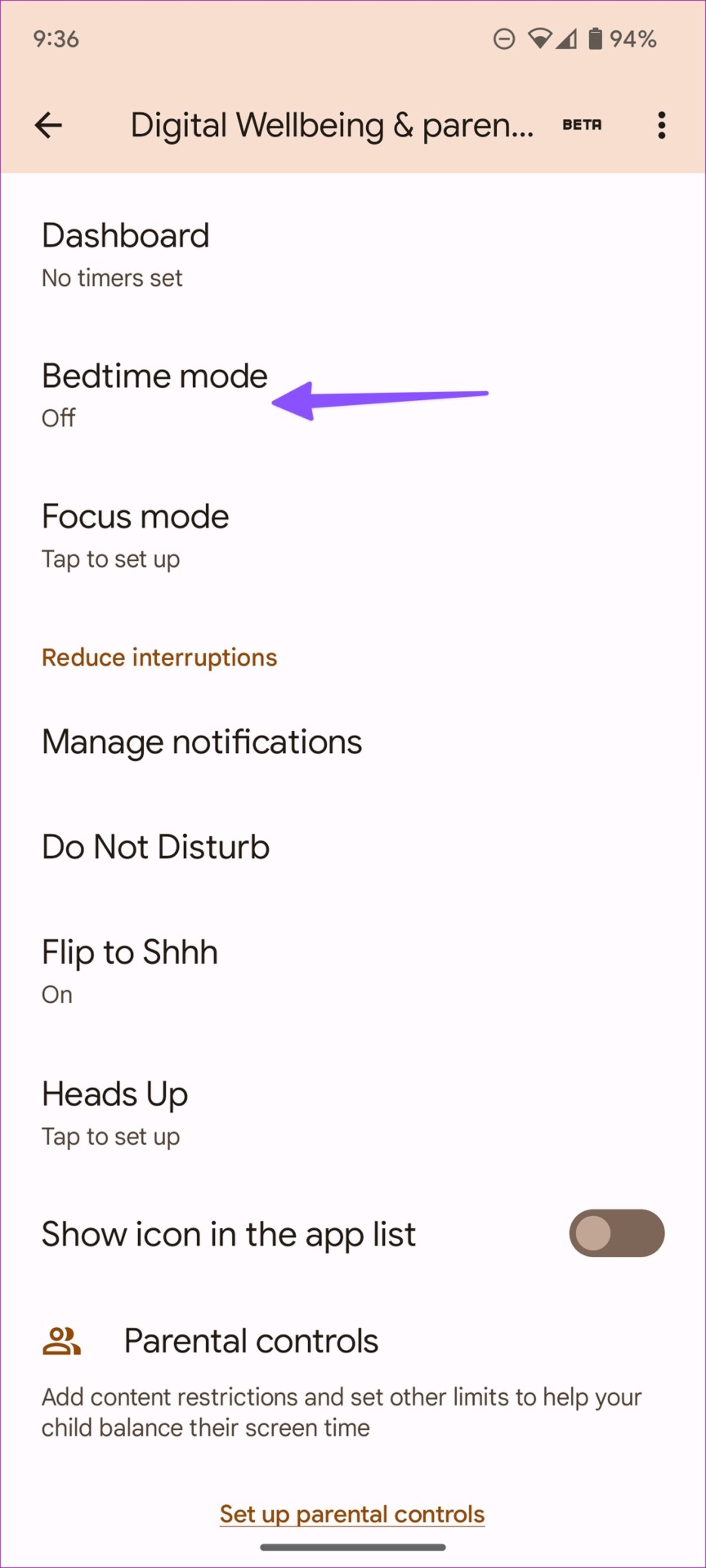
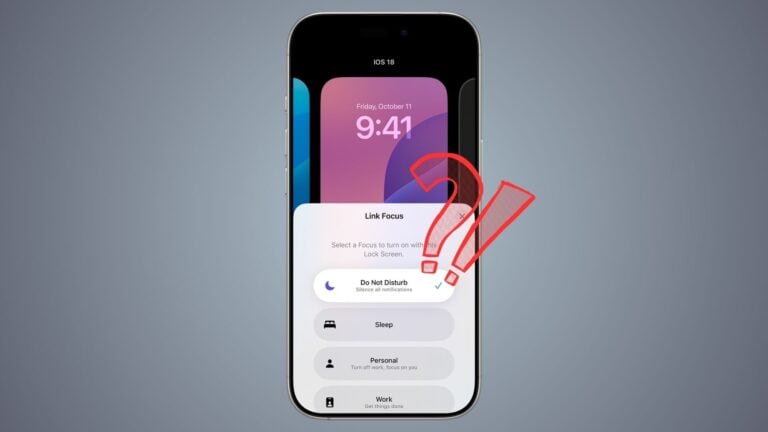
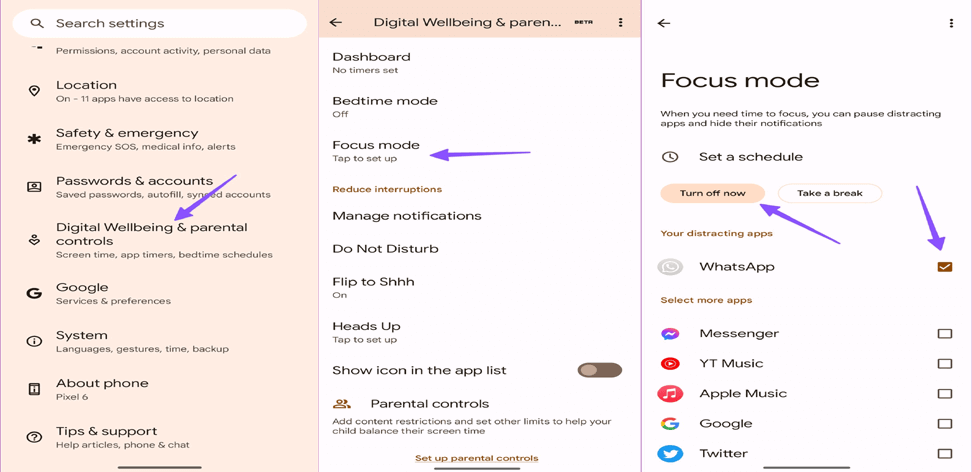
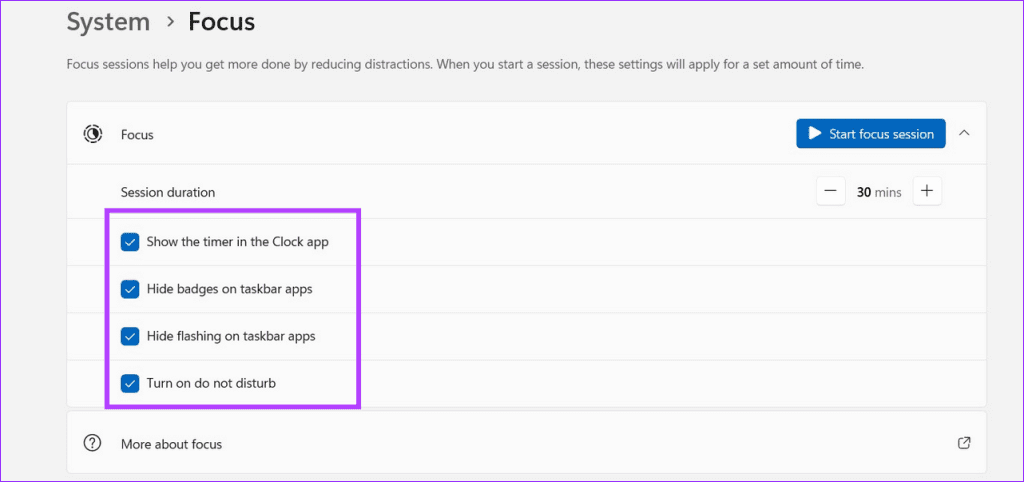
Beyond traditional schedules, Apple's iOS introduced Focus Modes, and Android devices have similar features like Digital Wellbeing or specific gaming modes. Focus Modes allow users to create customized DND experiences for different activities, such as Work, Sleep, or Gaming. These modes can be set to activate based on location, time, or even when specific apps are opened. If you previously configured a Gaming Focus Mode to activate when you launch your favorite battle royale or RPG, DND will kick in automatically, silencing notifications to enhance your gameplay without you needing to manually toggle it each time.
Some applications, particularly those focused on productivity, health, or even certain launchers and utility apps, can also gain permission to modify Do Not Disturb settings. If an app you installed has this permission and has an internal setting to activate DND under certain conditions – like during a timed work session or exercise – it could be the hidden reason for the spontaneous activation. Checking app permissions and individual app settings is crucial for uncovering these sneaky DND triggers.
Common Reasons DND Activates Automatically
There are several typical scenarios where Do Not Disturb might turn itself on without direct user action. One of the most frequent causes is a forgotten schedule. Users often set DND to activate during sleep hours or meetings and then later forget to disable or adjust that schedule. If your phone enters DND at the same time every day, checking your device's DND or Focus Mode scheduling settings is the first place to look. These schedules are designed for convenience, but they can become a source of confusion if not regularly reviewed.
Another significant factor, especially for gamers, is automated gaming modes or specific app integrations. Many Android phones, for example, have built-in Game Boosters or Game Launchers that, by default, will enable DND or a similar notification-silencing feature when a game is launched. This is intended to prevent interruptions during intense gameplay, but if you are not aware of this setting, it can seem like DND is turning on spontaneously. Similarly, some communication apps or smart assistants might have features that activate DND during calls or when a specific routine is triggered.
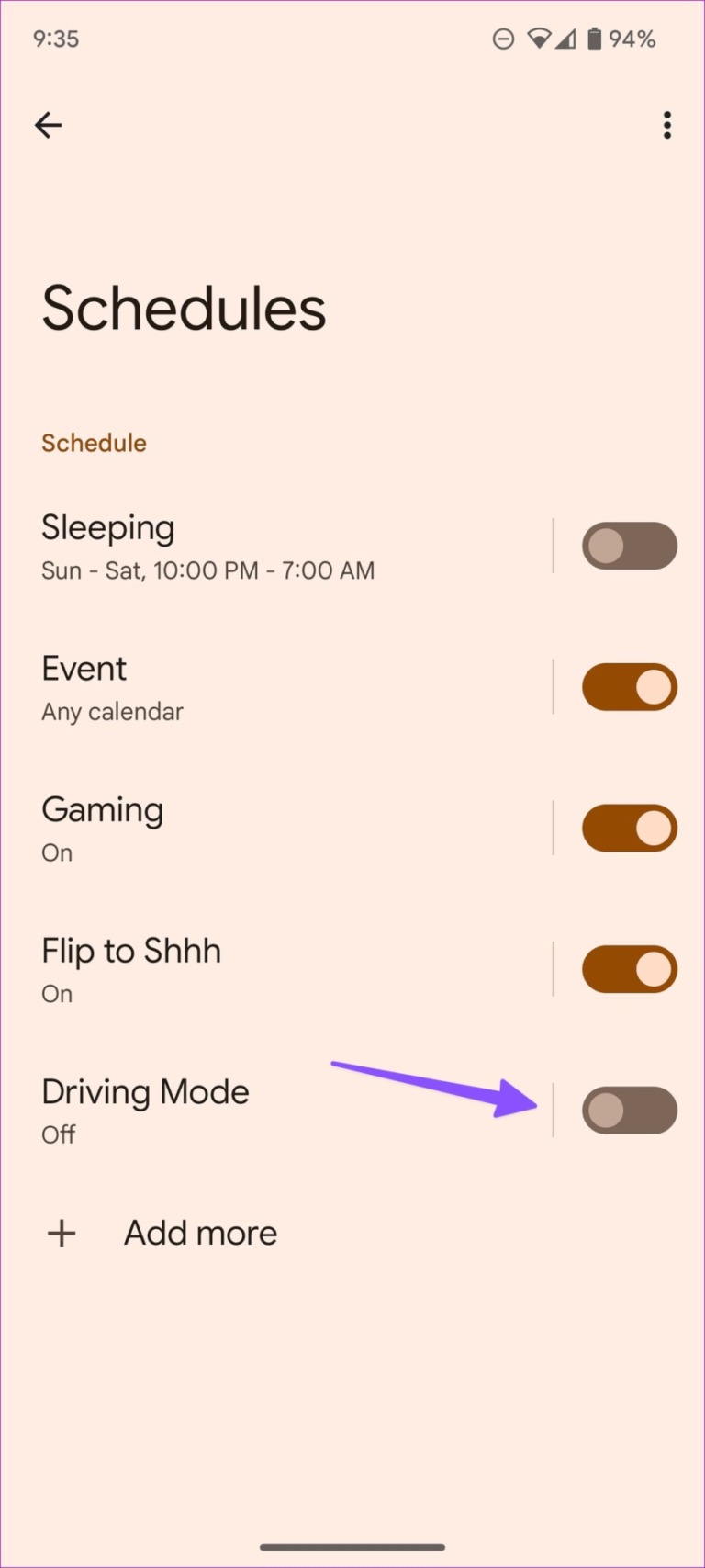
Lastly, some devices include features that automatically enable DND based on conditions like connecting to a car's Bluetooth (driving mode), detecting a sleep cycle, or even when placed face down on a surface. These contextual triggers are designed to be helpful but can sometimes be overly sensitive or simply misconfigured, leading to unexpected DND activation. It is important to explore all automated settings within your device's Do Not Disturb, Focus, and even general system preferences.
Troubleshooting Unwanted Do Not Disturb Activation During Gaming
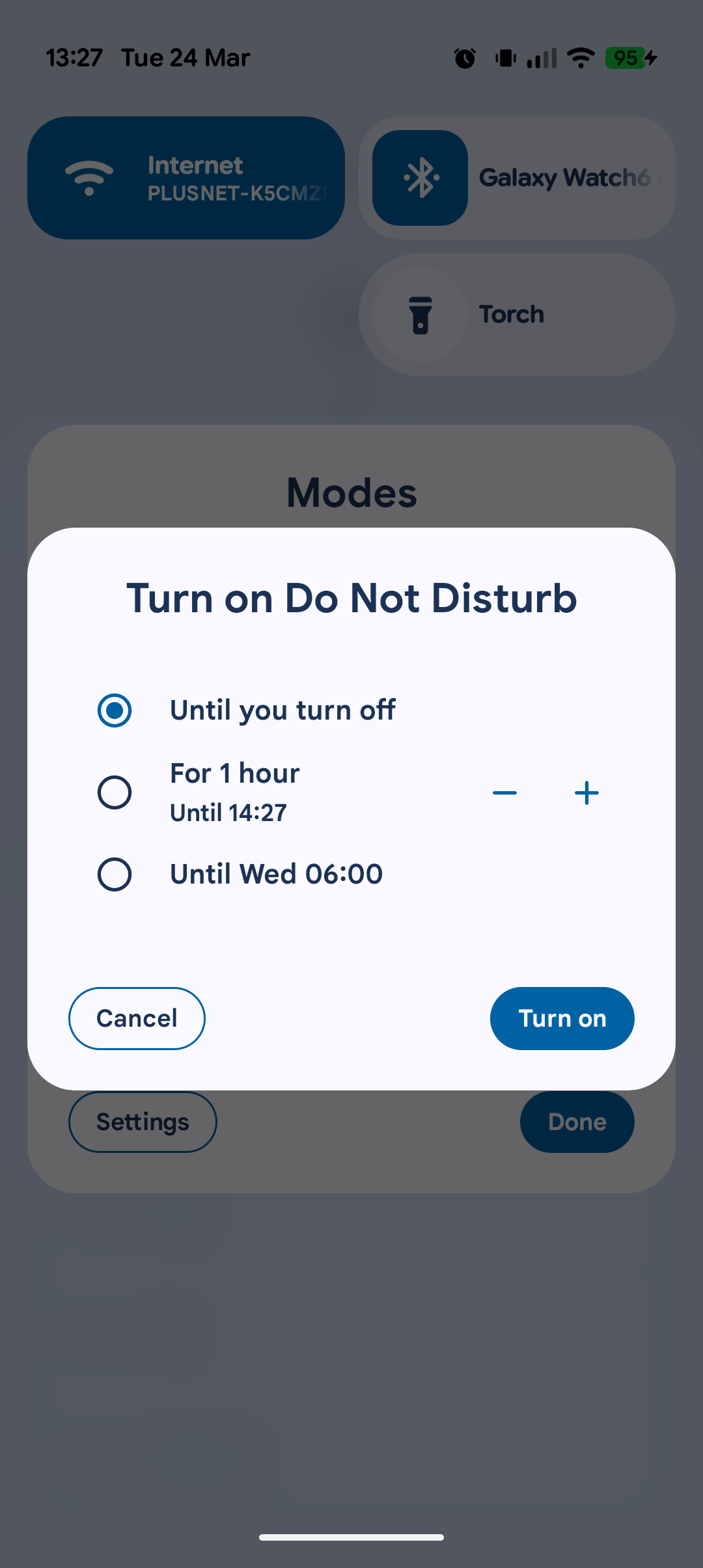
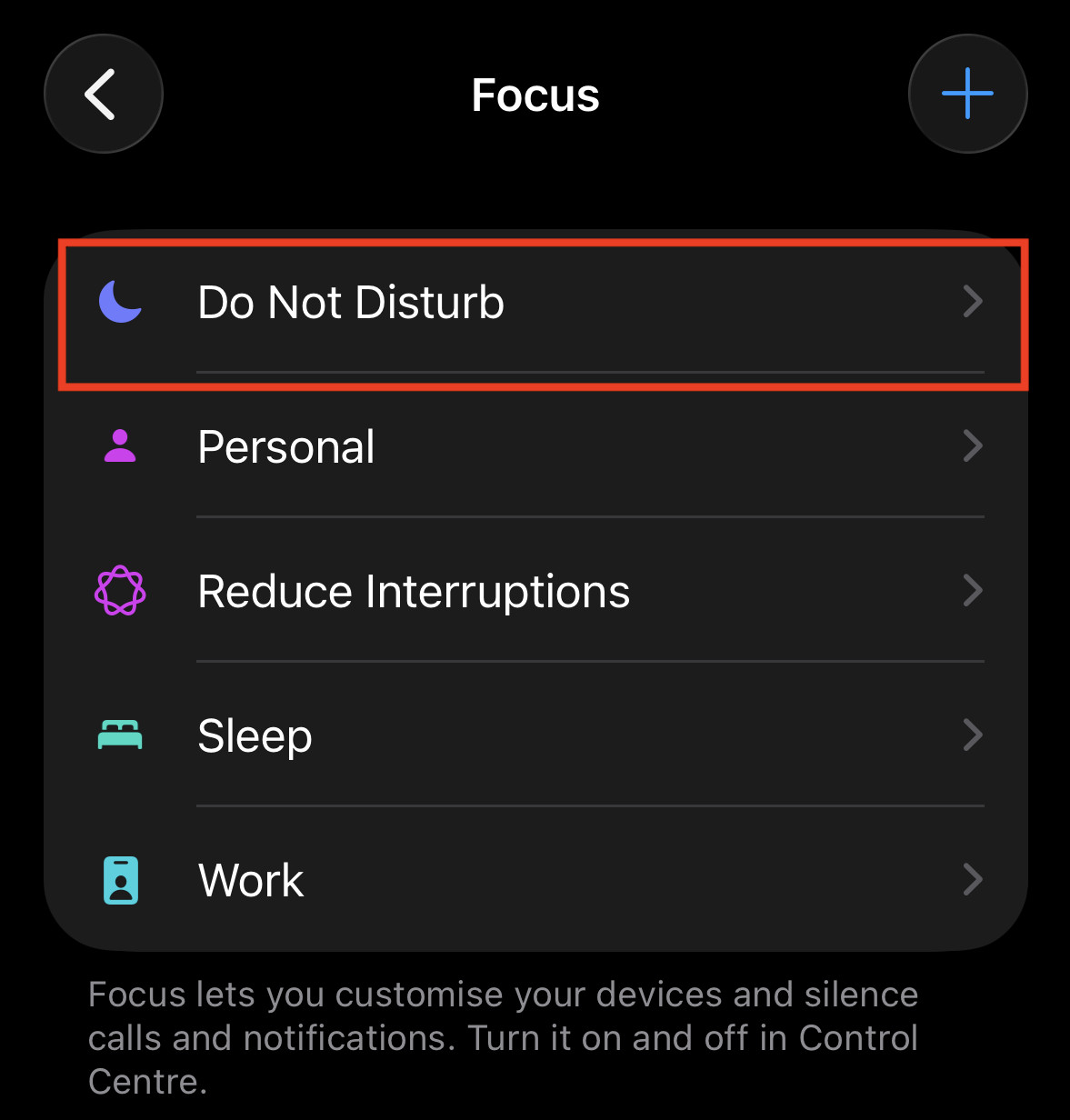
Dealing with Do Not Disturb turning itself on during a gaming session can be incredibly disruptive. Fortunately, there are clear steps you can take to troubleshoot and resolve this issue. Start by thoroughly reviewing your device's DND settings. On both Android and iOS, navigate to your Settings app and look for "Do Not Disturb," "Focus," or "Digital Wellbeing." Check for any active schedules that might be enabling DND at specific times or days. Deactivate any schedules you do not recognize or no longer need.
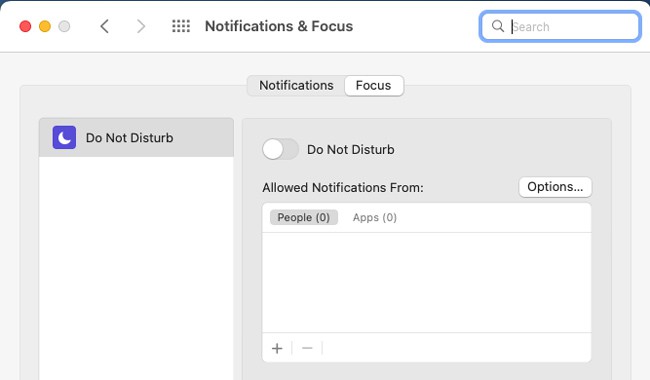
Next, investigate your device's dedicated gaming features. If you own an Android phone with a Game Launcher or Game Booster, open its settings. Many of these tools have an option to automatically enable DND or block notifications when a game starts. Look for and disable any such setting if you prefer to manage notifications manually. For console gamers using companion apps on their phones, ensure those apps aren't pushing DND commands. Similarly, on iOS, go to Settings > Focus and examine each Focus Mode, especially those related to Gaming. Ensure that "Smart Activation" or any time/app-based triggers are configured as you intend, or simply turn them off if they are causing issues.
Finally, inspect app permissions. Certain applications might have been granted permission to modify system settings, including Do Not Disturb. Go to your app settings, select individual apps, and review their permissions. If an app you suspect is causing the problem has "Modify System Settings" or similar permissions, consider revoking it or checking the app's internal settings for DND-related options. Rebooting your device after making these changes can also help ensure the new settings take effect properly, providing a fresh start for your notification management.
Preventing DND from Interrupting Your Game Sessions
To ensure Do Not Disturb never activates unexpectedly during your critical gaming moments, a proactive approach to your settings is key. First, make it a habit to regularly review all your DND and Focus Mode schedules. If you set a daily DND period for sleep, ensure it does not overlap with your typical gaming hours. Adjusting these schedules prevents predictable, yet unwanted, DND activations. Many users find it beneficial to manually toggle DND for specific occasions rather than relying solely on automated schedules that might conflict with their flexible gaming routine.
Second, take full advantage of customized Focus Modes. Instead of completely disabling DND, create a "Gaming" Focus Mode that allows notifications only from essential contacts or specific communication apps you use while gaming, like Discord. Set this mode to activate manually when you start playing, giving you complete control. This way, important messages from teammates or family can still reach you, while all other distractions remain silenced. This granular control is far more effective than an all-or-nothing approach.
Lastly, be mindful of third-party apps and device-specific gaming utilities. Always check the settings of any game launcher or booster app on your device to confirm it is not automatically enabling DND. If an app does have this feature, choose to disable it within the app's own settings. For a truly undisturbed experience, consider temporarily enabling Airplane Mode for offline gaming or using your device's 'Ultra Gaming Mode' if it offers more robust DND controls than the standard system settings. By taking these deliberate steps, you can tailor your device's behavior to support an immersive and interruption-free gaming experience.
Do Not Disturb auto activate, fix DND turning on itself, gaming DND interruptions, scheduled Do Not Disturb settings, why does my DND keep activating, silent mode troubleshooting, managing notifications for gamers, unexpected DND causes
35
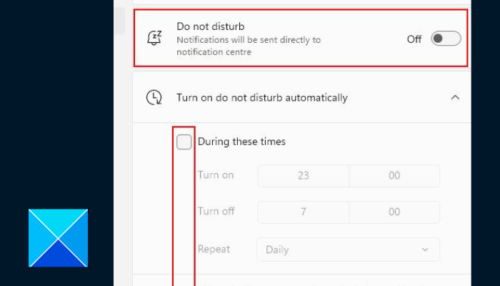


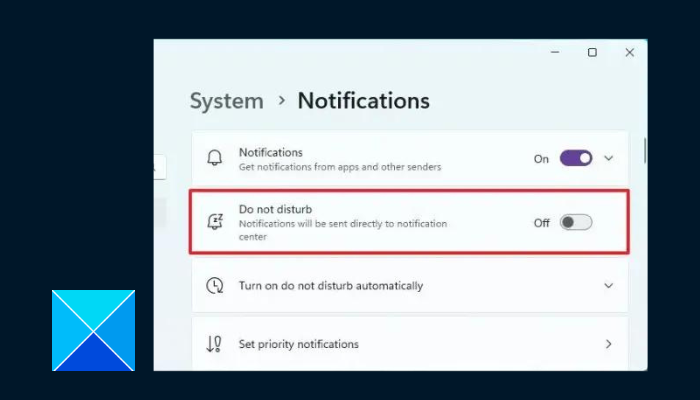
How To Fix Do Not Disturb Turning On Itself On Windows 11 YouTube . Do Not Disturb Keeps Turning On By Itself In Windows 11 Do Not Disturb Schedule 500x286 . Fix Windows 11 Do Not Disturb Keeps Turning On Do Not Disturb . FIXED Do Not Disturb Constantly Turning Itself On In Windows YouTube . Enable Disable Schedule Use Do Not Disturb On Windows 11 VSMNK Do Not Disturb

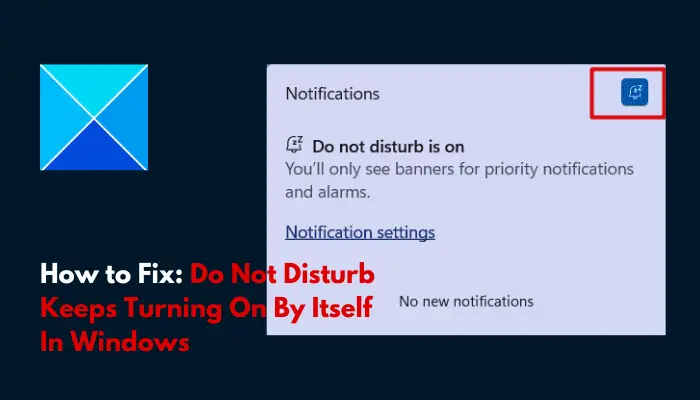


How To Fix Do Not Disturb Mode Keeps Getting Turned On . Do Not Disturb Keeps Turning On By Itself In Windows 11 Do Not Disturb Keeps Turning On By Itself In Windows . Fix Windows 11 Do Not Disturb Constantly Turning On Itself YouTube . Fix Do Not Disturb Constantly Turning Itself On In Windows 11 10 . 5 Best Ways To Fix Do Not Disturb Turning On Itself On Android Fix Do Not Disturb Turning On Itself On Android 11 768x1707

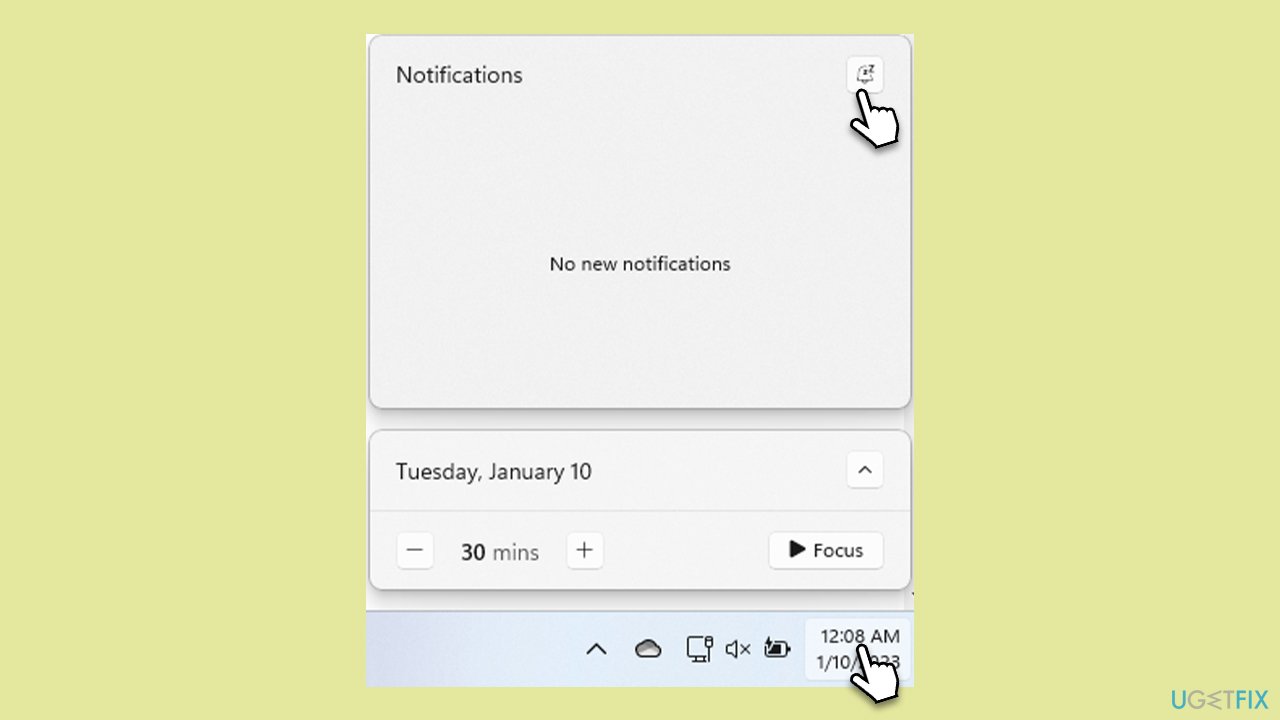


6 Best Ways To Fix Do Not Disturb Turning On Itself On Android Fix Do Not Disturb Turning On Itself On Android 15 461x1024 . How To Fix Do Not Disturb Constantly Turning Itself On In Windows How To Fix Do Not Disturb Constantly Turning Itself On In Windows Disable Bell En . Do Not Disturb Turning On In Windows 11 Fixed YouTube . Top 5 Ways To Fix Do Not Disturb Turning On Itself On Windows 11 Do Not Disturb Turning On Itself On Windows 11 8 . 5 Best Ways To Fix Do Not Disturb Turning On Itself On Android Fix Do Not Disturb Turning On Itself On Android 10



6 Best Ways To Fix Do Not Disturb Turning On Itself On Android Fix Do Not Disturb Turning On Itself On Android 22 691x1536 . Do Not Disturb Keeps Turning On By Itself A Solution Oriented Approach Do Not Disturb Keeps Turning On By Itself . Make Your Life Easier With These Vital Do Not Disturb Settings Screenshot 20260324 132757 . Fix Do Not Disturb Turns On By Itself On Android YouTube . Fix Do Not Disturb Keeps Turning On By Itself On Android Do Not Disturb Keeps Turning On Android
How To Fix Do Not Disturb Constantly Turning Itself On In Windows How To Fix Do Not Disturb Constantly Turning Itself On In Windows En 640x360 . Computer Turns On By Itself Here S How To Fix It Do Not Disturb . How To Turn Off Do Not Disturb On IPhone 2026 Full Guide YouTube . How Do I Turn Off Do Not Disturb A Guide For IPhone Android Mac And Do Not Disturb . Emma Thompson Talks Turning 60 And Still Searching For O Mundo Das


5 Best Ways To Fix Do Not Disturb Turning On Itself On Android Fix Do Not Disturb Turning On Itself On Android 2 . 5 Ways To Fix Do Not Disturb Turning On Itself On Windows 11 Guiding Tech 2 Turn Off DND Schedule 300x155 . 5 Best Ways To Fix Do Not Disturb Turning On Itself On Android Fix Do Not Disturb Turning On Itself On Android 20 768x1707 . 5 Best Ways To Fix Do Not Disturb Turning On Itself On Android Fix Do Not Disturb Turning On Itself On Android 13 . Can T Turn Off Do Not Disturb On IPhone Here S How To Fix It 2026 Dnd Not Turning Off 768x432

Do Not Disturb Keeps Turning On By Itself A Solution Oriented Approach Turn Off Focus Mode . How To Fix Do Not Disturb Constantly Turning Itself On In Windows How To Fix Do Not Disturb Constantly Turning Itself On In Windows Use Group Policy En . How To Fix Do Not Disturb Turning On Itself On Windows 11 YouTube . 5 Ways To Fix Do Not Disturb Turning On Itself On Windows 11 Guiding Tech 4 Disable Focus Automatic Rules 1024x482 . 5 Best Ways To Fix Do Not Disturb Turning On Itself On Android Fix Do Not Disturb Turning On Itself On Android 7 768x1707