Discover the ultimate guide to creating eye-catching Roblox thumbnails that dramatically boost your game's visibility and player engagement. Learn step-by-step techniques for designing professional-looking visuals, from understanding resolution requirements to mastering popular editing tools. This comprehensive resource delves into the art of compelling game representation, exploring best practices for character posing, environmental staging, and effective text overlays. Uncover strategies to make your game stand out in the crowded Roblox marketplace. We'll cover everything from free online editors to more advanced software, ensuring you find the perfect workflow for your creative vision. Elevate your game's presentation and attract a massive audience with these essential tips and tricks. This guide is designed for both beginners and experienced creators looking to refine their visual marketing on Roblox. Don't miss out on increasing your game's appeal and drawing in countless new players. This information is vital for any developer aspiring to maximize their game's reach and impact within the dynamic Roblox platform.
Welcome to the ultimate living FAQ about how to make a Roblox thumbnail, updated for the current year's trends and tools! We understand that crafting a visually stunning thumbnail can feel like a daunting task, especially with so many incredible games vying for attention on the Roblox platform. This comprehensive guide is designed to cut through the confusion, offering you clear, actionable advice to elevate your game's visual appeal. Whether you're a beginner just starting or an experienced developer looking to refine your strategy, we've got you covered. From understanding the core principles of design to leveraging advanced software, we'll help you create thumbnails that truly pop and significantly boost your game's visibility and player engagement.
Most Asked Questions about How to Make a Roblox Thumbnail
How do I make a good Roblox thumbnail for free?
Making a great Roblox thumbnail for free is totally achievable! Start by staging an exciting scene directly in Roblox Studio, focusing on dynamic character poses and interesting environments. Capture high-resolution screenshots. Then, use free online editing tools like Photopea or Canva. These offer powerful features to add text, apply filters, and make basic adjustments, transforming your screenshot into an eye-catching visual without any cost.
What programs do you use to make Roblox GFX thumbnails?
Many creators use a combination of tools for Roblox GFX thumbnails. Roblox Studio is essential for staging scenes and exporting character models. For 3D posing and rendering, Blender is incredibly popular and free, allowing for professional-grade visuals. For 2D image editing, Photoshop is the industry standard, but free alternatives like GIMP or Photopea offer similar capabilities for adding effects, text, and final touches.
What makes a Roblox thumbnail good or bad?
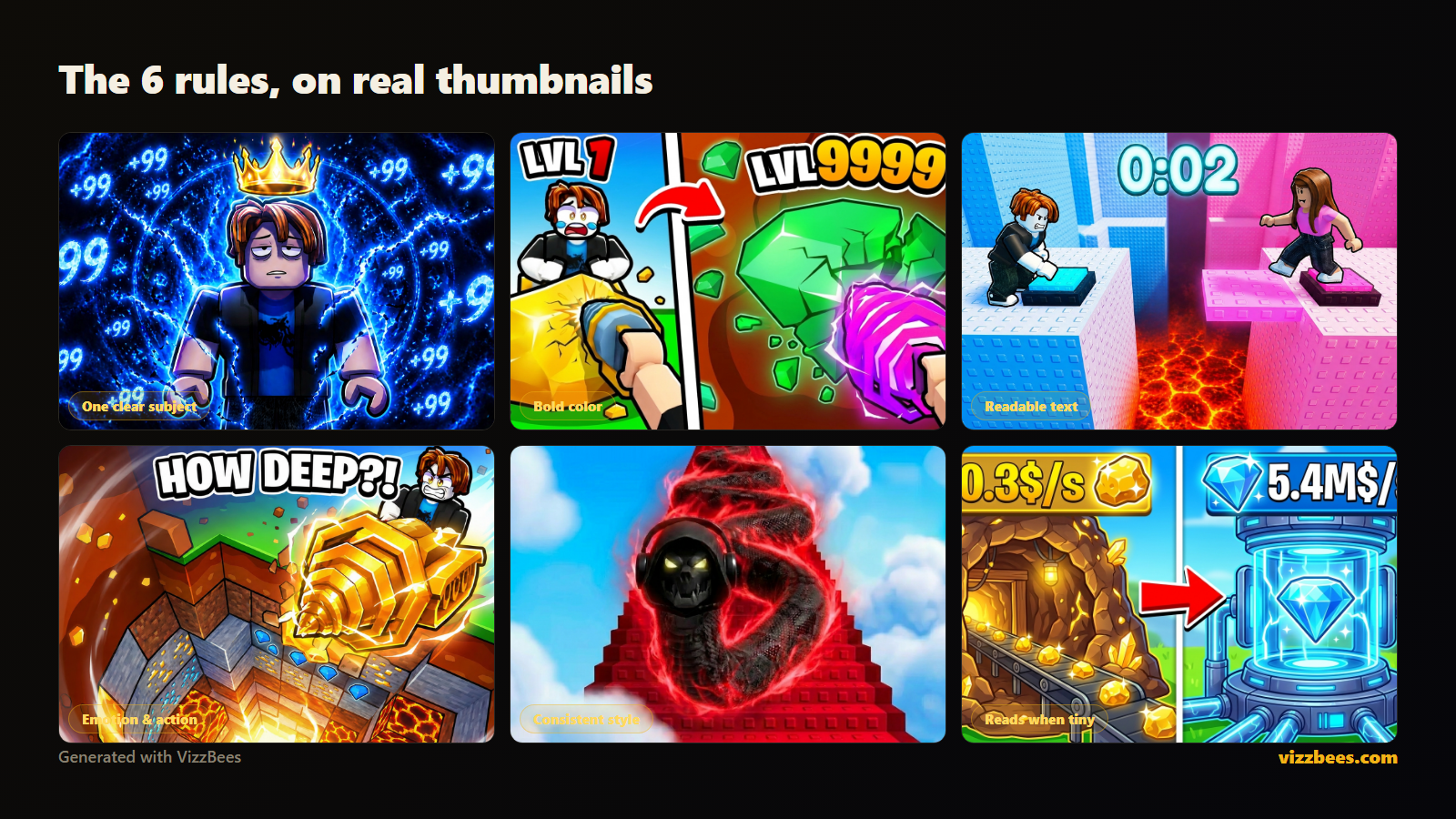
A good Roblox thumbnail is clear, high-resolution, visually exciting, and accurately represents the game's theme. It uses vibrant colors, dynamic character poses, and readable text. A bad thumbnail, on the other hand, is often blurry, cluttered, misleading, or uses default, unedited screenshots. It fails to convey the game's essence or grab player attention, leading to low click-through rates.
How do I upload a custom thumbnail to my Roblox game?
Uploading a custom thumbnail is straightforward. First, log into your Roblox account and go to the 'Create' page. Navigate to 'My Creations' and select your game. Click on 'Configure Experience,' then go to the 'Basic Settings' tab. Here, you'll find the option to upload your custom image. Ensure your thumbnail is 1920x1080 pixels and either a PNG or JPG file for optimal display.
Tips & Tricks: How to make your Roblox thumbnail pop?
To make your Roblox thumbnail pop, focus on strong visual hierarchy: a clear focal point, vibrant colors, and dramatic lighting. Use dynamic character poses to convey action and emotion. Add simple, large, readable text that highlights your game's unique selling point. Experiment with subtle effects like lens flares or depth of field to add a professional, cinematic touch that truly grabs attention in the crowded game library.
Beginner Questions: Is it hard to make Roblox thumbnails?
It's natural to feel like making Roblox thumbnails might be hard, but it's actually quite accessible for beginners! With free tools like Roblox Studio for scene setup and online editors like Photopea for edits, you can create impressive visuals. Start with simple concepts, focus on clear messaging, and gradually explore more advanced techniques. Practice is key, and you'll improve with every thumbnail you create!
Endgame Grind: How do top Roblox developers maintain consistent thumbnail quality across multiple games?
Top Roblox developers achieve consistent thumbnail quality by establishing a clear brand guide and workflow. They often use a dedicated GFX artist or a small team. They reuse standardized character rigs, lighting setups, and graphical asset libraries. Leveraging templates and a consistent editing style ensures brand recognition. Regular reviews and A/B testing also help maintain high standards and adapt to evolving player preferences.
Still have questions? Check out our other popular guides on 'Roblox Studio Best Practices' and 'Optimizing Roblox Game Performance' for more in-depth insights!Ever wondered, 'How do I make my Roblox game stand out?' or 'What makes a truly eye-catching Roblox thumbnail?' You're not alone in these questions. Many creators face the challenge of grabbing attention in Roblox's bustling marketplace. A killer thumbnail is your game's billboard, its first impression, and often the deciding factor for a player to click or scroll past. Today, we're diving deep into the art and science of crafting incredible Roblox thumbnails, designed to hook players and boost your game's visibility. This guide will help you master visual marketing.
We will explore how essential Roblox GFX tools are for creators today. These powerful tools allow you to craft visually stunning thumbnails with advanced character posing and intricate background designs. Understanding where to find and how to effectively use them is a significant advantage. Furthermore, we will see how current Avatar customization trends influence effective Roblox thumbnails. Keeping up with popular avatar styles ensures your thumbnail resonates powerfully with the active player base. Showcasing trendy accessories and outfits can significantly boost your game's click-through rates.
You will also learn why Roblox Studio best practices are absolutely essential when preparing your thumbnail assets. Following best practices, such as efficient scene setup and proper asset scaling, ensures smooth exports. This proactive approach prevents frustrating issues with rendering and image quality during the thumbnail creation process. It's truly about building a strong foundation for your visual marketing success. We will investigate how well-designed thumbnails fit into broader Game promotion strategies on Roblox. Thumbnails serve as the very first visual hook in any robust game promotion strategy, acting as mini-advertisements that entice players to explore further. A compelling thumbnail is therefore vital for truly standing out in the crowded discovery feed.
Finally, we'll examine how appealing thumbnails play a critical role when looking at Player engagement metrics. A high-quality thumbnail directly impacts initial player engagement by drawing immediate attention. It significantly improves your game's visibility and crucially, its click-through rate. Better thumbnails consistently lead to more unique visits, positively affecting overall game performance and long-term player retention. This comprehensive structure is designed to be highly scannable and user-friendly. Short paragraphs, bolded key concepts, and bullet points ensure you can quickly find answers to your core 'Why' and 'How' questions. It prioritizes practical advice, making complex topics easy to digest for every Roblox developer.
Beginner / Core Concepts
Here we're going to tackle some of the foundational ideas behind creating awesome Roblox thumbnails. Don't worry, we'll keep it super approachable!
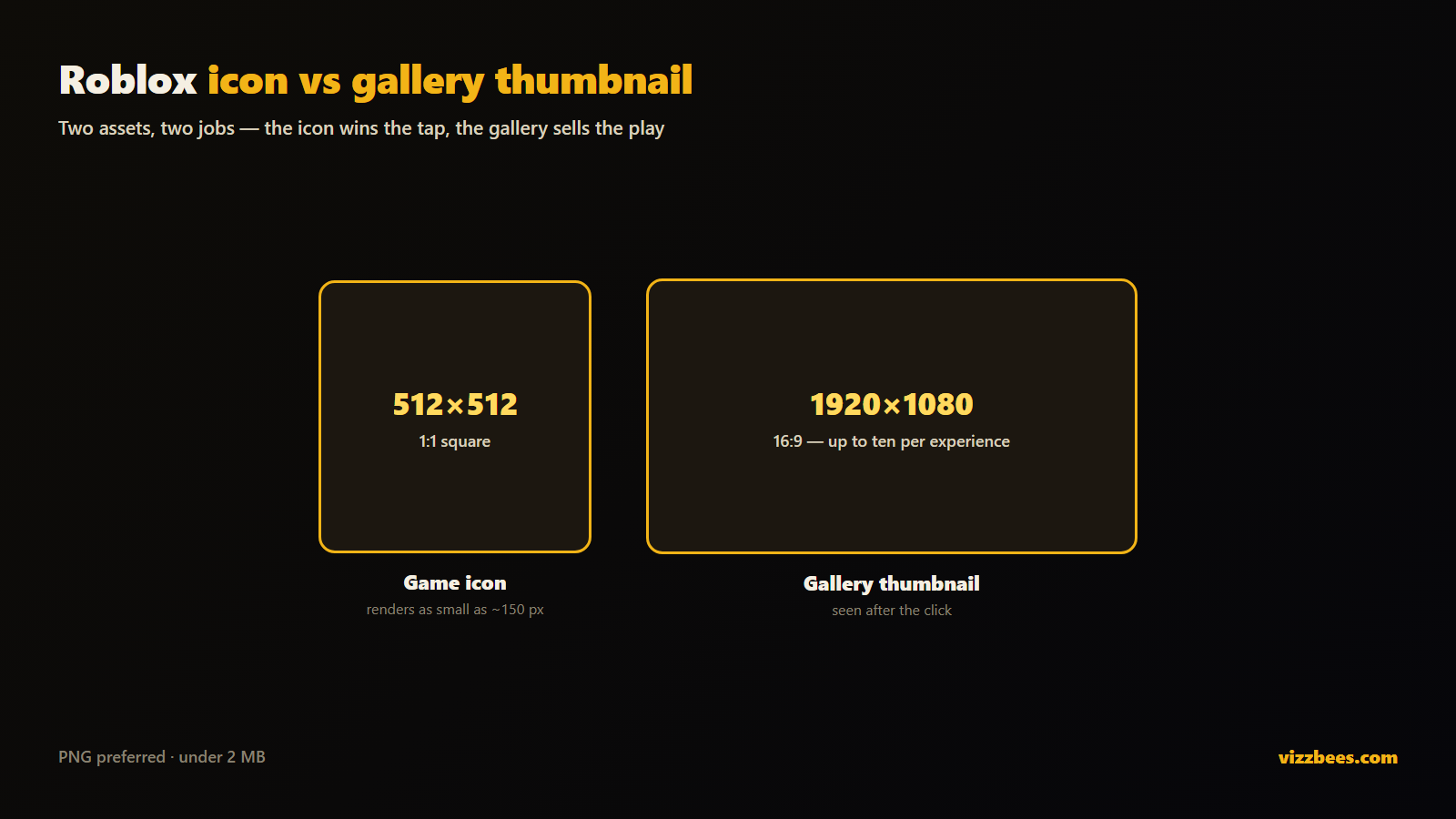
1. **Q:** What's the best image size and format for a Roblox thumbnail?**A:** Okay, so this one used to trip me up too, but it's actually pretty straightforward! The sweet spot for Roblox thumbnail resolution is usually 1920x1080 pixels, which is a standard 16:9 aspect ratio. This ensures your image looks crisp and professional across different screens without getting stretched or pixelated. As for format, stick to PNG or JPG. PNG is generally better if your thumbnail has transparent elements or sharp lines, as it preserves quality perfectly. JPG is fine for photographic-style images where file size might be a concern, but PNG is often the go-to for game assets. You've got this, getting the technical specs right is half the battle!
2. **Q:** Where do I even start if I've never made a thumbnail before?
**A:** I get why this can feel a bit overwhelming at first glance! The absolute best place to start is by envisioning what makes your game unique and fun. Think about its core mechanic, its most exciting character, or a stunning environment. Once you have that idea, you can use Roblox Studio itself to capture a great scene. Just pose your characters, set up your props, and use the 'Print Screen' key or a snipping tool. For simple edits, free online tools like Photopea or Canva are fantastic. They let you add text and basic effects without needing pro software. Try this tomorrow and see how it feels to just play around!
3. **Q:** Can I really make good thumbnails without expensive software like Photoshop?
**A:** Absolutely, you totally can! This is a common concern, but you absolutely do not need Photoshop to create eye-catching thumbnails. There are tons of amazing free and low-cost alternatives out there that offer powerful features. Programs like GIMP, Krita, or even web-based editors like Photopea and Canva are incredibly capable. Many successful Roblox developers started with these tools, perfecting their craft before investing in anything more advanced. It's all about creativity and understanding basic design principles, not the price tag of your software. You've got all the tools you need to get started right now!
4. **Q:** Why are good thumbnails so important for my Roblox game?
**A:** This is such a crucial question, and I'm glad you asked it! Think of your thumbnail as the cover of a book. It's the very first thing players see when they're browsing games, and it's what makes them decide if they want to learn more. A compelling, high-quality thumbnail dramatically increases your game's visibility and click-through rate. It communicates your game's genre, theme, and overall vibe in an instant, enticing players to click and explore. Without a strong visual hook, even the most amazing game might get overlooked in the crowded Roblox universe. It’s your game's biggest marketing tool, honestly, so put some love into it!
Intermediate / Practical & Production
Alright, let's level up your thumbnail game a bit! These tips are for when you've got the basics down and want to add some serious polish.
1. **Q:** How do I make my Roblox character look dynamic and cool in a thumbnail?**A:** Making your character look awesome is key to a dynamic thumbnail! The trick here is to use Roblox Studio or a 3D software like Blender for advanced posing. In Studio, you can use plugins like 'Animation Editor' or 'Load Character' to bring your avatar in and then manually adjust limbs. For a more professional look, export your character to Blender. This allows for incredibly detailed posing, custom lighting, and even facial expressions that aren't possible within Studio alone. Focus on action poses, clear emotion, or a stance that highlights a unique game mechanic. Remember, a stiff character rarely grabs attention. Experiment with different angles and perspectives too; sometimes a low angle can make your character seem more heroic or powerful. You’ll be posing like a pro in no time!
2. **Q:** What are some common design mistakes to avoid when creating thumbnails?
**A:** Oh, I've seen these mistakes myself, and we all learn from them! A big one is clutter—too many elements make your thumbnail look messy and confusing. Keep it clean and focused on one main idea. Another common error is using tiny, unreadable text. Your text needs to be large, clear, and contrast well with the background. Low resolution or pixelated images are also a huge no-no; they make your game look unprofessional. Don't forget about boring default lighting either; good lighting sets the mood! Lastly, avoid misleading thumbnails that promise something your game doesn't deliver, as that just leads to player disappointment and poor reviews. Always strive for clarity and quality, and your thumbnails will be golden. You're on the right track just by being aware of these pitfalls!
3. **Q:** How can I add text to my thumbnail effectively so it's not just slapped on?
**A:** Adding text effectively is an art form, not just an afterthought! First, choose a font that matches your game's genre and mood. A spooky horror game needs a different font than a cheerful obby, right? Make sure the text is large enough to be easily readable even on a small screen thumbnail. Use strong contrast between the text color and the background to make it pop. Adding an outline or a subtle drop shadow to your text can also significantly improve its readability and make it stand out from the background elements. Don't overcrowd the image with too much text; a short, impactful slogan or your game's title is usually enough. Placement matters too—aim for an area of the thumbnail that's relatively clear. Remember, less is often more when it comes to text on a visual. Try playing around with different fonts and styles; it’s a fun way to find what works best!
4. **Q:** What's the trick to making backgrounds look professional and not just a screenshot?
**A:** Ah, the background! This is where many thumbnails either shine or fall flat. The trick isn't just taking a screenshot, but curating a scene. In Roblox Studio, build a small, optimized scene specifically for your thumbnail. Use proper lighting, perhaps a custom skybox, and ensure there's depth and interest without being distracting. Think about atmospheric effects like fog or particle emitters if they fit your game's theme. For a truly professional touch, many creators export their Studio scene or elements to Blender. This allows for advanced rendering, better shadows, and realistic textures, turning a simple scene into a captivating backdrop. Always aim for a background that complements your character or focal point, enhancing the overall message of your game. You’ll be creating epic backdrops in no time, I promise!
5. **Q:** Are there any good free tools for advanced Roblox thumbnail editing?
**A:** Yes, definitely! While Photoshop is the industry standard, several fantastic free tools offer advanced features perfect for Roblox thumbnails. **Blender** is your best friend for 3D posing, rendering, and scene setup; it's robust and free, though it has a learning curve. For 2D image manipulation, **GIMP** is a powerful open-source alternative to Photoshop, capable of layers, effects, and intricate adjustments. **Krita** is another excellent free option, particularly strong for digital painting if you want a more stylized look. And for web-based convenience, **Photopea** mimics Photoshop's interface remarkably well, allowing you to edit PSD files directly in your browser. Don't be afraid to experiment with these; they offer incredible creative freedom without costing a dime. You've got powerful resources at your fingertips!
6. **Q:** How can I make my thumbnail reflect my game's genre effectively?
**A:** This is super important because it sets player expectations right away! To make your thumbnail scream your game's genre, think about the visual tropes and aesthetics commonly associated with it. For a horror game, use dark, moody lighting, perhaps a silhouetted figure, and a chilling font. For an adventure game, showcase vast landscapes, heroic characters, and vibrant colors. An obby might feature a character mid-jump on colorful platforms. Consider the primary colors, character style, and environmental details. Does your game have a unique art style? Highlight that! The goal is to give players an instant visual cue of what kind of experience they're in for. Consistency with your game's actual feel builds trust. You’ve got this; just put yourself in the player’s shoes and ask what they’d expect to see!
Advanced / Research & Frontier
Time to push the boundaries a bit and explore the cutting edge of Roblox thumbnail creation. This section is for those looking to truly master the craft.
1. **Q:** What are some advanced lighting techniques for professional-looking thumbnails?**A:** Oh, lighting is where the magic truly happens for a professional look! Beyond basic illumination, explore advanced techniques like three-point lighting (key, fill, and back lights) to give your character depth and separation from the background. Experiment with volumetric lighting to create atmospheric effects like god rays or fog, adding mood and realism. Use emission textures in Blender for glowing elements, or custom light sources in Roblox Studio. Consider rim lighting to highlight character edges, making them pop. Play with color temperatures—cool blues for a futuristic vibe, warm oranges for a cozy setting. Good lighting transforms a flat image into a captivating scene. This takes practice, but the payoff is immense. Keep pushing those limits, you’ll nail it!
2. **Q:** How can I optimize my thumbnail for different devices and display sizes?
**A:** This is a fantastic, forward-thinking question! Optimizing for various devices means ensuring your thumbnail looks great whether it's on a phone, tablet, or a big PC monitor. The core resolution of 1920x1080 (16:9) is a solid start because it scales well. When designing, ensure your main focal point—be it a character or logo—is central and large enough to be recognizable even when scaled down. Avoid placing crucial information or tiny details right at the edges, as these can get cut off on certain displays or obscured by UI elements. Test your thumbnail by previewing it at different sizes (e.g., as a tiny icon and a full-screen image) to confirm readability and impact. Simplicity and strong visual hierarchy are your best friends here. Think about what will remain clear at all sizes. You’re already ahead of the game by considering this!
3. **Q:** What's the role of emotional design in creating impactful Roblox thumbnails?
**A:** Emotional design is absolutely paramount for creating truly impactful thumbnails; it's about connecting with the player on a deeper level. Your thumbnail should evoke a feeling: excitement for an action game, curiosity for a mystery, relaxation for a social experience, or fear for horror. This is achieved through color palettes (warm for comfort, cool for tension), character expressions (joy, determination, fear), and environmental mood (bright and bustling, dark and desolate). Think about the core emotion your game aims to deliver and infuse that into every visual element of your thumbnail. An emotionally resonant thumbnail isn't just seen; it's felt, which significantly increases player desire to click and experience that emotion themselves. You're tapping into powerful human psychology here. This is where art meets strategy!
4. **Q:** How do professional studios leverage analytics to refine their thumbnail strategies?
**A:** This is a seriously pro-level question! Professional studios don't just guess; they use data to inform their decisions. They'll often A/B test different thumbnail designs, showing one version to half their audience and another to the other half. Then, they track crucial Player engagement metrics like click-through rates (CTR) and conversion rates (how many players click and then stay to play). If one thumbnail consistently performs better, they'll adopt it. They also analyze what elements within successful thumbnails (e.g., character pose, text, color scheme) seem to resonate most with players. This iterative process of creation, testing, and analysis allows them to continually refine their visual marketing to maximize visibility and player acquisition. It's about combining creativity with hard data. You’re thinking like a seasoned developer!
5. **Q:** What emerging trends in Roblox GFX or visual marketing should I be aware of?
**A:** This is a dynamic space, and staying current is key! One big trend is the increasing sophistication of Roblox GFX tools and rendering in Studio, allowing for more realistic and complex scenes directly within the platform. We're also seeing a rise in **Avatar customization trends** directly influencing thumbnails, with creators showcasing diverse and highly personalized avatars that resonate with player identity. The demand for cinematic-style thumbnails, almost like movie posters, is growing, pushing the boundaries of what's possible in terms of lighting and composition. Another trend is incorporating more animated elements or dynamic text in promotional videos, hinting at interactivity. Lastly, leveraging short, engaging video snippets as 'thumbnails' on external platforms (like TikTok) to drive traffic to Roblox is huge. Keep an eye on popular experiences and what their developers are doing creatively; inspiration is everywhere. You're already ahead by looking forward!
Quick Human-Friendly Cheat-Sheet for This Topic
Alright, let's wrap this up with some super helpful, easy-to-remember tips for your next Roblox thumbnail project. You've got this!
- **Keep it Simple & Clear:** Don't cram too much into your thumbnail. One main focal point makes it easy for players to grasp your game's essence at a glance.
- **High Resolution is a Must:** Always aim for 1920x1080 pixels (16:9 aspect ratio). Crisp visuals make your game look professional and inviting, never blurry.
- **Showcase Your Game's Best:** Highlight unique features, cool characters, or exciting moments. Make players instantly understand why *your* game is awesome.
- **Readability is King for Text:** If you use text, make it big, clear, and easy to read even on a phone screen. Use contrasting colors and maybe an outline to help it pop.
- **Master Your Poses:** Don't just stand there! Use dynamic character poses that convey action, emotion, or personality. Blender or Studio plugins are your friends here.
- **Lighting is Your Secret Weapon:** Good lighting can transform a flat image into a vibrant, mood-setting scene. Experiment with shadows, highlights, and atmospheric effects.
- **Test it Out:** Before finalizing, look at your thumbnail on different devices and alongside other games. Does it stand out? Is it clear? Get some feedback if you can!
Learn essential Roblox thumbnail creation. Discover popular editing tools and software. Master character posing and environmental staging. Understand optimal resolution and file types. Implement effective text overlays for impact. Boost game visibility and player engagement. Get tips for standing out in the Roblox marketplace. Improve your game's visual marketing strategy. Explore trending avatar customization. Understand Roblox Studio best practices. Leverage GFX tools effectively.
35


Perfect Roblox Thumbnails Size Matters . ULTIMATE GUIDE On How To Make Roblox Thumbnails YouTube . How To Make A Roblox Thumbnail That Gets Clicks 2026 How To Make A Roblox Thumbnail Og . How To Make A Roblox Thumbnail That Gets Clicks In 2026 ForgeGUI Blog Image 56 . HOW TO MAKE A ROBLOX THUMBNAIL EASY ALL DEVICES YouTube

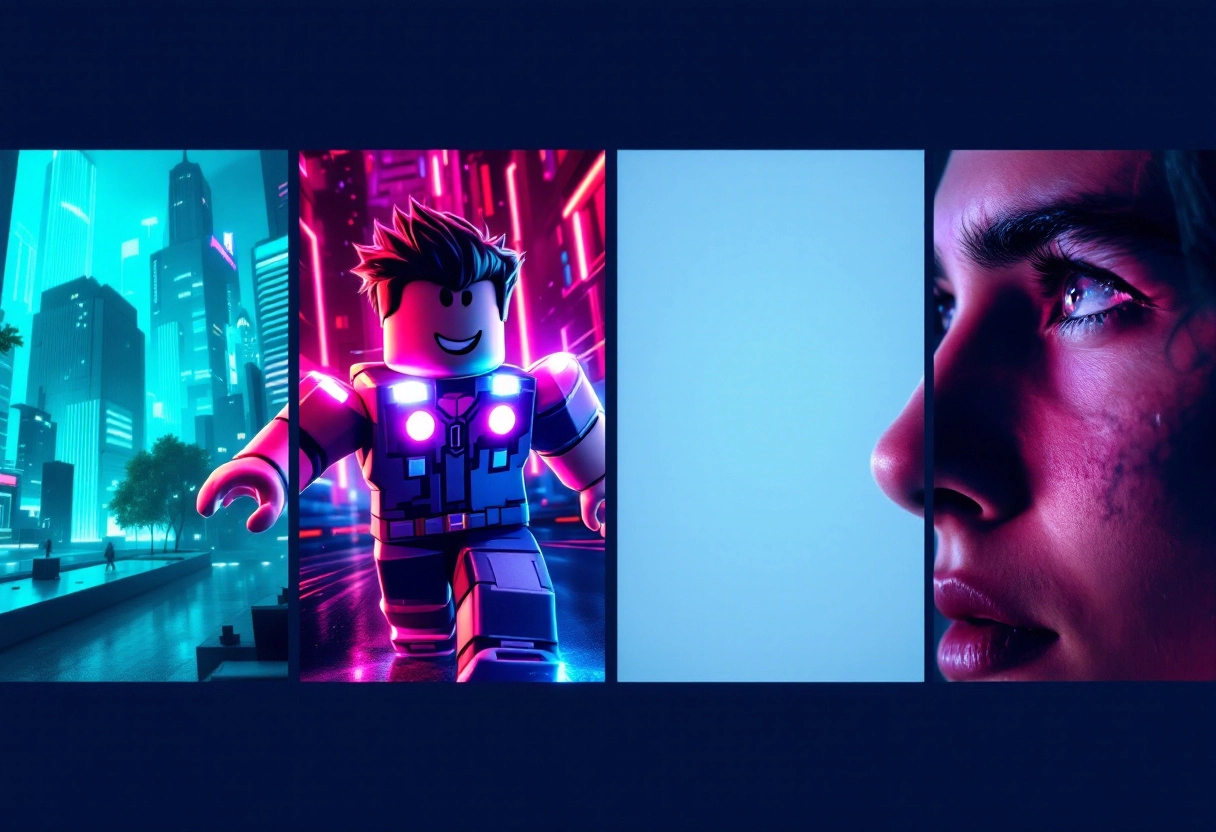
How To Make A Roblox Thumbnail That Gets Clicks 2026 How To Make A Roblox Thumbnail 3 . How To Make A Roblox Thumbnail That Gets Clicks 2026 How To Make A Roblox Thumbnail 1 . Crafting Beautiful Roblox Thumbnails For Success An Essential Guide Roblox Thumbnail Makers 12 . How To Make A Roblox Thumbnail That Gets Clicks 2026 How To Make A Roblox Thumbnail 2 . Top Roblox Thumbnail Trends Attracting Players In 2026 FP

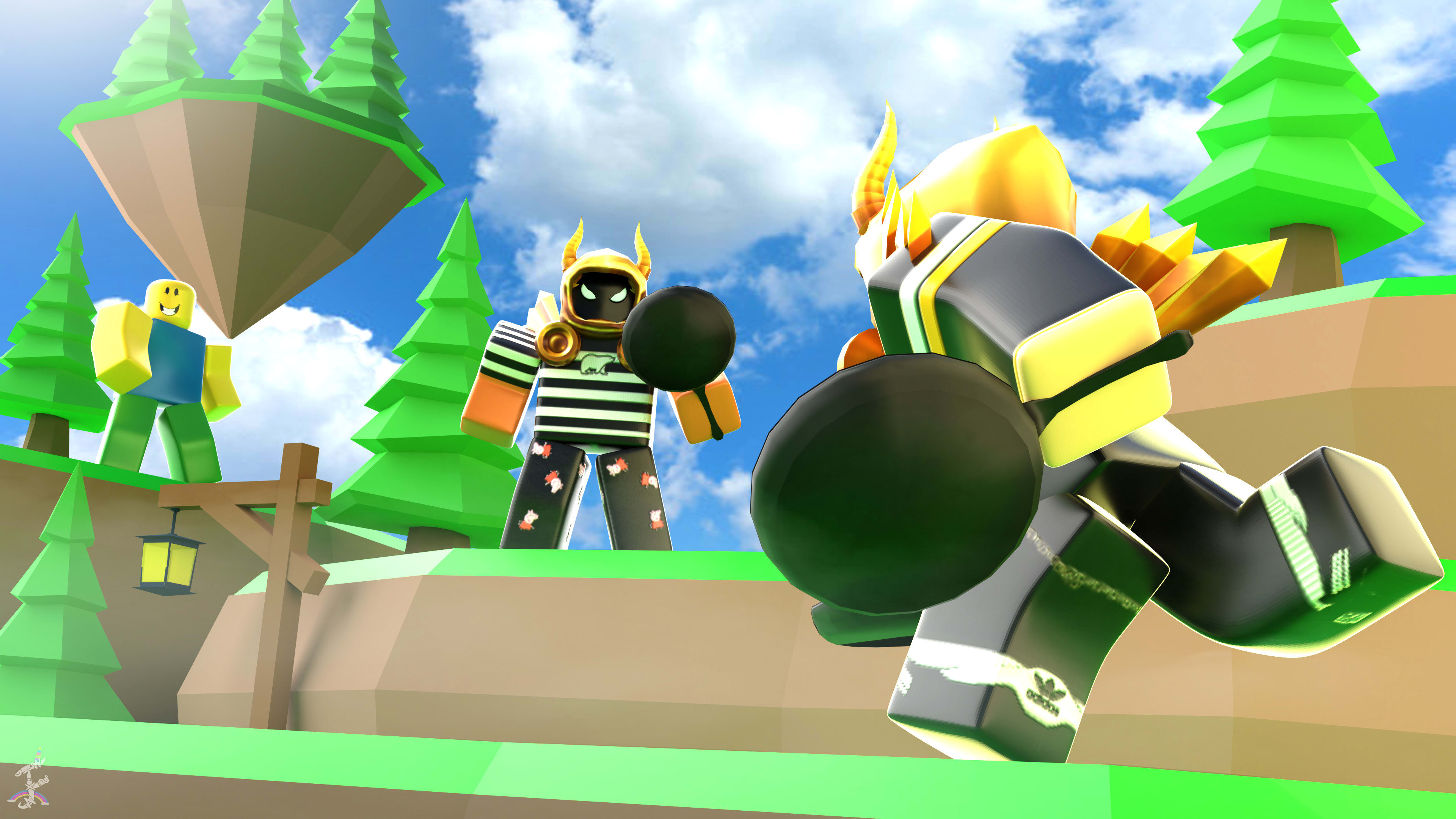
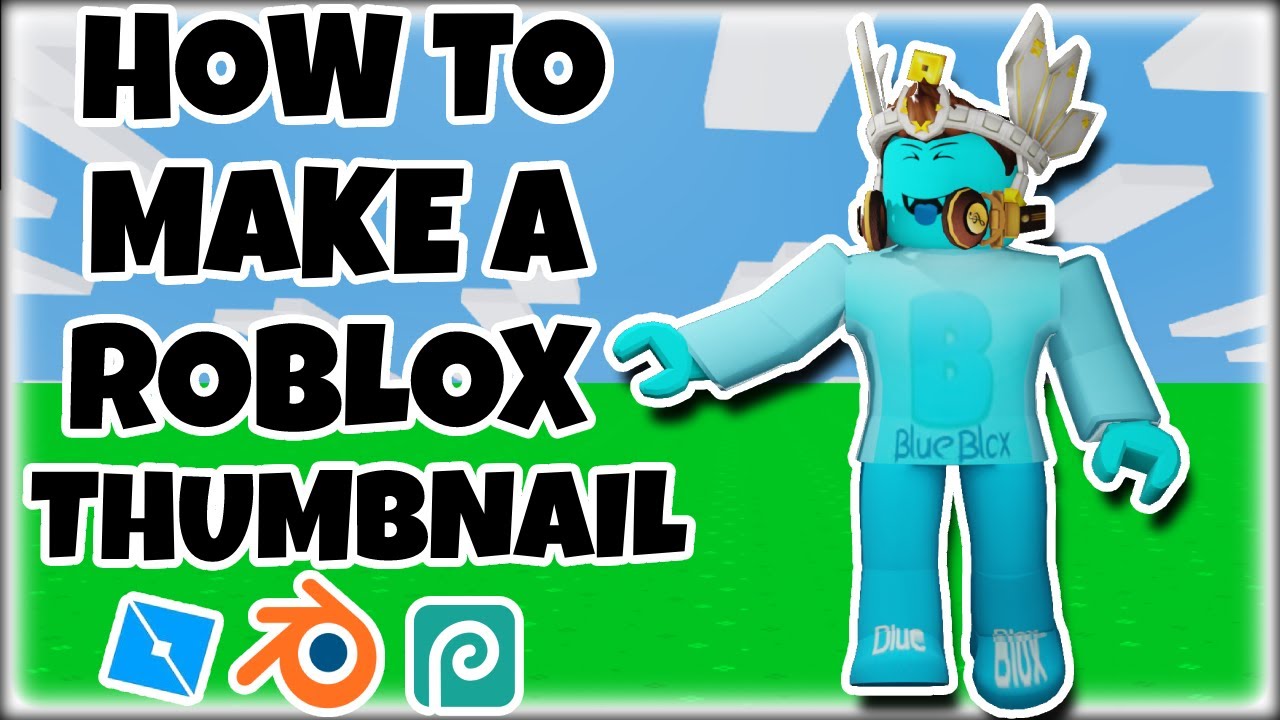


Design A Roblox Thumbnail Game Icon And Stunning Logo By Design A Roblox Thumbnail Game Icon And Stunning Logo . Thumbnail Drawings Make You A Roblox Game Thumbnail . How To Make A ROBLOX Thumbnail Roblox Studio Blender Photopea . Crafting Beautiful Roblox Thumbnails For Success An Essential Guide Image 53 . Perfect Roblox Thumbnails Size Matters


How To Make A Roblox Thumbnail YouTube . How To Make A Roblox Gaming Thumbnail 2D Roblox Youtube Thumbnail Hqdefault . How To Make A Roblox Thumbnail Step By Step Photoshop Tutorial YouTube . Crafting Beautiful Roblox Thumbnails For Success An Essential Guide Roblox Thumbnail Makers 11 . Crafting Beautiful Roblox Thumbnails For Success An Essential Guide Roblox Thumbnail Makers 7


How Big Are Roblox Thumbnails At Kevin Wells Blog . Perfect Roblox Thumbnails Size Matters . Optimize Your Roblox Thumbnail Template For Greater Visibility . How To Make Roblox Game Thumbnails 2025 YouTube . How To Make Forsaken Thumbnails In Roblox YouTube


Top Roblox Thumbnail Trends Attracting Players In 2026 FP. How To Make Good Roblox Thumbnails 2025 2026 NO BLENDER YouTube . Crafting Beautiful Roblox Thumbnails For Success An Essential Guide Roblox Thumbnail Design Techniques . How To Make Roblox Thumbnail 2026 Roblox Thumbnail Kaise Banaye 2026 . How To Make VIRAL Roblox Thumbnails Complete Roblox Thumbnail



How To Make Roblox Thumbnails On Canva YouTube . HOW TO MAKE ROBLOX THUMBNAILS 2025 Guide YouTube . Perfect Roblox Thumbnails Size Matters . How To Make Roblox YouTube Thumbnails 2024 YouTube . How To Make GOOD ROBLOX THUMBNAILS On PHOTOSHOP In 2022 YouTube