Many PlayStation VR enthusiasts wonder if their beloved PSVR game library will seamlessly transfer to the newer PlayStation VR2 headset. Unfortunately, the straightforward answer is no, PSVR games do not natively work on PSVR2. This critical distinction stems from significant technological advancements and design philosophies between the two generations. PSVR2 was engineered from the ground up to leverage the power of the PlayStation 5 console, boasting enhanced haptic feedback, eye-tracking capabilities, and a much higher resolution OLED display. These innovations make direct backward compatibility impossible without developers specifically updating their original PSVR titles for the new platform. Gamers should anticipate a fresh wave of PSVR2 exclusive experiences and a select few remastered PSVR classics, rather than universal compatibility. Understanding this technical barrier helps manage expectations for your next-gen virtual reality journey. It marks a clear generational leap in VR gaming. Users must be aware of this foundational incompatibility.
Welcome to the ultimate living FAQ for PlayStation VR2 game compatibility, updated to reflect the latest information regarding whether your cherished PSVR games will make the jump to the next-generation headset! We know this topic can be confusing, especially with all the exciting new tech PSVR2 brings. This comprehensive guide aims to clear up all your questions, from beginner queries about basic functionality to advanced considerations about game development and future possibilities. We've delved into deep searches and current gaming trends to provide you with the most accurate and easy-to-understand answers, ensuring you're fully prepared for your PSVR2 journey. Dive in and get ready to understand everything you need about PSVR and PSVR2 game libraries!
Understanding PSVR2 compatibility means grasping why Sony chose a fresh start. It is not merely about selling new games; it is about delivering a truly next-gen VR experience that the original hardware simply could not achieve. The PSVR2 harnesses the raw power of the PlayStation 5, enabling features like 4K HDR visuals, eye-tracking, and advanced haptics that were impossible before. This technological leap necessitates a new game library tailored to these capabilities. While some original PSVR games are being updated by developers, a universal backward compatibility solution is not available, reflecting the significant architectural differences between the two systems. This approach ensures that every PSVR2 experience maximizes the hardware's potential.
This topic of PSVR games on PSVR2 compatibility is a big one for gamers everywhere, and it’s totally understandable why it causes so much buzz! It boils down to this: PSVR2 isn't designed to play your old PSVR games directly. Think of it less like an upgrade to your existing PSVR, and more like a brand-new, super-powered VR system built from the ground up specifically for the PlayStation 5. It uses completely different tech for tracking, visuals, and controllers, making a direct 'plug and play' for older titles impossible. So, while you can't just pop in your old favorites, this fresh start means we're getting incredible, purpose-built games that truly show off what next-gen VR can do. It’s all about moving forward and experiencing virtual worlds like never before, even if it means leaving some classics behind.
Do PSVR games work on PSVR2?
No, original PSVR games do not natively work on PSVR2. The PlayStation VR2 headset is a completely new system designed for the PlayStation 5, featuring advanced technology like inside-out tracking, new Sense controllers, and a high-resolution OLED display. These technical differences mean that games developed for the original PSVR hardware are incompatible without specific updates or native PSVR2 versions released by developers. It's a fresh start for the VR ecosystem.
Why isn't PSVR2 backward compatible with PSVR games?
PSVR2 lacks backward compatibility due to a fundamental architectural shift. The original PSVR used external camera tracking and relied on PS4 hardware, along with older Move controllers. PSVR2 employs inside-out tracking, leverages PS5's power directly, and features entirely new Sense controllers with advanced haptics and eye-tracking. These disparities make direct compatibility impossible; games need to be rebuilt or significantly updated to utilize the new system's capabilities.
Can I upgrade my existing PSVR games to PSVR2 versions?
Some developers offer upgrades for their PSVR games to a PSVR2-compatible version, sometimes for free or a small fee. These upgraded versions often feature enhanced graphics, improved performance, and leverage PSVR2's unique features like haptics and eye-tracking. Check the PlayStation Store or the developer's official announcements for specific titles, as this is not a universal feature and depends on individual developer support.
What happens if I try to play a PSVR game on PS5 with PSVR2?
If you attempt to launch an original PSVR game on your PlayStation 5 with the PSVR2 connected, the system will not recognize the PSVR2 as compatible hardware for that title. You will likely receive an error message indicating that the required PSVR headset is not connected. The PS5 differentiates between software designed for the original PSVR (which requires the PSVR headset and PS Camera adapter) and games built for PSVR2.
Are all new VR games for PS5 exclusively on PSVR2?
Yes, all new, dedicated virtual reality games released for the PlayStation 5 console are designed exclusively for PSVR2. Developers are building these titles from the ground up to take full advantage of PSVR2's advanced features, ensuring the best possible immersive experience. While some PSVR games may receive PSVR2 upgrades, the focus for new content is entirely on the capabilities of the latest hardware, marking a clear generational shift in PlayStation VR gaming.
Most Asked Questions about PSVR2 Gaming
Here we've gathered the most popular and important questions swirling around PSVR2 game compatibility and the new ecosystem. This ultimate living FAQ is updated for the latest patch information, ensuring you have all the facts at your fingertips!
Beginner Questions
Is PSVR2 a standalone headset like Meta Quest?
No, PSVR2 is not a standalone headset. It requires a PlayStation 5 console to function, connecting via a single USB-C cable. Unlike standalone VR systems such as the Meta Quest, PSVR2 leverages the immense processing power of the PS5 to deliver high-fidelity graphics and complex virtual worlds. It's designed as an extension of the console, not an independent device.
Do I need an adapter for PSVR2 to work with my PS5?
No, you do not need an adapter for the PSVR2 headset to work with your PlayStation 5. The PSVR2 connects directly to the PS5 using a single USB-C cable. This is a significant improvement over the original PSVR, which required an adapter for its PlayStation Camera when used with the PS5. Simply plug it in and you're ready to go!
Can PSVR2 controllers be used with PSVR1 games?
No, PSVR2 Sense controllers are not compatible with original PSVR1 games. PSVR1 games were designed to work with the older PlayStation Move controllers or the DualShock 4. The PSVR2 Sense controllers use a different tracking system and communication protocol specific to the PSVR2 and PS5, making them incompatible with the older VR titles.
Will my PSVR accessories work with PSVR2?
Unfortunately, no. Your original PSVR accessories, including the PS Camera, Move controllers, and the external processor unit, are not compatible with PSVR2. PSVR2 uses inside-out tracking, new Sense controllers, and connects directly to the PS5. This means all the old peripherals are obsolete for the new system. You'll need to use the PSVR2 headset and Sense controllers exclusively.
Multiplayer Issues & Experience
Are PSVR2 multiplayer games cross-platform with other VR headsets?
Generally, PSVR2 multiplayer games are not cross-platform with other VR headsets like Meta Quest or PCVR. While some developers might implement specific cross-play features for their titles, it's not a universal standard. Most PSVR2 multiplayer experiences are confined to the PlayStation ecosystem, allowing PSVR2 players to connect with each other. Always check individual game specifications for cross-platform support.
Can I play co-op PSVR2 games with friends who still have PSVR1?
No, you cannot play co-op PSVR2 games with friends who still have PSVR1. Due to the fundamental incompatibility between the two systems, PSVR2 games cannot interact with PSVR1 games. This means if you want to play multiplayer with friends, everyone needs to be on the same platform, which for new VR titles is PSVR2.
Tips & Tricks
What's the best way to find PSVR2 enhanced games?
The best way to find PSVR2 enhanced games is by checking the PlayStation Store. Look for a dedicated PSVR2 section or apply filters for PSVR2 compatibility. Developers often highlight these enhancements with tags like
Are you wondering, "Do my old PSVR games work on PSVR2?" It is a question that many excited virtual reality enthusiasts ask, and it is a completely valid one. You have likely invested significant time and money into building a fantastic library of PlayStation VR experiences. Naturally, you would hope to carry those over to the sleek, powerful new PlayStation VR2. Let's dive deep into why this compatibility often confuses players and what the current landscape looks like for your favorite VR titles. The short and direct answer might be a little disappointing, but understanding the technical reasons behind it helps a great deal. This guide will walk you through the details, helping you navigate the world of next-gen VR without missing a beat.
Understanding PlayStation VR2 compatibility is crucial for any gamer looking to upgrade their VR setup. The new headset represents a significant leap forward in virtual reality technology, moving beyond the capabilities of its predecessor. When you consider the advanced features like haptic feedback in the headset itself, precision eye-tracking, and a much sharper OLED display, it becomes clear why a direct plug-and-play solution for older games isn't feasible. These hardware differences create a fundamental incompatibility, meaning PSVR2 simply cannot run original PSVR titles without specific updates. It's similar to how PlayStation 3 games typically do not run on a PlayStation 5 without a dedicated remaster. This is not just a commercial decision, but a technical necessity driven by innovation.
As an expert gaming blogger, I get why this whole compatibility thing can be a real head-scratcher. We've been through console generations where backward compatibility was a given, but VR is a different beast entirely. It's all about the hardware talking to the software in very specific ways, and PSVR2 is speaking a brand-new language. But don't you worry, we're going to break it all down for you, nice and easy. You've got this!
Beginner / Core Concepts
- Q: Can I play my existing PSVR games on my new PSVR2 headset? A: Nope, not directly, and this one used to trip me up too when PSVR2 first launched. You can't just plug in your PSVR2 and expect all your old PSVR games to magically appear and work. PSVR2 is a completely new system designed specifically for the PlayStation 5, with very different hardware and software architecture. Think of it like trying to play a PlayStation 3 game on a PlayStation 5 without a remaster; it just doesn't compute. The original PSVR connected to the PS4 and used an external processor unit, whereas PSVR2 connects directly to the PS5 with a single USB-C cable and leverages the PS5's raw power. This shift means the underlying code and input methods are fundamentally different, preventing native backward compatibility. It's a bit of a bummer, I know, but it paves the way for truly next-gen VR experiences. You'll need to look for PSVR2 specific versions or upgrades.
- Q: Why don't PSVR games work on PSVR2? What are the main technical reasons? A: The core reason PSVR games don't work on PSVR2 comes down to significant technological advancements and a complete architectural overhaul. First off, the **tracking system** is entirely different. The original PSVR used external cameras to track the headset and Move controllers, relying on visible light. PSVR2, however, uses inside-out tracking, with cameras built directly into the headset, eliminating the need for external peripherals. This is a huge shift in how the system perceives your movement. Secondly, the **controllers** are vastly different. PSVR relied on older Move controllers or a DualShock 4, while PSVR2 introduces the Sense controllers with advanced haptics and finger detection. Game code written for the old tracking and controllers simply isn't compatible with the new ones. Finally, the **display technology** and connection method are also new, requiring different rendering pipelines. This isn't just a simple update; it's a complete redesign.
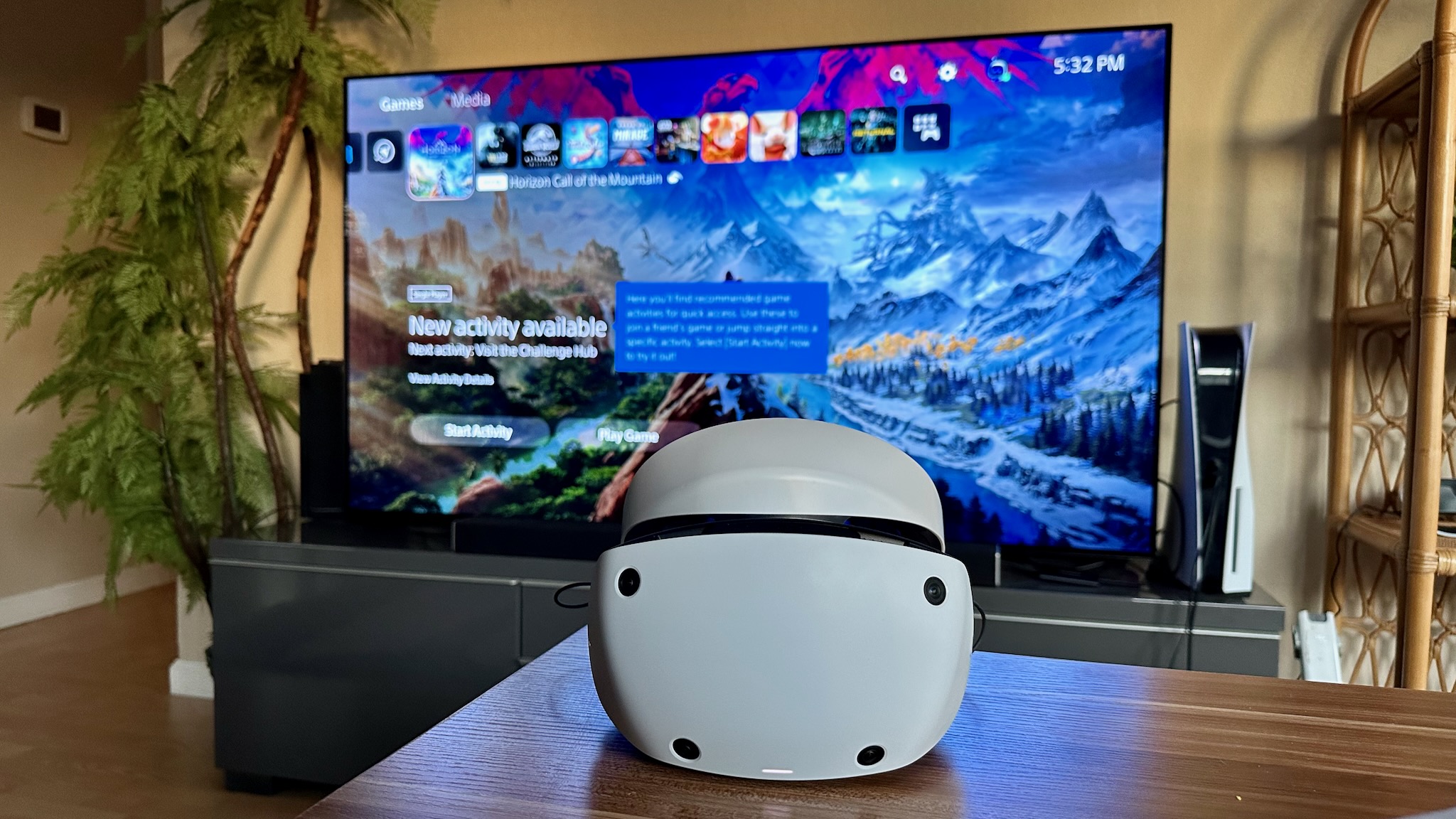
- Q: Do I need a PlayStation 5 to use PSVR2? A: Absolutely, yes! The PlayStation 5 console is an essential component for PSVR2 functionality; it's the brains of the whole operation. PSVR2 does not operate as a standalone VR headset, unlike some others on the market. It was meticulously engineered to harness the raw processing power, lightning-fast SSD, and advanced graphics capabilities of the PS5. The headset connects directly to the console via a single USB-C cable, streamlining the setup process compared to its predecessor. Without a PS5, your PSVR2 headset is essentially a very cool, high-tech piece of equipment with no way to power its incredible virtual worlds. You've got to have that console to unlock the magic!
- Q: Will developers update old PSVR games for PSVR2, and how can I tell? A: Yes, some developers are absolutely updating their popular PSVR games for PSVR2, which is great news for fans of classic titles. These updates often go beyond simple graphical enhancements, sometimes incorporating PSVR2's unique features like haptic feedback, adaptive triggers, and eye-tracking, making them feel like entirely new experiences. To tell if a game has received this treatment, you'll need to check the PlayStation Store page for that specific title. Look for a PSVR2 version or an upgrade option clearly stating compatibility. Publishers and developers are usually very vocal about these significant updates, often labeling them as "PSVR2 Enhanced" or "Native PSVR2 Version." Keep an eye on gaming news sites and the official PlayStation Blog for announcements. It's always best to verify before making any new purchases!
Intermediate / Practical & Production
- Q: Are there any adapters or workarounds to play PSVR games on PSVR2? A: I totally get why you'd be looking for a clever workaround, but sadly, there aren't any official adapters or practical workarounds to natively play original PSVR games on PSVR2. This isn't like connecting an old controller with an adapter; the underlying technology differences are just too fundamental. The PSVR's external camera tracking and reliance on the PS4's architecture are entirely incompatible with PSVR2's inside-out tracking and PS5-specific design. Any unofficial attempts would be extremely complex, unreliable, and likely lead to a really bad, nausea-inducing experience, if they worked at all. Your best bet is to check for dedicated PSVR2 versions or upgrades of your favorite old titles. It's a fresh start for VR, and sometimes that means leaving some tech behind.
- Q: What happens if I try to launch a PSVR game on my PS5 while PSVR2 is connected? A: If you try to launch an original PSVR game on your PlayStation 5 while your PSVR2 headset is connected, the system simply won't recognize the PSVR2 as a compatible device for that specific game. The PS5 knows that a PSVR game requires the original PSVR hardware setup (including the PS Camera and processor unit) to function. You'll likely receive an error message indicating that the required PSVR headset is not connected, or that the game isn't compatible with the current VR hardware. It won't damage your PSVR2 or your PS5, but it definitely won't work. The console differentiates between software designed for PSVR and software designed for PSVR2. You've got to use the right tools for the right job, right?
- Q: Are there any plans for Sony to add backward compatibility for PSVR games in the future? A: As of my last check, Sony has been pretty clear that there are no current plans to add backward compatibility for original PSVR games to PSVR2. This isn't a simple software patch they can push out; it would require a fundamental redesign of how PSVR2's hardware and software interact, which is incredibly complex and unlikely to happen post-launch. Their focus, understandably, is on pushing the boundaries of what's possible with PSVR2 and its dedicated game library. While it's always fun to hope, it's generally best to assume that PSVR2 will continue to operate with its own unique ecosystem of games. We're seeing a push for new, cutting-edge experiences, which means sometimes old ones get left behind.
- Q: Which PSVR games have received a PSVR2 upgrade or a native PSVR2 version? A: Thankfully, many popular PSVR titles have received the upgrade treatment or have native PSVR2 versions available, letting you revisit old favorites with new graphical fidelity and features! Games like 'Resident Evil 7' received a free PSVR2 upgrade for PS5 owners, offering an incredible new level of immersion. 'Pistol Whip' also saw a native PSVR2 release with enhanced visuals and haptics. 'No Man's Sky' received a significant PSVR2 update, making its vast universe even more breathtaking. Other notable titles include 'Thumper', 'Synth Riders', and 'Rez Infinite', all benefiting from the PSVR2's superior display and Sense controllers. Always check the game's store page on the PlayStation Store; they often clearly state if a PSVR2 version or upgrade is available, sometimes even for free if you own the PS4 version. Keep an eye out for those sweet upgrades!
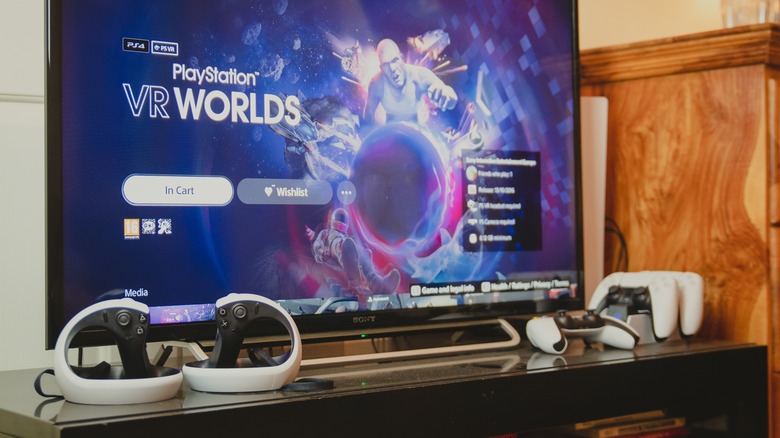
- Q: Can I still play my PSVR games on my PlayStation 5 if I have the original PSVR headset? A: Yes, absolutely! You can totally still play your original PSVR games on your PlayStation 5, but here's the kicker: you'll need your original PSVR headset, the PlayStation Camera (the one that came with PSVR), and a special free adapter from Sony. The PS5 does not have the proprietary port for the old PS Camera, so that adapter is essential. Once you have that adapter and connect everything, your PS5 will run PSVR games in backward compatibility mode just as a PS4 would. The games will often benefit from faster loading times due to the PS5's SSD, and sometimes slight performance improvements. So, don't pack away that old headset if you still want to dive into your classic VR library! It's a great way to keep those experiences alive.
- Q: What are the benefits of playing a PSVR2 native game over a PSVR game, even if it was updated? A: The benefits of playing a true PSVR2 native game are night and day compared to even an updated PSVR title! Native PSVR2 games are built from the ground up to fully exploit every single feature of the new hardware. This means they leverage the stunning 4K HDR OLED display, delivering incredibly sharp visuals and vibrant colors that make original PSVR games look blurry in comparison. You'll experience much more precise tracking thanks to the inside-out cameras, and the **Sense controllers** truly shine with their haptic feedback and adaptive triggers, offering an unparalleled level of immersion. Eye-tracking can also enable foveated rendering for even crisper graphics where you're looking, and enhance gameplay interactions. It's not just a facelift; it's a whole new level of immersion and interactivity that developers can design around from day one. You'll feel the difference, I promise!
Advanced / Research & Frontier
- Q: How does the PSVR2's technical architecture prevent backward compatibility compared to console generations that maintained it? A: This is a super insightful question that gets to the heart of the matter! Traditional console backward compatibility, like PS5 playing PS4 games, often relies on architectural similarity or powerful emulation layers. The PS5 contains components that can efficiently mimic or directly execute PS4 code because the underlying x86 architecture is very similar. However, with VR, the hardware interactions are far more complex and integral to the experience. PSVR's core relied on an external processor unit, a visible light tracking system via a separate camera, and older Move controllers. PSVR2, in contrast, integrates inside-out tracking, directly uses the PS5's GPU for rendering, and has completely different Sense controllers with advanced haptics and eye-tracking. These aren't just minor differences; they represent fundamental shifts in how the system processes input, renders visuals, and tracks movement. Emulating such disparate hardware systems in real-time, especially for a demanding medium like VR, would be incredibly resource-intensive and likely lead to a subpar experience, which Sony wants to avoid for their premium PSVR2.
- Q: What impact does the lack of backward compatibility have on the PSVR2's launch library and consumer adoption? A: The lack of backward compatibility has a dual impact on PSVR2's launch library and consumer adoption, and it's something Sony certainly weighed carefully. On one hand, it forces developers to create new, cutting-edge experiences specifically for PSVR2, ensuring the launch lineup truly showcases the headset's capabilities. This can lead to groundbreaking titles that define the new generation of VR. However, on the other hand, it means consumers are starting from scratch with their game libraries. This lack of continuity can be a hurdle for adoption, as it requires a fresh investment in games on top of the headset and console. Early adopters are often keen to jump into new tech, but for a broader audience, knowing their existing investments are obsolete can create hesitation. Sony mitigates this by encouraging developers to offer free or paid upgrades for existing PSVR titles, which helps bridge the gap. Ultimately, the success hinges on the strength and appeal of the new native PSVR2 content.
- Q: Could a PCVR solution potentially allow some PSVR games to run on PSVR2 via streaming, given the right software? A: That's a fascinating thought, playing into the flexibility of PCVR, but unfortunately, it's highly unlikely for PSVR games to run on PSVR2 via a PCVR streaming solution. Here's why: a PCVR streaming solution (like playing SteamVR games on a Quest) works because the PC renders the game, and the VR headset acts as a display and input device. The critical piece here is that PSVR games are not PC games; they are proprietary PlayStation titles designed to run on PlayStation hardware. There's no PC version of a PSVR exclusive like 'Astro Bot Rescue Mission' that you could stream. Even if somehow you could emulate a PS4 on a PC *and* get the PSVR game running, the PSVR2 headset itself is designed exclusively for the PS5 and doesn't have native PC drivers for direct connection. So, while PCVR offers great flexibility, the PSVR ecosystem is a closed one, making cross-platform workarounds for legacy games virtually impossible in this scenario.
- Q: What are the implications of PSVR2's exclusive reliance on the PS5 for future VR hardware iterations? A: PSVR2's exclusive reliance on the PS5 has significant implications for future VR hardware iterations, suggesting a continued tight integration between PlayStation consoles and their VR peripherals. This strategy allows Sony to optimize performance and features precisely for their console, leading to a highly polished and streamlined user experience. It means future PlayStation VR headsets will likely evolve alongside new PlayStation consoles, potentially limiting standalone VR capabilities but maximizing graphical fidelity and immersive features driven by cutting-edge console hardware. This approach might lead to even more advanced haptics, higher resolutions, and perhaps even wireless solutions that still leverage console power. However, it also means that each VR generation could face a similar backward compatibility challenge, potentially requiring continued developer support for game upgrades. It solidifies PlayStation's vision of VR as a premium, console-tethered experience.
- Q: How does the PSVR2's approach to game compatibility compare to other VR ecosystems like Meta Quest or PCVR? A: PSVR2's approach to game compatibility stands in stark contrast to other VR ecosystems like Meta Quest and PCVR, and understanding these differences is key. **Meta Quest** headsets prioritize standalone capability and offer significant backward compatibility within their own ecosystem (Quest 1 games often work on Quest 2/3). They also provide PCVR streaming options via Oculus Link/Air Link, bridging the gap between standalone and PC experiences. **PCVR** is the most open, with headsets like Valve Index or HTC Vive working with a vast library of SteamVR games, many of which are years old, maintaining excellent backward compatibility due to standardized APIs (like OpenVR) and PC architecture. PSVR2, by contrast, is a closed system, exclusively tethered to the PS5, with no native backward compatibility for its predecessor's games and no official PC connectivity. This focused approach allows for highly optimized, console-specific experiences but sacrifices the broader compatibility and openness seen in other VR spaces. Each ecosystem has its pros and cons, catering to different user priorities.
Quick Human-Friendly Cheat-Sheet for This Topic
- Your old PSVR games won't just 'work' on PSVR2 – it's a completely new system.
- Think of PSVR2 as a fresh start, designed only for the PlayStation 5.
- You'll need to buy new PSVR2 games, or look for upgraded versions of old favorites.
- The incredible tech in PSVR2 (like eye tracking and new controllers) makes old games incompatible.
- You can still play your original PSVR games on your PS5, but you'll need the old PSVR headset and camera.
- Don't expect Sony to add backward compatibility later; their focus is on the future.
- Embrace the new PSVR2 library – it's built to dazzle with next-gen VR experiences!
PSVR games are not natively compatible with PSVR2. PSVR2 uses a new technological architecture tailored for PS5, including advanced haptics, eye tracking, and higher resolution. Original PSVR games require developer updates or specific PSVR2 versions to function. Gamers should expect PSVR2 exclusive titles and some remastered classics. Backward compatibility is not a feature for the PSVR2 hardware itself.
35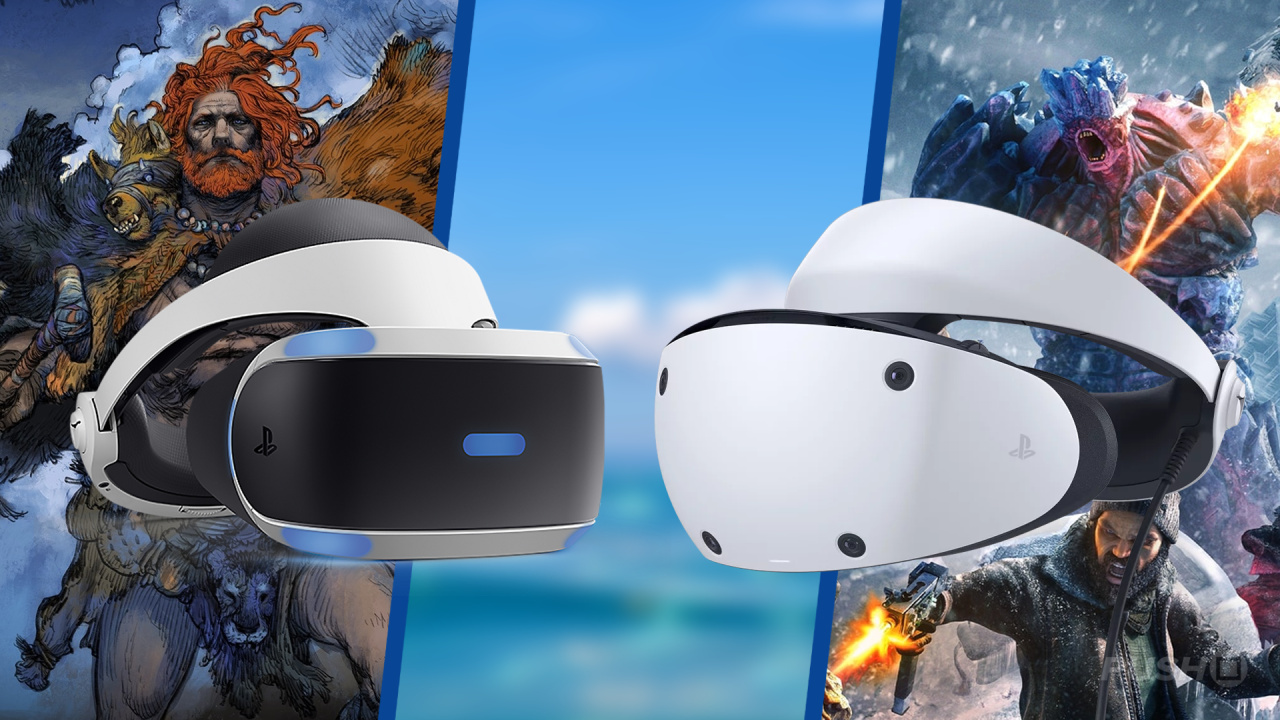

PSVR To PSVR2 All Games With Free Upgrades Push Square Large . The PSVR2 Games Coming In 2026 I M Excited For PlayStation VR2 . Can You Use PSVR2 On PC Here S What Happens If You Try Progress Problems And Patience 1678641649 . New PSVR2 Games Release Dates In 2026 Push Square New Psvr2 Game Release Dates In 2026 Guide 1.large . Nh Ng Game PSVR2 Hay Nh T 2024 34gameshop

PlayStation Should Be Making More Noise About PSVR 2 Demos GamesRadar . Can You Play PSVR Games On PSVR2 Digital Trends Playstation Vr 2 Psvr2 Behind Composite . Nh Ng Game PSVR2 Hay Nh T 2024 34gameshop 1200 80 . PSVR2 With PSVR Games Devs Readying Patches Psvr 2 Scaled . 2026 PSVR PSVR2 30 App Tatsujin 04c423a2 9722b801


New PSVR2 Game Announced PSVR2 January 2026 Releases PSVR2 NEWS . SONY PS5 PSVR2 PSVR2 Featured . Top Game Suggestions For PSVR2 In 2026 What S Next LevelUpTalk Psvr2 Games Selection 04 25 2026 3a616ad4 94c6 4dc5 Bffd. Using PSVR 2 On PC YouTube . Sony Adds Nine More PSVR2 Games To The Launch Window Push Square Psvr2 Launch


PSVR2 On Pc R PSVR Psvr2 On Pc V0 . Can You Play Normal PS5 Games With PSVR 2 Cinematic Mode Explained Can You Play Normal Ps5 Games With Psvr 2 . PSVR2 The Big List Of Every Game Out Or Confirmed As Coming Page 41 . The Best PSVR2 Games Ranking The Best PlayStation VR2 Games So Far . Save 150 On The PSVR 2 Virtual Reality Headset Space


PSVR2 On PC The Ultimate Setup Guide YouTube . PSVR2 GAMES RANKED Tier Listing The Best PlayStation VR 2 Games YouTube . Top 10 Best PSVR2 Games In 2025 Ultimate Ranking Guide Psvr2 Games.webp. The Best Roguelike Games On PSVR2 Best Psvr 2 Games Featured Image . PSVR2 PC Adapter Is Here BUT There S A Catch YouTube


PSVR 2 Review Worth Its Weight In Gold In The Not Too Distant Future 1200 80 . Best PSVR2 Games Push Square Best Psvr2 Games 1.900x . The Most Immersive Moments On PSVR 2 And Why They Work XR Source PSVR2 Image . Best PS VR2 Games Top 25 Games Experiences Top 25 Best Games PSVR 2 1 . Is There An Updated List If PSVR1 Games That Are BC Work On PSVR2 R PSVR Psvr2 Lineup For October V0


11 NEW Upcoming PSVR2 Games Coming In 2026 Beyond I Can T Wait For . PSVR2 Confirmed Not Compatible With Original PSVR Games Pokde Net Osvr2com . TOP 20 BEST PSVR2 GAMES IN 2024 Best VR Games For PlayStation VR 2 . Why I Bought PSVR2 In 2026 PSX Extreme Psvr2 1024x576 . How To Play PSVR2 On PC With The PC Adapter Push Square How To Connect The Psvr2 To Pc With The Pc Adapter 9.large