Ever wondered how a gaming mouse gives you that edge in your favorite titles? For busy US gamers, balancing work, family, and precious gaming time means every input matters. This in-depth guide explains exactly how a gaming mouse works, from its advanced sensors and lightning-fast switches to customizable buttons and ergonomic designs. We'll demystify technical terms like DPI, polling rate, and lift-off distance, ensuring you understand the core mechanics that translate your hand movements into precise on-screen actions. Whether you're a casual player looking to unwind or a competitive spirit aiming for that top spot, understanding your gear is crucial. This article provides practical insights and tips to optimize your setup, avoid common performance issues, and make informed decisions on hardware upgrades without breaking the bank. Get ready to enhance your gameplay and truly maximize your limited gaming hours.
Here are 5 natural questions about how a gaming mouse works:
1. What exactly makes a gaming mouse perform better than a regular mouse?
2. How do DPI and polling rate actually impact my in-game aiming?
3. Are wireless gaming mice finally as good as wired ones in 2026?
4. What kind of sensor should I look for in a gaming mouse for competitive play?
5. How can I customize my gaming mouse to improve my game performance?
How does a gaming mouse convert my hand movements into precise on-screen action?
A gaming mouse uses an advanced optical or laser sensor, often located on its underside, to constantly capture thousands of images of the surface it's moving across. These images are processed at lightning speed by the mouse's internal processor. By comparing consecutive images, the mouse can detect minute changes in position, determining the direction and distance of your movement. This data is then sent to your computer via a wired connection or a high-speed wireless signal. The precision comes from the sensor's ability to track at high speeds (IPS) and resolutions (DPI), ensuring every twitch and glide translates accurately into cursor movement, which is critical for that headshot or perfect spell cast in your limited gaming sessions.
What's the real difference between optical and laser sensors in gaming mice?
While both optical and laser sensors illuminate the surface to track movement, their light sources and tracking methods differ. Optical sensors use an LED light and are generally preferred by competitive gamers for their consistent and predictable tracking, especially on fabric mouse pads. They 'see' surface imperfections clearly. Laser sensors use an infrared laser, which can penetrate deeper into surfaces, allowing them to track on a wider variety of materials, including glossy surfaces or even glass. However, this deeper penetration can sometimes lead to 'acceleration' issues or less consistent tracking on certain surfaces. For most gamers, especially those focused on consistent performance on a dedicated mouse pad, a high-quality optical sensor is typically recommended in 2026 for its reliable 1:1 tracking.
Why do gaming mice have so many customizable buttons, and how do I use them effectively?
Gaming mice incorporate numerous customizable buttons to provide gamers with quick access to in-game actions, macros, or even system functions, thereby streamlining gameplay and reducing reliance on the keyboard. Imagine programming a complex spell rotation in your favorite MMORPG to a single thumb button, or assigning grenade throws and weapon switches in an FPS. To use them effectively, you'll need the mouse's companion software (e.g., Razer Synapse, Logitech G Hub). Within this software, you can rebind buttons to keyboard keys, specific game commands, or create multi-step macros. Experimenting in practice modes or during downtime is key to finding button assignments that genuinely enhance your efficiency and reduce stress during intense gaming moments, allowing you to maximize your fun during precious gaming hours.
How do I know if my gaming mouse's DPI and polling rate are set optimally for my playstyle?
Optimizing DPI and polling rate is highly personal and depends on factors like your screen resolution, game genre, and even your arm versus wrist movement preference. For DPI, start with a moderate setting (e.g., 800-1600 DPI) and adjust your in-game sensitivity. The goal is to be able to do a full 360-degree turn in an FPS with one comfortable sweep of your arm or wrist, without overshooting. For polling rate, most modern gaming mice can achieve 1000 Hz (1ms response time), which is ideal. You can verify your polling rate using online tools or your mouse's software. The best way to know if your settings are optimal is through consistent practice and experimentation. Pay attention to how fluid and precise your movements feel, adjusting incrementally until you find your sweet spot for both comfort and competitive edge.
What are the main benefits of investing in a good gaming mouse over a budget option for a busy adult gamer?
For a busy adult gamer, investing in a good gaming mouse offers tangible benefits that enhance the limited time you have for relaxation and fun. Firstly, superior precision and responsiveness from advanced sensors and higher polling rates mean your inputs are more accurate and immediate, reducing frustration from missed actions. Secondly, ergonomic design, often absent in budget options, significantly reduces hand fatigue and strain over long sessions, crucial after a day of work. Thirdly, the durability of high-quality switches means your mouse will last longer, saving you the hassle and cost of frequent replacements. Finally, customizable buttons and onboard memory streamline complex tasks, letting you jump into action faster. It's about optimizing your valuable gaming time, ensuring a smooth, comfortable, and competitive experience without unnecessary complications.
Can a gaming mouse really help with balancing gaming performance and avoiding hand fatigue?
Absolutely. Modern gaming mice are designed with ergonomics at the forefront, understanding that gamers, especially those balancing work and life, need comfort during extended sessions. Features like contoured shapes that fit various grip styles (palm, claw, fingertip), textured side grips for better control, and balanced weight distribution are standard. Many also offer adjustable weights to fine-tune the feel. A well-designed gaming mouse promotes a more natural hand posture, reducing strain on your wrist and fingers, thereby delaying the onset of fatigue. This allows you to maintain peak performance longer, whether you're grinding through a new raid or just unwinding with friends, without feeling discomfort or risking repetitive strain injuries, ensuring your gaming time remains a source of relaxation, not pain.
What maintenance tips can help extend the life and performance of my gaming mouse?
To ensure your gaming mouse continues to perform optimally and lasts for years, a few simple maintenance steps are key. First, regularly clean your mouse pad and the underside of your mouse, especially around the sensor and skates, to prevent dust and debris from affecting tracking. Use a microfiber cloth for the body and a cotton swab with a tiny amount of rubbing alcohol for the sensor area. Second, keep the USB cable (for wired mice) untangled and avoid sharp bends to prevent internal wire damage. For wireless mice, ensure regular charging and don't let the battery completely drain repeatedly. Third, update your mouse's drivers and firmware periodically through the manufacturer's software; these updates often include performance enhancements and bug fixes. Finally, store your mouse in a clean, dust-free area when not in use. These habits will protect your investment and ensure consistent performance for all your gaming adventures.
As a busy US gamer, you know those precious hours dedicated to your favorite titles are golden. You balance work, family, and life's demands, and when you finally sit down to play, you want it to be smooth, fun, and responsive. There's nothing more frustrating than a missed headshot or a botched ability because your mouse didn't keep up. You've probably heard that gaming mice are different, but have you ever truly wondered how does a gaming mouse work? It's not just about flashy lights; it's about precision engineering designed to give you an undeniable edge.
In 2026, with 87% of US gamers regularly diving into virtual worlds, often for 10+ hours a week, and social gaming trends dominating platforms like Discord, your gear matters more than ever. Many of us are looking for that perfect balance: high performance without the hype, and value for money, especially when upgrading hardware on a budget. This guide is built for you. We'll strip away the jargon and break down the sophisticated technology inside these devices, helping you understand not just what they do, but how they empower your gameplay, solve common frustrations like setup woes and performance hiccups, and ultimately make your limited gaming time more enjoyable and effective. Let's explore the science behind your click!
What Makes a Gaming Mouse Different From a Regular Mouse?
At first glance, a gaming mouse might just look like a regular mouse with extra buttons and some RGB. However, the core difference lies in their purpose and the underlying technology. Regular mice are designed for general productivity, offering decent tracking and basic functionality. Gaming mice, on the other hand, are engineered for speed, precision, and durability, specifically to meet the rigorous demands of competitive and immersive gaming. They prioritize low latency, high accuracy, and extensive customization options that are simply not found in standard office peripherals.
This specialization means gaming mice feature superior sensors, faster switches, and robust build quality. For instance, a quick twitch shot in an FPS game or precise cursor control in a strategy title requires a mouse that registers every tiny movement and click without fail. Understanding these differences helps busy gamers make informed decisions, ensuring their investment directly contributes to better performance and more satisfying play sessions after a long day.
How Do Gaming Mouse Sensors Track Movement So Precisely?
The sensor is the heart of any gaming mouse, responsible for translating your physical hand movements into digital coordinates on your screen. There are primarily two types: optical and laser. Both use light to track movement, but they do so differently. Optical sensors (using an LED light) track by taking thousands of tiny snapshots of the surface below and comparing them to detect changes in position. Laser sensors (using an infrared laser) operate similarly but penetrate deeper into the surface, which theoretically allows them to track on a wider variety of surfaces, including glass.
Modern gaming mice feature highly advanced optical sensors, often preferred by esports professionals for their consistent and predictable tracking, especially on mouse pads. These sensors boast incredibly high Dots Per Inch (DPI) and Inches Per Second (IPS) ratings, meaning they can detect minute movements accurately and keep up with extremely fast swipes. For gamers balancing work and play, a reliable sensor eliminates frustrating jitters or missed movements, ensuring your limited time in-game is spent performing, not fighting your hardware.
What is DPI and How Does it Affect My Gaming Performance?
DPI, or Dots Per Inch, is a measurement of how sensitive your mouse is. A higher DPI means your cursor moves further across the screen for every inch you move your mouse. While some marketing might suggest 'higher DPI is always better,' for most gamers, this isn't necessarily true. Extreme DPI settings can make your cursor feel erratic and difficult to control, especially for precision aiming.
The optimal DPI for gaming is highly personal and depends on factors like screen resolution, game genre, and your preferred grip style. Many professional gamers use relatively low DPI settings (400-1600 DPI) combined with lower in-game sensitivities for more precise control, relying on larger arm movements. Modern gaming mice allow you to adjust DPI on the fly, often with dedicated buttons, letting you switch between different sensitivities for different scenarios, like quick turns versus precise sniper shots. Experimenting with DPI to find your sweet spot can significantly improve your accuracy and overall comfort, making your valuable gaming sessions more effective.
Why Does Polling Rate Matter for a Gaming Mouse?
Polling rate refers to how often your mouse reports its position to your computer. Measured in Hertz (Hz), a 1000 Hz polling rate means your mouse updates its position 1000 times per second, or every 1 millisecond. A higher polling rate results in lower input lag, meaning your mouse movements are reflected on screen almost instantaneously. This is crucial for competitive gaming where even a few milliseconds can be the difference between victory and defeat.
While the human eye might not perceive the difference between 500 Hz and 1000 Hz in casual use, in fast-paced games, that tiny reduction in latency can translate to a smoother, more responsive feel. For gamers who juggle daily responsibilities and want to maximize their limited play time, ensuring your mouse isn't introducing unnecessary delay is a simple yet impactful way to optimize performance. Most quality gaming mice today offer at least 1000 Hz polling rates, which is ideal for a fluid gaming experience.
What are Mechanical Switches and Why Are They Important for Gaming?
The switches under your mouse buttons dictate the feel, responsiveness, and durability of your clicks. Gaming mice predominantly use mechanical switches, often developed by companies like Omron or Kailh, specifically engineered for gaming. These switches provide a distinct tactile bump and an audible click, giving you clear feedback with every press. More importantly, they are designed for extreme durability, rated for tens of millions of clicks, far exceeding standard mouse switches.
The quick actuation force and low travel distance of mechanical switches mean your clicks register faster and more consistently, which is vital in games requiring rapid inputs like MOBAs or rhythm games. This reliability is key for any gamer, especially those who can't afford to replace hardware constantly due to budget constraints or limited time for troubleshooting. Investing in a mouse with robust mechanical switches ensures your clicks will remain crisp and dependable through countless gaming sessions.
How Do Wireless Gaming Mice Combat Latency and Battery Issues?
Gone are the days when wireless meant lag. Modern wireless gaming mice utilize advanced 2.4 GHz wireless technologies, often proprietary, to achieve latency that rivals or even surpasses wired connections. Technologies like Logitech's LIGHTSPEED or Razer's HyperSpeed use optimized radio frequencies and efficient data transmission protocols to minimize input lag to imperceptible levels. This means you get the freedom of movement without the performance penalty.
Battery life has also seen significant improvements. Today's wireless gaming mice can last for weeks on a single charge, sometimes up to 100+ hours, thanks to power-efficient sensors and components. Many also feature fast-charging capabilities or include charging docks. For gamers who appreciate a clutter-free desk and seamless movement, a high-quality wireless gaming mouse offers an unparalleled experience. It's a great option for those who game from a living room couch with a lap desk, embracing the flexibility of modern cross-play setups.
What are Programmable Buttons and Onboard Memory Used For?
One of the most powerful features of a gaming mouse is its array of programmable buttons and onboard memory. Beyond the standard left and right clicks, gaming mice often feature additional buttons on the sides, top, and even the scroll wheel that can be customized. Using the mouse's companion software, you can assign these buttons to perform complex macros, launch applications, change DPI profiles, or execute specific in-game commands with a single press. For instance, a busy parent playing an MMO might program a side button to execute a rotation of spells, saving valuable seconds and reducing hand strain.
Onboard memory allows you to save these custom profiles directly to the mouse itself. This means you can plug your mouse into a different computer, attend a LAN party, or switch between your work laptop and gaming PC, and your settings will travel with you, no software installation required. This level of customization and portability offers immense convenience, especially for gamers who need their setup to be consistent and ready to go with minimal fuss.
Are Ergonomics Important for Gaming Mouse Design?
Absolutely. While performance is key, how a mouse feels in your hand over extended gaming sessions is equally vital. Ergonomics refers to the design of equipment to maximize productivity by reducing operator discomfort and fatigue. Gaming mice come in various shapes and sizes, designed to accommodate different grip styles: palm, claw, and fingertip. A well-designed ergonomic mouse can prevent wrist strain, carpal tunnel syndrome, and general hand fatigue, allowing you to play longer and more comfortably.
Many US gamers, especially those around 36 years old, spend significant time at their computers for work before gaming. A comfortable mouse helps prevent repetitive strain injuries and ensures that your leisure time isn't marred by discomfort. Brands invest heavily in research to create shapes that fit the natural contours of the hand, often including features like textured grips, thumb rests, and balanced weight distribution. Choosing a mouse that feels right for *your* hand is just as important as its technical specifications.
How Can I Troubleshoot Common Gaming Mouse Performance Issues?
Even the best gaming mice can encounter hiccups. When your precision tool starts acting up, it can be incredibly frustrating, especially with limited time for troubleshooting. Here's a quick checklist for common performance issues:
- Cursor Jitter or Lag: Check your mouse pad surface. Dirt, debris, or an uneven surface can interfere with the sensor. Try cleaning your mouse sensor and pad. For wireless mice, ensure no strong wireless interference (e.g., from a router or other devices) is near your receiver. Update mouse drivers and firmware.
- Buttons Not Registering: If individual buttons are failing, it might indicate a hardware issue or a software conflict. Check in-game keybinds and mouse software settings. If under warranty, consider an RMA.
- DPI/Sensitivity Problems: Ensure your mouse software is running and your profiles are loaded correctly. Sometimes, Windows sensitivity settings can conflict; check both your mouse software and Windows 'Pointer Speed' settings.
- Random Disconnects (Wireless): Make sure your receiver is plugged directly into a USB port on your PC, preferably a USB 2.0 port for compatibility, and not a hub. Ensure the mouse is fully charged.
Often, a simple driver update, a fresh surface, or a quick reboot can resolve many issues. Remember, online communities and the manufacturer's support pages are excellent resources for specific model troubleshooting.
Conclusion
Understanding how a gaming mouse works empowers you to choose the right tool for your specific needs and elevate your gameplay. It's not just about flashy marketing; it's about appreciating the precision sensors, rapid switches, customizable features, and ergonomic design that contribute to a seamless and responsive gaming experience. For busy US gamers who value their relaxation and skill-building time, this knowledge translates directly into more enjoyable and effective play. By optimizing your gear, you ensure that every minute you dedicate to gaming is spent excelling, unwinding, or connecting with friends.
What's your biggest gaming challenge with your current mouse setup? Comment below!
FAQ Section
Q: Do I really need a gaming mouse if I'm a casual gamer?
A: While not strictly necessary, a gaming mouse can significantly enhance the experience even for casual players by offering better precision, comfort, and durability. This can make games more enjoyable and reduce frustration, especially when time is limited.
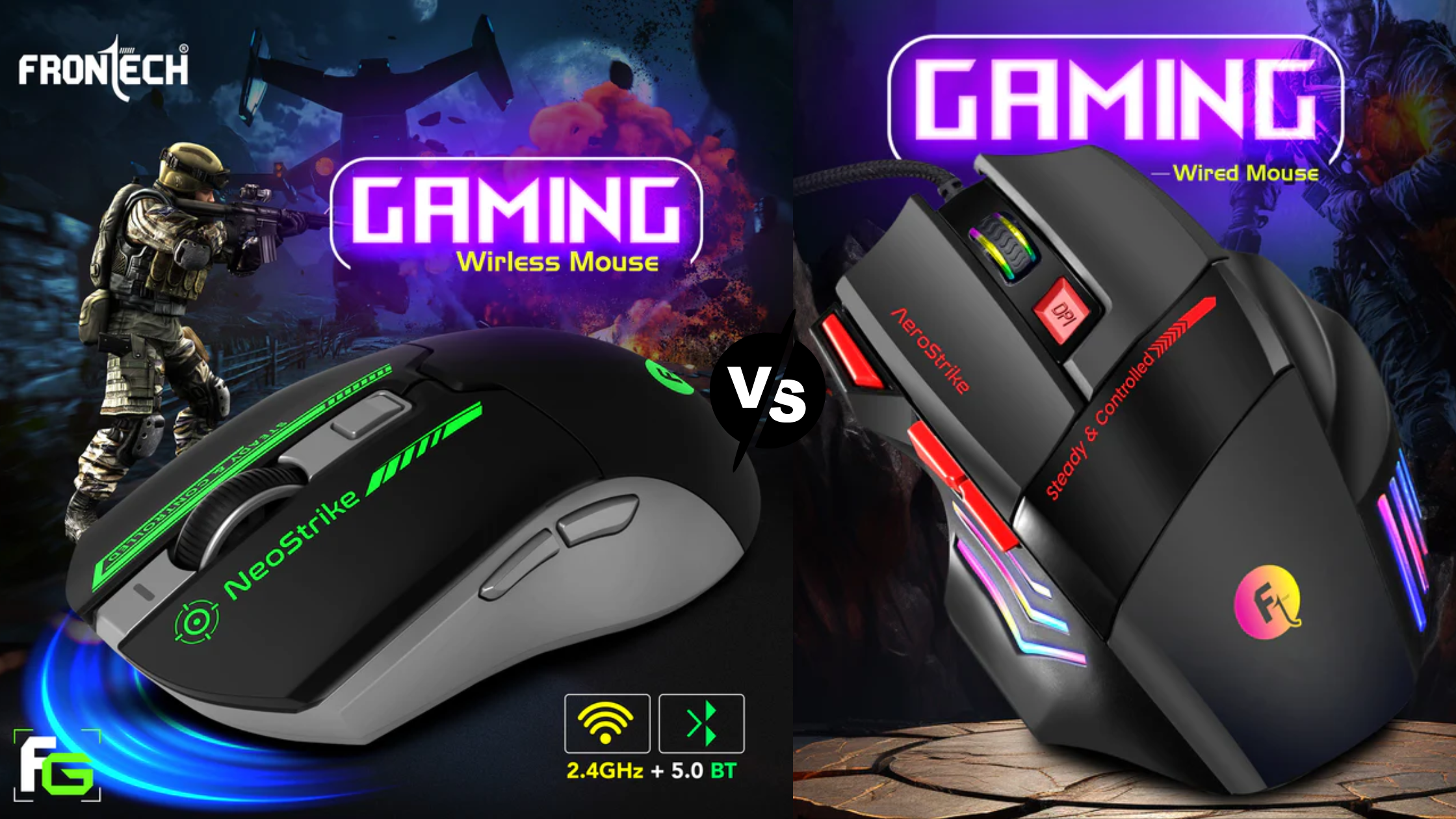
Q: Is a wired or wireless gaming mouse better?
A: In 2026, the performance gap between wired and high-end wireless gaming mice is negligible. Wireless offers freedom from cables and a cleaner setup, while wired mice guarantee a connection with no battery concerns. The choice often comes down to personal preference and specific setup needs.
Q: How often should I clean my gaming mouse?
A: Ideally, clean your mouse's sensor area and skates monthly, or more frequently if you game extensively or in dusty environments. Use a cotton swab with a little rubbing alcohol for the sensor and a microfiber cloth for the body. This prevents tracking issues and maintains glide performance.
Q: Can a gaming mouse improve my aim in FPS games?
A: Yes, a gaming mouse can significantly improve aim due to its superior sensor accuracy, adjustable DPI, and low latency. However, it's a tool; consistent practice and good technique are still the most critical factors for improving your aiming skills.
Q: What does 'lift-off distance' mean for a gaming mouse?
A: Lift-off distance (LOD) is how high you can lift your mouse off the surface before the sensor stops tracking. A low LOD is preferred by many competitive gamers as it prevents unwanted cursor movement when repositioning the mouse, especially during quick, sweeping motions.
High-precision optical or laser sensors for accurate tracking. Customizable DPI and polling rate for sensitivity control. Ergonomic designs reduce fatigue during long sessions. Programmable buttons for in-game macros. Durable switches for competitive reliability. Low latency wireless or wired connectivity options. Onboard memory for profile storage.
35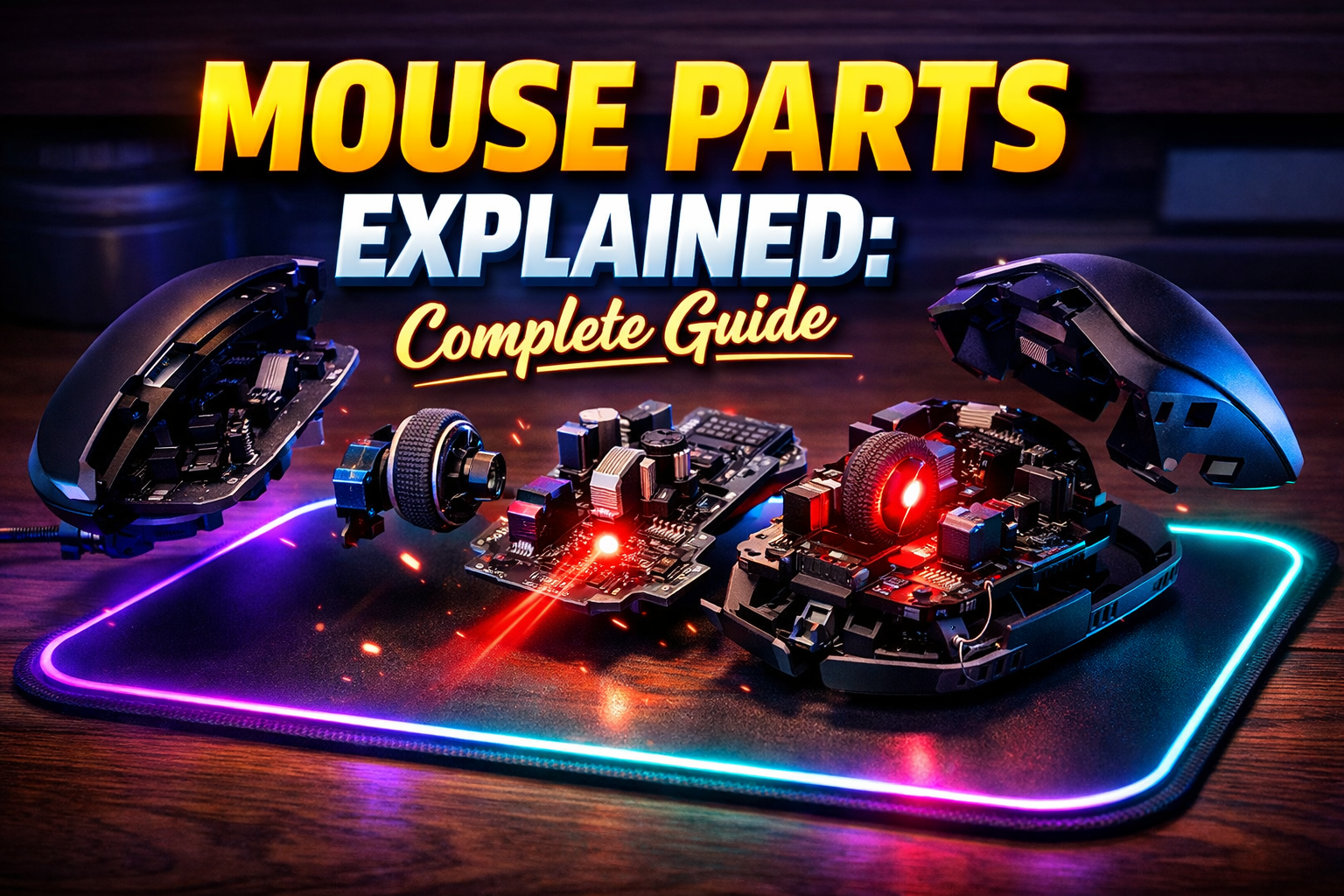


Mouse Parts Explained Complete Guide And How A Mouse Works In 2026 Gaming Mouse Close Up Details 2 . How Mouse Work DALL.E 2024 10 15 05.40.15 A Detailed Diagram Of A Computer Mouse Showcasing The Key Components. The Mouse Has An Optical Sensor At The Bottom Emitting Red Light, And The Top Pa.webp. Best Gaming Mouse 2026 Top Picks And Expert Reviews Best Gaming Mouse 2026. Wired Vs Wireless Gaming Mouse Pros Cons In 2026 Frontech Frontech Gaming Mouse Fd158e77 839e 4071 8387 . Best Gaming Mouse In 2026 We Ve Tested The Very Best Mice And These


Best Gaming Mouse To Buy In 2026 GAMES GG Best Gaming Mouse To Buy In 2026 47043110a9 . 5 Best Logitech Mouse Of 2026 For Work Gaming And Everything Beyond Best Logitech Mouse To Boost 722425 Mobile.webp. The Best Gaming Mouse And Keyboards Of 2026 A Guide To Performance Corsair Dark Core Rgb Pro. Best Budget Gaming Mouse 2026 Under 50 Picks Switchblade Gaming Best Budget Gaming Mouse 2026.webp. The Best Logitech Gaming Mouse 2026 GamesRadar 1200 80


Gaming Mouse That Are Still The Best In 2026 Noobs2Pro Gaming Mouse That Are Still The Best In 2026 1170x658 . Best Gaming Mouse 2026 Top Picks For Every Style Switchblade Gaming Best Gaming Mouse 2026.webp. 10 Best Wireless Gaming Mice For Competitive FPS June 2026 Fccj Best Wireless Gaming Mice For Competitive FPS 768x419 . Best Gaming Mouse In 2026 Top Wired And Wireless Picks For Every Gamer Gaming Mouse . Guia De Software Do Mouse 2026 Synapse G Hub Mais Hero Mouse


The 3 Best Gaming Mice Of 2026 Precision Performance The 3 Best Gaming Mice Of 2026 . Best Gaming Mouse Of 2026 Tested By Editors CNN Underscored Best Tested Badge 12 . Best Wireless Gaming Mouse In 2026 7 Picks For Smooth Gaming WHICH IS THE BEST WIRELESS GAMING MOUSE 1024x574 . The Best Gaming Mice For 2026. 12 Best Wireless Gaming Mouse 2026 Models Tested B09TLCRGMN Customer 1 768x768


BEST Gaming Mouse 2026 Top 15 Pro Picks YouTube . BEST Gaming Mouse Of 2026 THIS IS EXACTLY WHAT YOU NEED YouTube . BEST Wireless Gaming Mouse Of 2026 HERE S What You Should Buy At . 5 Best Wireless Gaming Mice 2026 Part 2 YouTube . Best Gaming Mouse 2025 2026 Top Picks For Every Gamer File

5 Best Gaming Mouse In 2026 Ac74b 1920 . Best Gaming Mouse In 2026 Top Picks For Every Budget Gaming Mouse 300x169 . Gaming Mouse DPI Explained 2026 Guide Gaming Mouse DPI Explained . The Best Gaming Mice In 2026 Picked By Our Tech Experts Gaming Mouse Hero 2 . 12 Best Wireless Gaming Mouse 2026 Models Tested B0C84ZD7L6 Customer 1 864x1536



How To Choose A Gaming Mouse April 2026 Complete Guide How To Choose A Gaming Mouse . Razer Mouse UK 2026 Guide Top Gaming Mice Features Untitled Design 30 . Best Wireless Gaming Mouse 2026 Top Picks Tested And Ranked Best Wireless Gaming Mouse 2026.webp. Best Affordable Gaming Mouse 2026 Budget Gaming PC Guru Wired Vs Wireless Gaming Mouse 800x500 . Best Gaming Mouse In 2026 We Ve Tested The Very Best Mice And These