Navigating the world of Roblox scripting requires careful attention to safety and security, especially in the current year. This comprehensive guide helps players and developers understand how to create and use Roblox scripts safely, protecting accounts from potential bans and ensuring a positive gaming experience. We delve into the latest anti-cheat mechanisms, secure coding practices, and community guidelines that define what constitutes a safe script. Learn about official tools, proper script execution, and how to identify and avoid malicious content. Our deep dive covers everything from fundamental safety principles to advanced security considerations, ensuring your Roblox adventures remain fun and secure without compromising account integrity. Discover key strategies for secure development and play. This resource is designed to be your ultimate companion for safe scripting within the dynamic Roblox ecosystem.
Welcome to the ultimate living FAQ about Roblox script safety, meticulously updated for the latest patch and the ever-evolving landscape of online security in 2024! If you're building games, playing them, or just curious about keeping your Roblox experience secure, you've landed in the right spot. We're diving deep into all your burning questions, from beginner basics to advanced security insights, ensuring you have the knowledge to navigate the platform safely. This isn't just a list of answers; it's a comprehensive guide to understanding why script safety matters, how to implement best practices, and what to do when things get tricky. Let's make your Roblox journey as secure and enjoyable as possible!
Most Asked Questions about Roblox Script Safe
Beginner Questions
How can I identify a safe script for my Roblox game?
To identify a safe script, always prioritize official sources like the Roblox Creator Marketplace and reputable developers. Check creator ratings and reviews. Avoid scripts that are heavily obfuscated or request unusual permissions. Test new scripts in an isolated environment before implementing them fully. Trustworthy scripts won't ask for personal information or grant unrealistic abilities. Staying vigilant and using common sense are your best defenses.
What are the immediate risks of using an unsafe Roblox script?
The immediate risks of using an unsafe Roblox script include account compromise, temporary or permanent bans, introduction of backdoors into your games, and exposure to malware. Unsafe scripts can steal your Robux, delete your creations, or even turn your game into a platform for exploiting others. Always consider the potential damage before running any script, as the consequences can be severe and long-lasting.
Builds & Classes
How do I secure my game builds from common script exploits?
To secure your game builds, prioritize server-side validation for all critical game logic, such as player movement, currency, and inventory. Never trust client input without verifying it on the server. Utilize Roblox's secure `RemoteEvents` and `RemoteFunctions` for client-server communication. Regularly audit your game for suspicious free models or plugins that might contain hidden backdoors. Consistent testing and community feedback also help identify vulnerabilities early.
What are the best practices for using free models safely in my Roblox game builds?
When using free models, exercise extreme caution. Always inspect the model's contents in Roblox Studio before using it, specifically looking for hidden scripts or unusual objects. Check the creator's reputation and user reviews on the Creator Marketplace. Delete any unnecessary scripts or components you don't recognize. Consider models only from highly reputable, verified creators. It's safer to build core functionalities yourself.
Multiplayer Issues
How do I prevent script-based exploits in my multiplayer Roblox game?
Preventing script-based exploits in multiplayer games hinges on making your game server-authoritative. This means the server controls all critical game state changes and validates all player actions. Implement robust anti-teleport and anti-speed checks on the server. Use `FilteringEnabled` (which is default now) to prevent client-side changes from replicating to other players. Regularly update your game to patch newly discovered vulnerabilities and monitor for unusual player behavior.
Endgame Grind
Are there specific script safety considerations for games with complex endgame progression?
For games with complex endgame progression, script safety is paramount to maintain fairness and economy. Implement strict server-side validation for all progression milestones, item acquisitions, and currency transactions. Ensure data storage through `DataStoreService` is secure, handling data serialization and deserialization carefully to prevent data corruption or injection. Regularly back up player data. Preventing exploits in endgame content protects player investment and the game's integrity.
Bugs & Fixes
How can I debug a suspected unsafe script without risking my main account?
To debug a suspected unsafe script safely, use a separate, expendable Roblox account that has no valuable assets. Work in an isolated test place in Roblox Studio, disconnected from your main game. Utilize Roblox Studio's built-in debugger to step through the script's code line by line, observing its behavior. Inspect its network requests and any interactions it attempts with the Roblox API. Never run it on your main game or account.
Tips & Tricks
What are some quick tips for protecting my Roblox account from malicious scripts?
Protect your Roblox account by enabling Two-Step Verification (2SV) immediately. Never share your password or personal information, even if a script or website claims to be official. Be wary of free Robux generators or promises of exclusive items. Avoid clicking suspicious links. Always download plugins and models from verified sources. Regularly review your account's login activity. Staying informed about current phishing scams also helps.
Guide
What is a good introductory guide to secure Lua scripting for Roblox?
A good introductory guide to secure Lua scripting for Roblox starts with official documentation on the Roblox Developer Hub. Focus on tutorials covering `RemoteEvents`, `RemoteFunctions`, and `DataStoreService`, emphasizing server-side validation. Learn about input sanitization and the principle of least privilege. Many reputable community tutorials on the Roblox Developer Forum also offer practical insights. Start with small, verifiable projects to build foundational security habits effectively.
How to
How do I properly remove a malicious script or backdoor from my Roblox game?
To properly remove a malicious script or backdoor, first shut down your game to prevent further damage. Open your game in Roblox Studio and use the 'Find All' tool (Ctrl+Shift+F) to search for common exploit keywords or unfamiliar scripts. Examine all free models, plugins, and services for suspicious code or objects. Look for `require()` statements using suspicious asset IDs. Delete any unknown or unauthorized scripts. You might need to revert to an older, clean version of your game if a full cleanup is difficult. If using plugins, consider disabling or removing any recently installed ones.
Still have questions?
If you're still wondering about anything related to Roblox script safety, don't hesitate to dive into our related guides:
- The Ultimate Guide to Roblox Account Security
- Mastering Roblox Studio: Advanced Scripting Techniques
- Understanding Roblox's Anti-Cheat: A Developer's Perspective
These resources offer deeper insights into specific aspects of keeping your Roblox journey secure and enjoyable.
So, what's the big picture here? Roblox script safety is all about playing smart and building responsibly in a vibrant, creative world. Think of it like this: Roblox is a huge digital playground, and just like any playground, you want to make sure everyone's playing by the rules and that the equipment is safe. It's not just about avoiding getting banned yourself; it's about contributing to a trustworthy and fun environment for millions of other players and creators.
Understanding script safety means you're empowered. You know how to spot the bad stuff, how to build your own creations securely, and how to protect your valuable account. It means you can experiment and innovate without constantly worrying about digital pitfalls. Ultimately, it’s about making your Roblox experience, and everyone else's, as positive and secure as possible, letting the creativity truly shine.
The takeaway? Be curious, be creative, but always be cautious. Your vigilance helps keep Roblox awesome for everyone, ensuring a thriving and secure space for imagination to run wild. It's a small effort that makes a huge difference in the grand scheme of things.
Are you wondering how to ensure your Roblox scripts are safe and won't get you banned in 2024? This question is on the minds of many aspiring and experienced Roblox developers and players alike. It is a world where creativity flourishes, but understanding the boundaries of safe scripting is absolutely paramount. We've all seen stories or heard whispers about accounts being compromised or banned due to unsafe practices, and nobody wants to be part of that narrative. So, let us dive into the current landscape of Roblox scripting, focusing on security, best practices, and ensuring your creations and gameplay remain legitimate and fun for everyone. This guide will help you understand the core principles for keeping your Roblox experience secure.
Why is understanding 'Roblox anti-cheat systems' so important for script safety? These systems are constantly evolving to detect and prevent unauthorized modifications to games and the platform itself. Knowing how they work helps you avoid actions that might inadvertently trigger a ban. How can 'Lua security best practices' protect your creations and account? Adhering to secure coding principles minimizes vulnerabilities, safeguarding your scripts from exploits and ensuring they operate as intended. Where can you find 'official Roblox development resources' to ensure script legitimacy? Roblox Studio and its documentation are your primary sources for legitimate and safe scripting tools and guidelines. When should you prioritize 'Roblox account protection tips' while interacting with scripts? Always prioritize these tips whenever you're using or evaluating new scripts, especially those from external sources. Who is responsible for ensuring 'community moderation tools' are effective in identifying unsafe scripts? Both Roblox and the community play vital roles in reporting and addressing suspicious content, fostering a safer environment. How do you implement 'Roblox script obfuscation techniques' safely, if at all? While obfuscation can protect intellectual property, it must be done carefully to avoid flagging anti-cheat systems or creating security risks. These keywords represent crucial aspects of maintaining a safe scripting environment on Roblox.
Beginner / Core Concepts
1. Q: What exactly makes a Roblox script 'safe' and why should I care?
A: When we talk about a Roblox script being 'safe,' it generally means it adheres to Roblox's Terms of Service and Community Standards, poses no threat to your account's security, and doesn't exploit or unfairly advantage players. I get why this confuses so many people, especially when you're just starting out and eager to experiment. Caring about script safety is absolutely crucial because using unsafe scripts can lead to serious consequences, including temporary suspensions or even permanent bans of your Roblox account. Beyond personal repercussions, unsafe scripts can harm other players' experiences, introduce vulnerabilities into games, and even compromise your personal information if they're malicious. It's like building with LEGOs; you want to make sure all your bricks are genuine and won't suddenly crumble, right? Focusing on safety from the beginning ensures a smooth, enjoyable, and legitimate experience for everyone involved. It builds trust within the community and protects your hard-earned progress and creations on the platform. You've got this! Start with reliable sources.
2. Q: How can I tell if a script found online is safe to use in my Roblox game?
A: This one used to trip me up too, because the internet is a wild place. The best way to tell if a script found online is safe involves a few critical steps of due diligence before you even think about putting it into your game. First off, always consider the source. Is it from a reputable developer on the Roblox Developer Forum, a well-known community resource, or a dubious website asking for your login? Stick to trusted sources like the official Roblox Creator Marketplace or scripts shared by respected members of the developer community. Second, examine the code if you have the technical know-how. Look for common red flags like obfuscated (hard-to-read) code, requests for external website access, or functions that manipulate core game services in unusual ways. Third, test it in an isolated environment, like a local studio test server, before deploying it live. If something feels off, trust your gut. It's better to be overly cautious than to regret it later. Think of it like trying a new recipe; you'd prefer one from a famous chef over a mysterious note, wouldn't you? Try this approach tomorrow and let me know how it goes!
3. Q: What are the common types of unsafe scripts or exploits I should watch out for on Roblox?
A: It's important to be aware of the digital booby traps out there, and I totally get why this information is vital for staying safe. Common types of unsafe scripts and exploits you should definitely watch out for on Roblox usually fall into several categories, each with its own nasty tricks. First, there are 'executors' or 'cheats' that grant unfair advantages like super speed, flying, or teleportation; these violate Roblox's rules and often come with malware. Then, you have 'backdoors' or 'malicious plugins' hidden within seemingly innocent assets or free models that allow unauthorized users to control aspects of your game, steal data, or spam advertisements. Another major threat includes 'phishing scripts' designed to trick you into giving away your account credentials, usually by mimicking official Roblox login prompts. Lastly, some scripts might contain 'resource hogging' code that slows down games or crashes servers, impacting everyone's experience. Being informed about these helps you recognize them instantly and steer clear. You've got this, just stay vigilant!
4. Q: Can using free models or plugins in Roblox Studio introduce unsafe scripts?
A: Absolutely, using free models or plugins in Roblox Studio can definitely introduce unsafe scripts, and it's a common pitfall that even experienced developers sometimes fall into. This one used to trip me up too, because who doesn't love free stuff, right? The issue is that many creators of free assets embed hidden scripts within them. These scripts can range from harmless but annoying (like giving credit to the creator) to downright malicious. Malicious scripts often create 'backdoors' in your game, allowing external users to gain unauthorized access, spawn items, change game properties, or even steal data. Some plugins, especially those from unofficial sources, might install harmful code directly into your Studio environment, compromising your development process. Always, always check the reputation of the creator before adding a free model or plugin. Look at reviews, user ratings, and if possible, inspect the scripts within models before you integrate them fully. Treat every free asset like a gift from a stranger; inspect it carefully before you bring it into your home. You've got the power to protect your game!
Intermediate / Practical & Production
1. Q: How do official Roblox tools like Studio and the Creator Marketplace help ensure script safety?
A: Official Roblox tools like Roblox Studio and the Creator Marketplace are specifically designed with safety and security in mind, offering a robust framework for developers. I get why people might wonder if these 'official' tools are truly safe, especially given the prevalence of third-party content. Roblox Studio itself is the primary development environment; it provides built-in script analysis, error checking, and a secure Lua environment that limits what scripts can access on your local machine. It encourages best practices through its interface and documentation. The Creator Marketplace, formerly known as the Roblox Library, serves as a vetted platform where creators can share models, plugins, audio, and scripts. While not every item is manually reviewed, Roblox employs automated systems to scan for common malicious patterns and provides reporting tools for users. Reputable creators often gain badges and higher ratings, making it easier to identify reliable assets. It's like having a well-maintained toolbox from a trusted brand; you know the tools inside are generally reliable and designed for the job. Utilizing these resources significantly reduces your exposure to unsafe scripts. Try making it a habit to check the marketplace for certified creators!
2. Q: What are some 'secure coding practices' that Roblox developers should always follow to prevent vulnerabilities?
A: Secure coding practices are your shield against vulnerabilities, and it's something every Roblox developer should master for long-term safety. This one used to trip me up too, thinking all code was inherently safe if it just 'worked.' A fundamental practice is 'input validation'; always assume any input from a user or external source is potentially malicious and validate it rigorously before using it. For example, if a player sends a message, ensure it's not too long or doesn't contain harmful characters. Another key practice is 'least privilege'; scripts should only have the minimum necessary permissions to perform their function. Don't give a script more power than it needs. Using 'server-side validation' for critical game logic, like purchases or player stats, is also paramount because client-side checks can be easily bypassed by exploiters. You should also 'avoid unnecessary obfuscation' or complex code structures that make auditing difficult, as this can hide vulnerabilities from even yourself. Regularly 'update and patch' your games, reviewing community feedback for potential exploits. It's like building a strong house; you reinforce the foundations and lock the doors, not just paint the walls. You've got this! Practice these consistently.
3. Q: How do Roblox's 'anti-exploit systems' work, and what do I need to know as a developer to avoid false positives?
A: Roblox's anti-exploit systems are complex, continuously evolving mechanisms designed to detect and prevent unauthorized client-side manipulations, and understanding them helps developers avoid those frustrating false positives. I get why this can be a real headache sometimes, feeling like your legitimate code might get flagged. Fundamentally, these systems analyze player behavior, network traffic, and client-side script execution for patterns indicative of cheating or exploiting. This includes monitoring for unusual speeds, clipping through terrain, rapid-fire actions, or attempts to modify local script environments. As a developer, the key is to ensure your game logic is primarily 'server-authoritative.' This means the server, not the client, should dictate critical game states like player position, health, item ownership, and currency. While client-side prediction can improve user experience, always validate these actions on the server. Avoid using deprecated or unofficial APIs, which might interact with Roblox's core in ways the anti-exploit doesn't expect. If you're creating custom physics or unique movement systems, ensure they have reasonable constraints and are well-tested to prevent them from being mistaken for exploits. It's like having a security guard; you want them to catch the bad guys, but not tackle the mailman delivering legitimate packages. Communicate clearly with the server and you'll be fine.
4. Q: What are 'Roblox script obfuscation techniques' and are they safe or recommended for protecting my code?
A: Roblox script obfuscation techniques involve transforming your Lua code into a more complex, harder-to-read format to deter unauthorized copying or reverse-engineering. This one used to trip me up too, because on the surface, it sounds like a smart way to protect your intellectual property. While obfuscation can make it more challenging for casual users to understand and steal your code, it's a double-edged sword regarding safety and recommendation. Many popular obfuscators are themselves opaque, meaning you don't fully know what changes they're making to your code, which can introduce hidden vulnerabilities or compatibility issues. More importantly, heavily obfuscated client-side scripts can sometimes trigger Roblox's anti-exploit systems because they look suspicious or operate in unusual ways. Server-side code is naturally more secure as it's not exposed to the client, making obfuscation less necessary there. If you absolutely must obfuscate, opt for reputable, well-known obfuscators and only apply them to client-side scripts where intellectual property protection is a concern. But be warned: it's not a foolproof security measure and carries inherent risks. Think of it like a confusing maze; it keeps some people out, but it can also make it harder for you to find your way back if something goes wrong. Use with extreme caution!
5. Q: How can I report an unsafe script or exploit I encounter in a Roblox game?
A: Reporting an unsafe script or exploit you encounter in a Roblox game is a vital part of keeping the platform safe for everyone, and it's easier than you might think. I get why you'd want to know this; it feels good to contribute to a safer environment. Roblox provides straightforward mechanisms for players to report suspicious activity directly within games. When you encounter an exploiter or see evidence of an unsafe script impacting gameplay, simply click on the 'Report Abuse' button, which is usually found by clicking the Roblox icon in the top-left corner of the screen. Select the player or the issue, choose the most appropriate category (e.g., 'Exploiting' or 'Hacking'), and provide a concise but clear description of what happened. Be specific with details like the time, the game, and the actions you observed. Roblox's moderation team investigates these reports. For more complex issues, especially related to a game you own that has been compromised, you might need to use the Roblox Support page. Your reports are incredibly valuable, acting as the eyes and ears of the community. It's like calling the police when you see something suspicious happening in your neighborhood; every report helps maintain order. You've got this! Your vigilance makes a difference.
6. Q: What are the best practices for managing permissions and data security within my Roblox game scripts?
A: Managing permissions and data security within your Roblox game scripts is paramount for protecting both your game and your players' information. It's something that often gets overlooked, but it's fundamentally important, and I get why developers want to nail this down. Best practices start with the principle of 'least privilege,' meaning a script or function should only have access to the data and permissions absolutely necessary for it to perform its designated task. For instance, don't give a GUI script access to player inventory modification if it only displays information. Use Roblox's built-in 'server-side remote events and functions' for all critical client-server communication; never trust the client to send accurate data for sensitive operations like purchases, stats updates, or inventory changes. Always validate data received from the client on the server. Furthermore, ensure you're using 'DataStoreService' securely for persistent data storage, implementing proper error handling and respecting data limits. Never store sensitive information like player passwords within scripts or publicly accessible data. Regularly audit your scripts for unnecessary permissions or potential data leaks. It's like a bank vault; you only give access to those who absolutely need it, and you double-check every transaction. You've got this, secure your game's data!
Advanced / Research & Frontier
1. Q: How do Roblox's 'moderation tools' and 'community guidelines' specifically address script safety violations?
A: Roblox's moderation tools and community guidelines form a comprehensive ecosystem specifically designed to address script safety violations, creating a framework of accountability. I get why understanding the nuances of how Roblox enforces its rules is important for staying within the lines. The community guidelines clearly outline prohibited behaviors, including exploiting, hacking, or distributing malicious content, which directly relates to unsafe scripting. Roblox's moderation tools involve a combination of automated systems, machine learning algorithms, and human moderators. Automated systems scan for known exploit patterns, unusual network traffic, and suspicious code within uploaded assets. Machine learning helps identify emerging threats and scale detection efforts. When violations are detected, human moderators review the evidence and apply appropriate sanctions, which can range from warnings and temporary suspensions to permanent bans. The platform also relies heavily on player reports, acting as additional eyes and ears. These reports are triaged and investigated, ensuring that the community actively participates in maintaining a safe environment. It's like a multi-layered security system, constantly adapting to new threats. You've got this; staying informed helps everyone.
2. Q: What is the current state of 'Roblox anti-cheat bypasses' and how does Roblox continuously combat them?
A: The current state of Roblox anti-cheat bypasses is an ongoing cat-and-mouse game, constantly evolving as exploiters find new methods and Roblox counters them with sophisticated updates. This one used to trip me up too, because it feels like a never-ending battle. Exploiters continuously develop new 'executors' and 'injection methods' that attempt to bypass Roblox's client-side anti-cheat and security measures. These bypasses often target vulnerabilities in Roblox's client application or operating system interactions, allowing arbitrary code execution within the game client. Roblox combats these bypasses through a multi-pronged approach: frequent client updates that patch vulnerabilities, server-side validation to nullify client-side exploits, and advanced telemetry to detect abnormal behavior. They also employ 'dynamic analysis' techniques to observe how exploits operate and then create specific countermeasures. Furthermore, legal action is taken against developers and distributors of persistent, high-impact exploiting software. It's a continuous arms race, but Roblox remains committed to maintaining fair play by investing heavily in security research and development. Think of it like an immune system, constantly learning and adapting to new viruses. Staying server-authoritative is your best defense.
3. Q: How can 'external security audits' or 'vulnerability assessments' be applied to high-stakes Roblox games?
A: Applying external security audits or vulnerability assessments to high-stakes Roblox games is a crucial, though less common, step for projects with significant user bases or valuable in-game economies. I get why this sounds like something only big corporations do, but it's becoming increasingly relevant for top Roblox experiences. These audits involve bringing in security experts, sometimes specialized in game security or Lua, to systematically identify weaknesses in your game's code, architecture, and server-client communication. They look for 'common web vulnerabilities' like injection flaws, improper data handling, privilege escalation, and business logic flaws that could be exploited. This process typically includes 'penetration testing,' where ethical hackers attempt to breach the game's security as an actual exploiter would. The goal is to uncover 'zero-day exploits' or vulnerabilities that you, as the developer, might have overlooked. The output is a detailed report with findings and recommendations for remediation. While often costly, for games with millions of players or substantial virtual economies, the investment can protect against massive financial and reputational damage. It's like hiring a professional to inspect your mansion's security system before a big party. This level of rigor ensures maximum protection for your digital assets.
4. Q: What are the emerging trends in 'Roblox script security' and 'threat detection' for the current year and beyond?
A: The emerging trends in Roblox script security and threat detection for the current year and beyond are heavily focused on sophisticated AI-driven solutions and proactive measures. This one used to trip me up too, because it feels like security is always playing catch-up. We're seeing a significant shift towards 'behavioral anomaly detection,' where AI and machine learning analyze player actions and server interactions in real-time to identify unusual patterns that indicate exploiting, rather than relying solely on signature-based detection. This allows for faster identification of novel exploits. Another key trend is the increased emphasis on 'server-side hardening' and 'cloud-based security,' pushing more critical game logic and data validation onto Roblox's secure server infrastructure, making client-side manipulation less effective. 'Enhanced obfuscation and anti-tampering measures' are also being implemented at the platform level to make the Roblox client itself more resistant to reverse-engineering. Furthermore, expect greater integration of 'proactive threat intelligence sharing' within the developer community and with Roblox, creating a more collaborative defense. It's like having an intelligent immune system that not only fights current infections but also predicts and prevents future ones. The future of Roblox security is smart and proactive.
5. Q: Are there 'legal implications' for developing or distributing unsafe Roblox scripts or exploit tools?
A: Yes, absolutely, there can be significant legal implications for developing or distributing unsafe Roblox scripts or exploit tools, and it's something I want everyone to be keenly aware of. I get why some might think it's just 'game stuff,' but the real world has consequences. Roblox has a very clear stance against exploiting and hacking, and their Terms of Service are legally binding. Distributing tools that facilitate unauthorized access or manipulation of their platform can lead to 'cease and desist' letters, 'copyright infringement lawsuits,' or claims of 'tortious interference' with their business operations. Depending on the nature and scale of the activity, particularly if it involves malware, data theft, or significant financial damages, federal laws like the 'Computer Fraud and Abuse Act (CFAA)' in the United States could even come into play. There have been several high-profile cases where Roblox has successfully pursued legal action against exploit developers and distributors, resulting in substantial settlements or judgments. It's like designing and selling tools to break into someone's house; it's not just a game, it's a serious legal offense. Always stay on the right side of the law and Roblox's rules. You've got this, keep it legitimate!
Quick Human-Friendly Cheat-Sheet for This Topic
- Always double-check the source of any script, model, or plugin; official is usually best!
- If a script looks too good to be true, it probably is. Avoid anything promising free Robux or unfair advantages.
- Prioritize server-side validation for everything important in your game, because the client can be tricked.
- Keep your Roblox Studio and game assets updated to benefit from the latest security patches.
- Don't blindly copy and paste code from unknown sources without understanding what it does.
- If you spot an exploiter, use the in-game report feature; your contribution makes a difference.
- When in doubt, consult the official Roblox Developer Forum or documentation for guidance.
Understanding Roblox's anti-cheat systems is crucial for safe scripting. Employing secure coding practices prevents account bans and protects user data. Utilizing official Roblox Studio tools ensures script safety and compliance. Recognizing malicious scripts and avoiding unauthorized executors safeguards your account. Adhering to Roblox's Terms of Service is paramount for all scripting activities. Community resources and updated guides offer invaluable insights into maintaining script security. Verifying script sources before integration helps prevent unforeseen vulnerabilities.
35




100 Unofficial Roblox Annual 2026 Brand New For 2025 The Iconic SL1500 . NEW How To Use Roblox Scripts TUTORIAL YouTube . Cryptic Executor Roblox What Is It Really Cryptic Roblox 1024x1024 . Contoh Roblox Scripts 2026 Panduan Lengkap Untuk Pemula Jurnal Ngawi 3789630207 . Script Application Roblox Coding Guide To Master Roblox Learn Roblox Scripting Web Copy

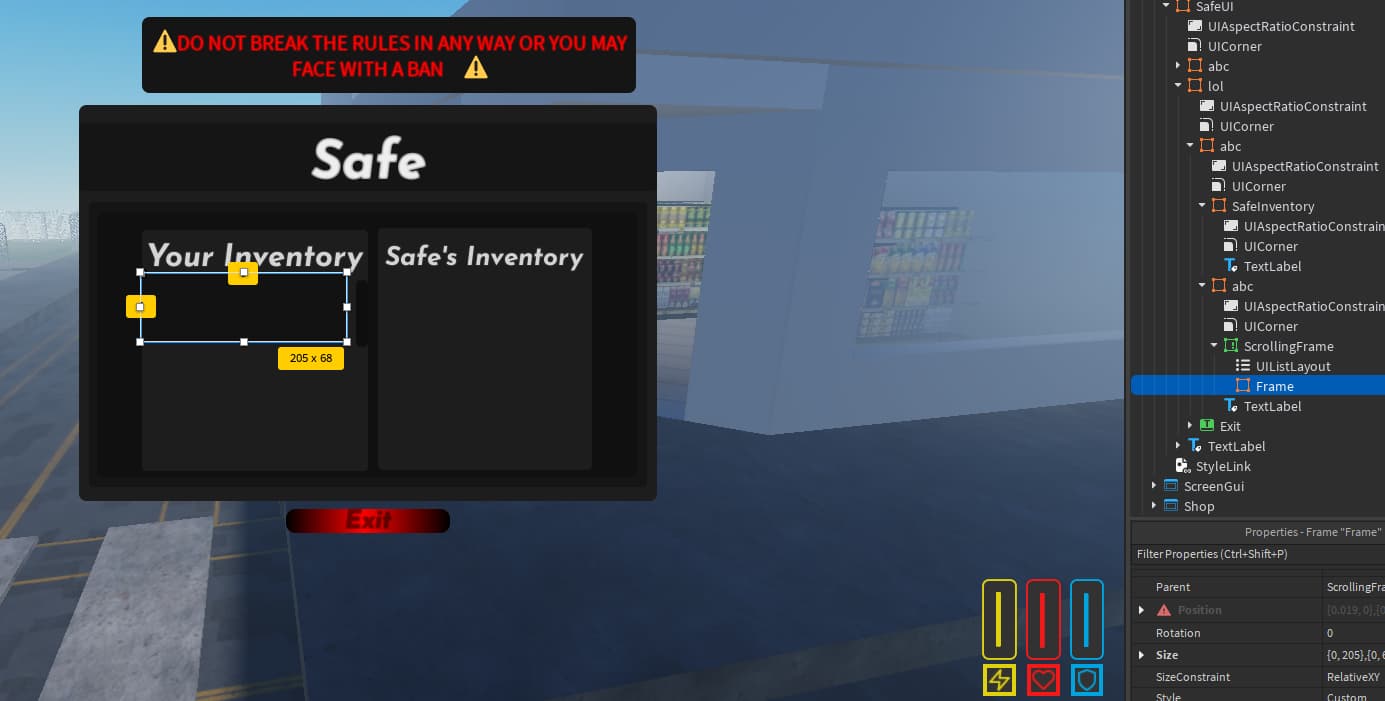


Roblox Rivals GitHub . How To Script A Safe UI Platform Usage Support Developer Forum . 15 Game Roblox Horror Terbaik 2026 15 Game Roblox Horror Terbaik 2026 Paling Seram And Bikin Deg Degan 7f944699ce . Roblox Script Idea Generator Safe Educational 019998f2 283e 7c2d A6b2. Committees SAFE 2026 SAFE2026 Icon




Pet Simulator Script GitHub Topics GitHub Ba82eefe 8eb6 4426 Ae64. What Will Roblox Look Like In 2026 Blog Graphics 26 . Roblox Cheats Risks Scripts Executors Safe For 2025 Vpn For Roblox In Egypt. How To Make A SAFE ZONE In Roblox Studio NO SCRIPTING YouTube . The Apocalypse Script INF Stamina Auto Collect Roblox Scripter Photo 2025 06 03 10 41 22



The Ultimate Guide To Scripting On Roblox 2026 Approved YouTube . Advanced Roblox Lua Scripting Tutorial 2026 Pro Guide Roblox Lua Scripting Advanced Tutorial . Best Roblox VPN 2026 Security And Unlimited Access For Players VPN Roblox 2026 Terbaik Melindungi Privasi Dan Akses Tanpa Batas 3756ba1bbf . Is My Admin Commands Script System Secure Exploiter Proof Code 2 1024x488 . Roblox Lua Scripting 2026 Guide For Kids CodaKid Roblox Studio.webp


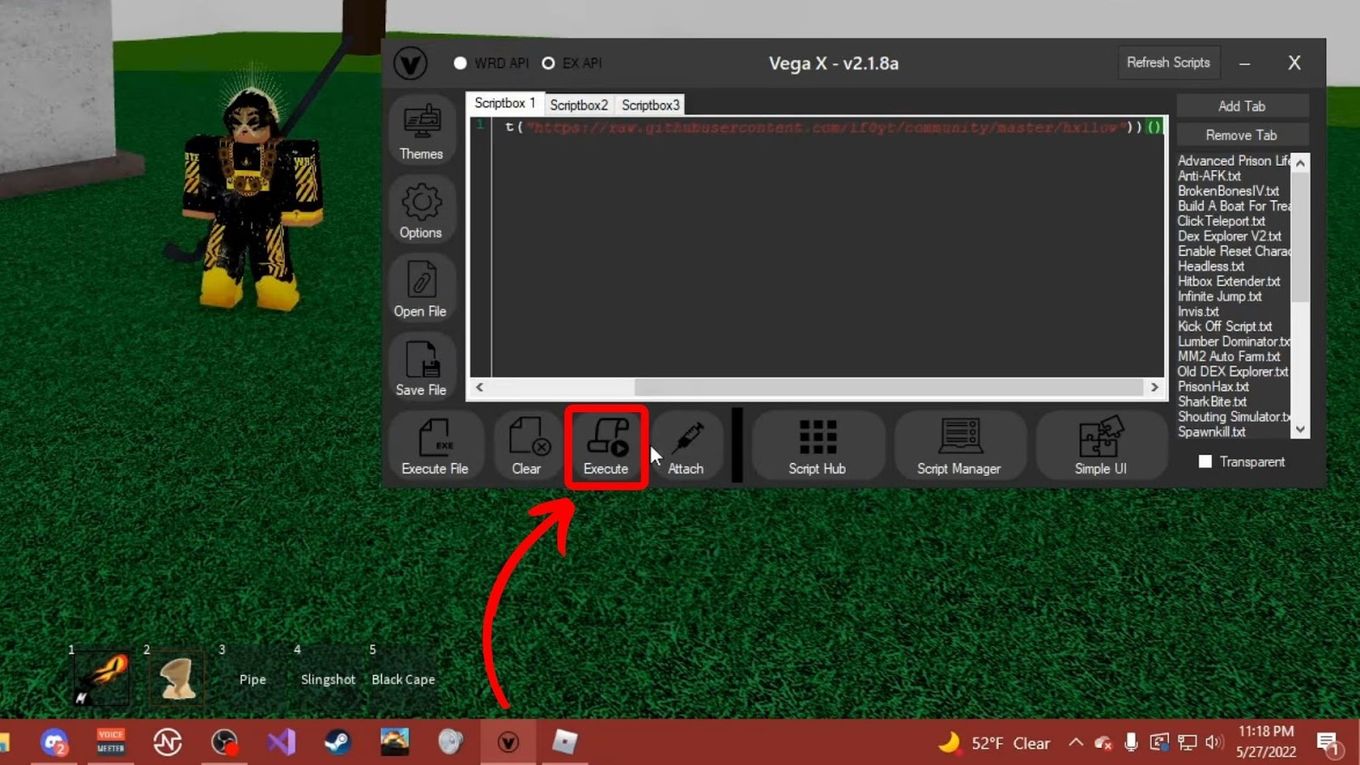
Script Roblox Wiki Fandom Latest. BEST KEYLESS GAG SCRIPT Roblox Grow A Garden Script Review . Roblox Scripting In 2025 Ep 2 Server Sided And Local Scripts YouTube . Rolling Script Roblox At Catherine Fletcher Blog . Roblox Speed Script What Is It How To Use Alvaro Trigo S Blog Execute Roblox Speed Script


RBX Scripts Download Roblox Scripts 4 Best Hide Or Die Scripts Roblox 1024x576 . Wrongly Banned Creating Or Using An Account To Avoid An Enforcement . The BEST Beginner Guide To SCRIPTING In Roblox Part 3 Roblox Studio Hqdefault . Rebuild Your Roblox Skills With Safe Modular Turret Scripting In 2026 Th. Where Can I Find Safe Scripts R

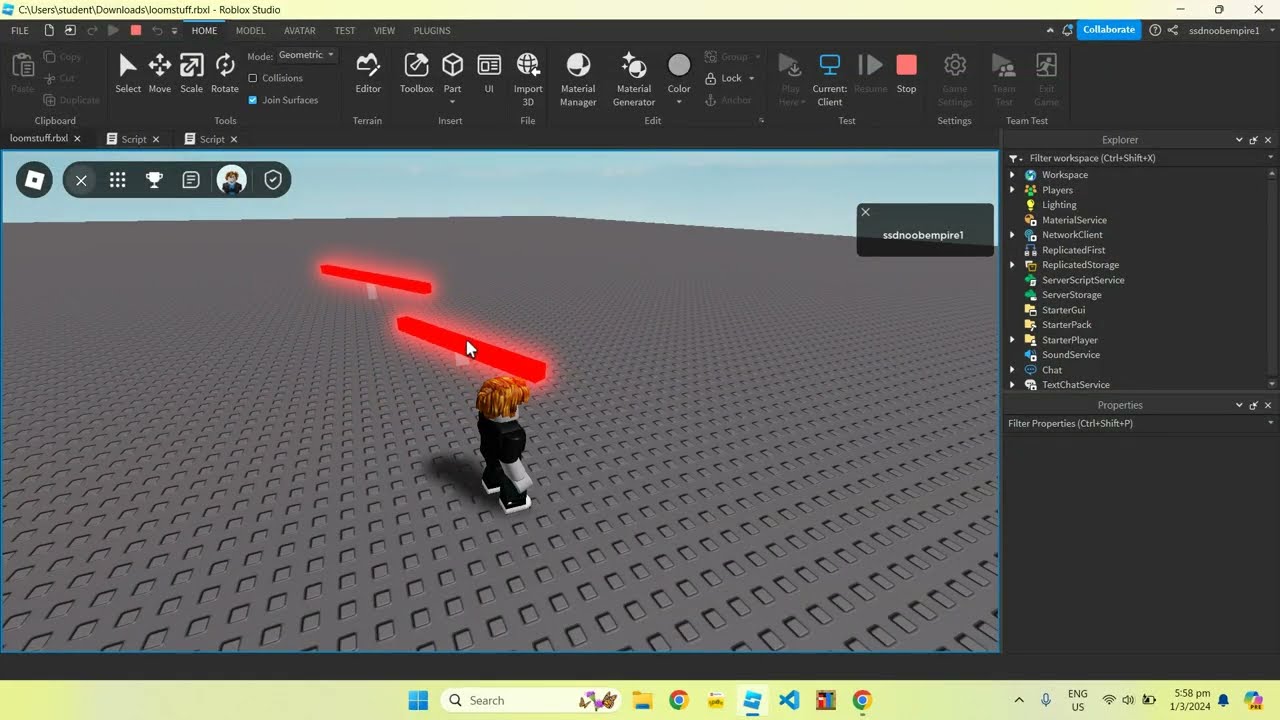

The EASIEST Beginner S Guide To ROBLOX Scripting 2025 YouTube . Grow A Garden Roblox Script Grow A Garden Script 1 . Crash Server Script Roblox Speed Script Roblox . Roblox Game Development Safe Scripting Game Design For Kids Aged 9 . 10 Essential Roblox Scripts For Grow A Garden 10 Essential Roblox Scripts For Grow A Garden 1